
To be able to create predictions, you must enable them first. 


## Enabling Lookalikes
---
The [Lookalikes](/docs/glossary#lookalikes) model allows you to compare two groups (*source* and *target*) and search the target group for customers whose behavior is predicted to be similar to those from the source group.

**Prerequisites:**
- [Configure AI engine](/docs/settings/configuration/ai-engine-configuration/engine-configuration-for-propensity)
- Transaction events must exist in the system.

  To enable this prediction model:
1. Go to **Settings > AI Engine Configuration**.  
2. Click the **Predictions** tab.
3. In the **Lookalikes** section, click **Define**.  
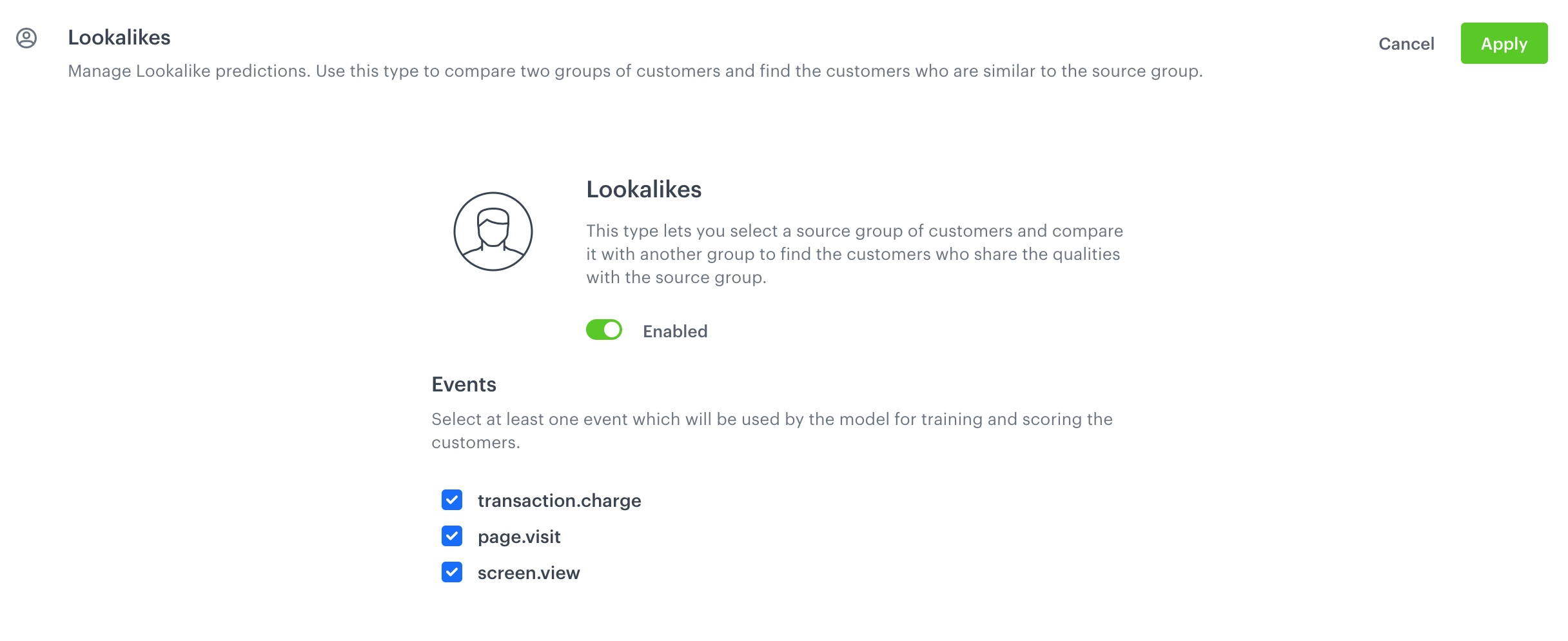
4. Switch the toggle to **Enabled**.  
5. In the **Events** section, select at least one event which the model will use for the training and for scoring the customers.  
    <figure>
    <img src="/api/docs/image/54176ad07f146575310749eba44b7c2f42c1b327/docs/ai-hub/_gfx/enable-lookalikes.png" class="full" alt="Configuration of the Lookalikes model in the item feed">
    <figcaption>Configuration of the Lookalikes model in the item feed</figcaption>
    </figure>
6. Confirm the settings by clicking **Apply**. 

  After enabling the Lookalikes module, you must wait 2-3 hours for the model to become ready. After that, you can create the first [lookalike prediction](/docs/ai-hub/predictions/lookalikes).


  <div class="admonition admonition-tip"><div class="admonition-icon"><svg xmlns="http://www.w3.org/2000/svg" fill="none" viewBox="0 0 24 24" stroke="currentColor" stroke-width="2.5"><path stroke-linecap="round" stroke-linejoin="round" d="M9.663 17h4.673M12 3v1m6.364 1.636l-.707.707M21 12h-1M4 12H3m3.343-5.657l-.707-.707m2.828 9.9a5 5 0 117.072 0l-.548.547A3.374 3.374 0 0014 18.469V19a2 2 0 11-4 0v-.531c0-.895-.356-1.754-.988-2.386l-.548-.547z" /></svg></div><div class="admonition-body"><div class="admonition-content">

  You can get inspired by uses cases with the Lookalikes model:
- [Find customers for a new offline shop branch](/use-cases/discover-customers-for-new-shop-branch)
- [Find best matching customers for an annual campaign](/use-cases/find-matching-customers-for-campaign)

</div></div></div>


## Enabling Regression and Classification Predictions
---


<div class="admonition admonition-note"><div class="admonition-icon"><svg xmlns="http://www.w3.org/2000/svg" fill="none" viewBox="0 0 24 24" stroke="currentColor" stroke-width="2.5"><path stroke-linecap="round" stroke-linejoin="round" d="M13 16h-1v-4h-1m1-4h.01M21 12a9 9 0 11-18 0 9 9 0 0118 0z" /></svg></div><div class="admonition-body"><div class="admonition-content">

Previously referred to as Custom predictions, regression and classification predictions are the current names for the same concept.

</div></div></div>


The Custom model allows you to create two types of predictions, which differ in terms of the result types. 
- You can create a prediction that [produces a numerical value](/docs/glossary#regression), it works best with forecasting customer LTV or the number of purchased products. 
- The other type [produces true/false values](/docs/glossary#classification), which is best used to answer yes/no questions, such as "will this customer leave next month?"

  To enable this prediction model:
1. Go to **Settings > AI Engine Configuration**.  
2. Click the **Predictions** tab.
3. In the **Custom** section, click **Define**.  
4. Switch the toggle to **Enabled**.  
5. In the **Time shift** section, define three time ranges for later selection in the [settings](/docs/ai-hub/predictions/custom#schedule-recalculation-and-result-settings) of a single prediction as the **How many days in advance do you want to make a prediction?** option.
    
   <div class="admonition admonition-warning"><div class="admonition-icon"><svg xmlns="http://www.w3.org/2000/svg" fill="none" viewBox="0 0 24 24" stroke="currentColor" stroke-width="2.5"><path stroke-linecap="round" stroke-linejoin="round" d="M12 9v2m0 4h.01m-6.938 4h13.856c1.54 0 2.502-1.667 1.732-2.5L13.732 4c-.77-.833-1.964-.833-2.732 0L4.082 16.5c-.77.833.192 2.5 1.732 2.5z" /></svg></div><div class="admonition-body"><div class="admonition-content">

   Editing time ranges will be impossible after you click **Apply**.

   </div></div></div>

6. Optionally, in the **Custom events** section, you can add custom events which will be analyzed by the model while calculating the results of a prediction.
7. Confirm the settings by clicking **Apply**.  
    <figure>
    <img src="/api/docs/image/54176ad07f146575310749eba44b7c2f42c1b327/docs/ai-hub/_gfx/enable-custom-predictions.png" class="full" alt="Configuration of the Custom model in the item feed">
    <figcaption>Configuration of the Custom model in the item feed</figcaption>
    </figure>

  After enabling the Custom model, you must wait 2-3 hours for the model to become ready. After that, you can create the first [custom prediction](/docs/ai-hub/predictions/custom).


  <div class="admonition admonition-tip"><div class="admonition-icon"><svg xmlns="http://www.w3.org/2000/svg" fill="none" viewBox="0 0 24 24" stroke="currentColor" stroke-width="2.5"><path stroke-linecap="round" stroke-linejoin="round" d="M9.663 17h4.673M12 3v1m6.364 1.636l-.707.707M21 12h-1M4 12H3m3.343-5.657l-.707-.707m2.828 9.9a5 5 0 117.072 0l-.548.547A3.374 3.374 0 0014 18.469V19a2 2 0 11-4 0v-.531c0-.895-.356-1.754-.988-2.386l-.548-.547z" /></svg></div><div class="admonition-body"><div class="admonition-content">

  You can get inspired by uses cases with the custom model:
- [Lifetime value prediction](/use-cases/ltv-prediction)
- [Predict churn](/use-cases/churn-prediction)
- [Evaluate results of churn predictions](/use-cases/predictions-dashboard)

</div></div></div>


## Enabling Propensity and Best fit predictions
---

Propensity and Best Fit models can't be enabled separately. To enable them, see [the instructions](/docs/settings/configuration/ai-engine-configuration/engine-configuration-for-propensity).

After enabling the Propensity and Best Fit module, you must wait 2-3 hours for the model to become ready. After that, you can create the first [propensity](/docs/ai-hub/predictions/propensity) and [best fit](/docs/ai-hub/predictions/bestfit) predictions.


<div class="admonition admonition-tip"><div class="admonition-icon"><svg xmlns="http://www.w3.org/2000/svg" fill="none" viewBox="0 0 24 24" stroke="currentColor" stroke-width="2.5"><path stroke-linecap="round" stroke-linejoin="round" d="M9.663 17h4.673M12 3v1m6.364 1.636l-.707.707M21 12h-1M4 12H3m3.343-5.657l-.707-.707m2.828 9.9a5 5 0 117.072 0l-.548.547A3.374 3.374 0 0014 18.469V19a2 2 0 11-4 0v-.531c0-.895-.356-1.754-.988-2.386l-.548-.547z" /></svg></div><div class="admonition-body"><div class="admonition-content">

You can get inspired by uses cases with the propensity model:
- [Predict propensity to buy items with an attribute](/use-cases/propensity-attribute)
- [Predict propensity to buy an item](/use-cases/propensity-product)
- [Predict propensity to buy items from specific brands](/use-cases/propensity-brand)
</div></div></div>
