This article is the continuation of the [Recommendation filters](/docs/ai-hub/recommendations-v2/recommendation-filters) article and it contains the examples of recommendation filters usage. Each example considers a different business need.
## Visual Builder
---
### Defining condition between filters
#### Example 1
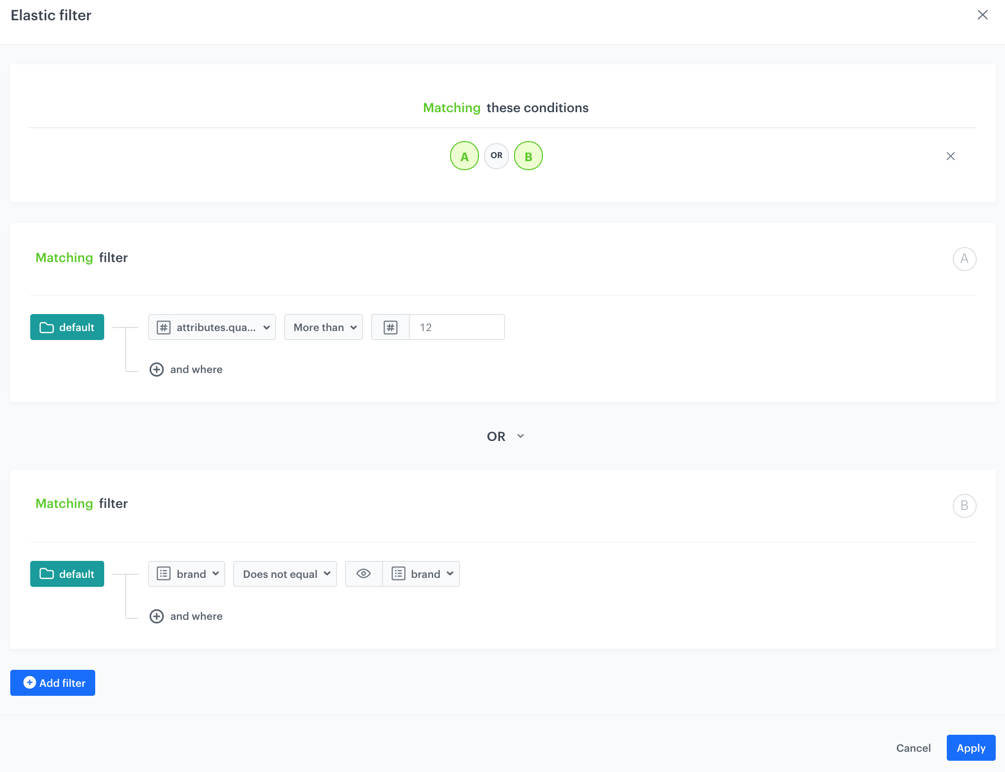
A or B dependency
If there are items that meet the conditions of the filter A (for example, if there are 13 or more pieces of an item), the recommendation frame shows the items described in the filter A.
If there are no items that meet the filter A conditions, the recommendation frame shows the items that match the filter B (items of a different brand than the currently viewed item), if there are any.
If there are no items that meet the conditions of any of the filters (neither filter A nor B), then the recommendation frame is empty.
#### Example 2
A and B dependency
The condition of both filters (A and B) must be met. It means the recommendation frame shows an item of which you have more than 12 pieces in stock and the brand of an item is different than the brand of the currently displayed item.
If there are no items that meet the filter conditions simultaneously, the recommendation frame is empty.
#### Example 3
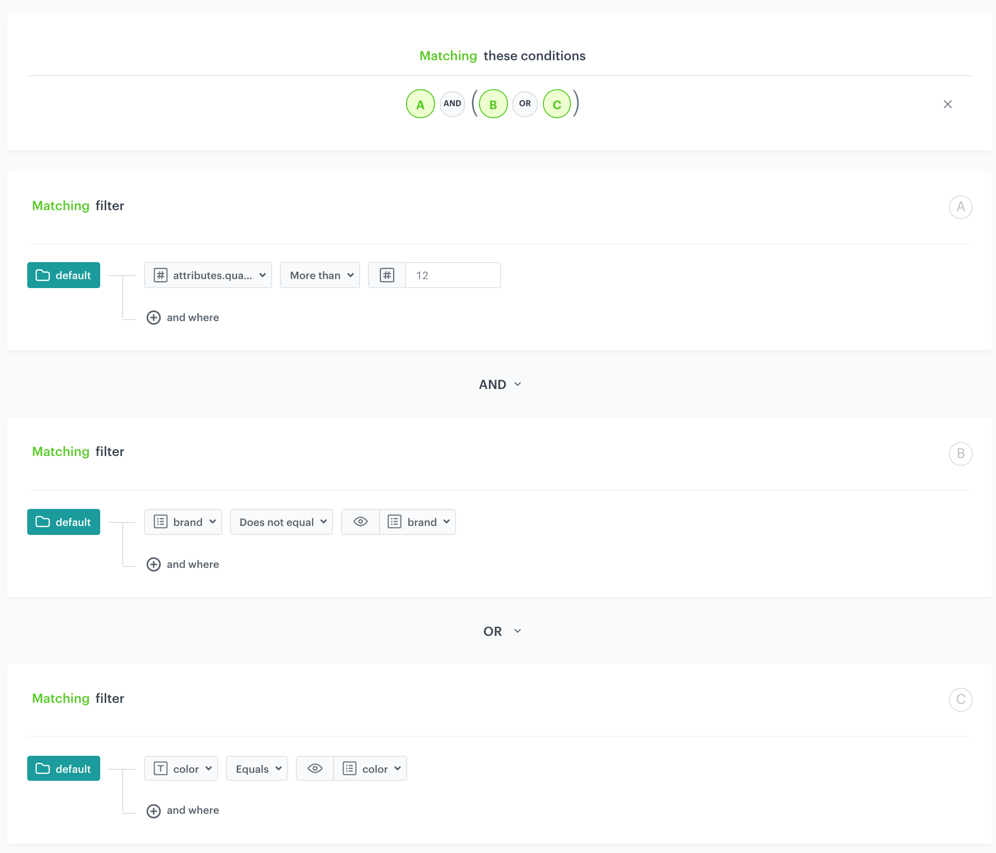
A and (B or C) dependency
Items must meet the conditions of two filters at the same time:
- the condition defined in the filter A (you must have 13 or more pieces of a specific item in your stock)
- the conditions defined either in B or C filters
**Success**:
- Items meet conditions of A and B filters.
- Items meet conditions of A and C filters.
- Items meet all conditions (then)
**Failure**:
- Items don't meet the conditions of the filter A.
- Items don't meet the conditions of both filters B and C.
**Result**: The recommendation frame is empty
### Examples of use
---
You can see the same examples for the IQL Query wizard. Go to the [Examples](/docs/ai-hub/recommendations-v2/recommendation-filters-examples#iql-query) in IQL Query section.
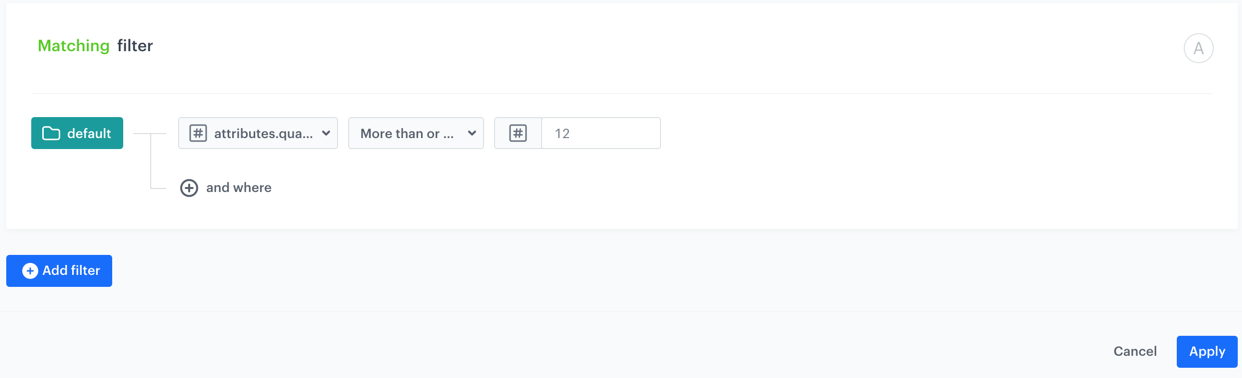
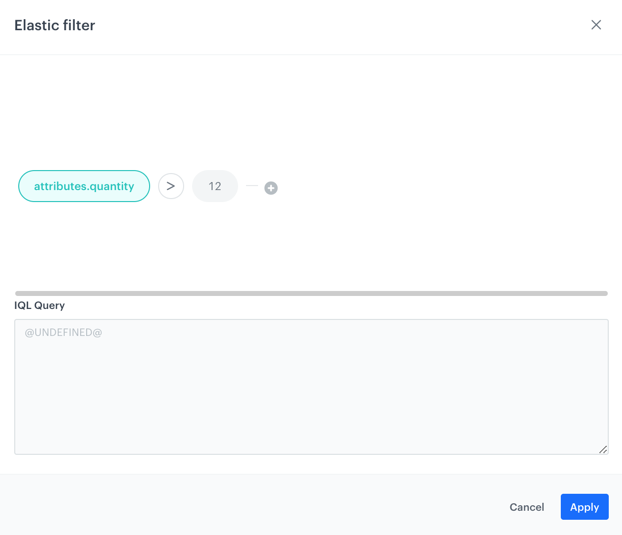
1. The goal of the recommendation is to display items whose number in your stock is greater than 12. To make it happen, set the filters to the following configuration:
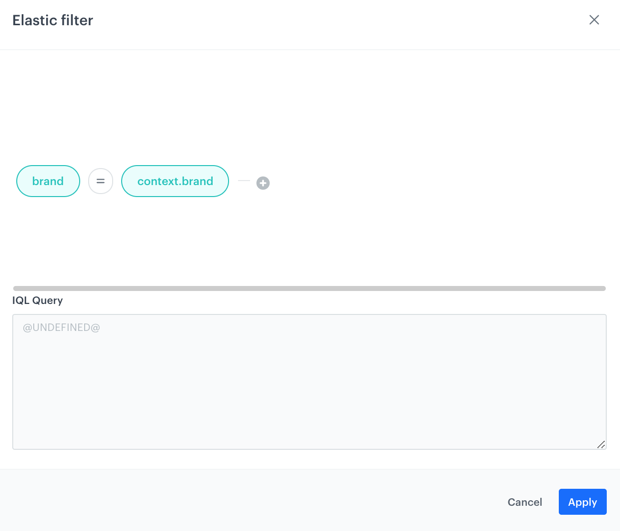
Items in recommendations are of the same brand as the currently displayed item
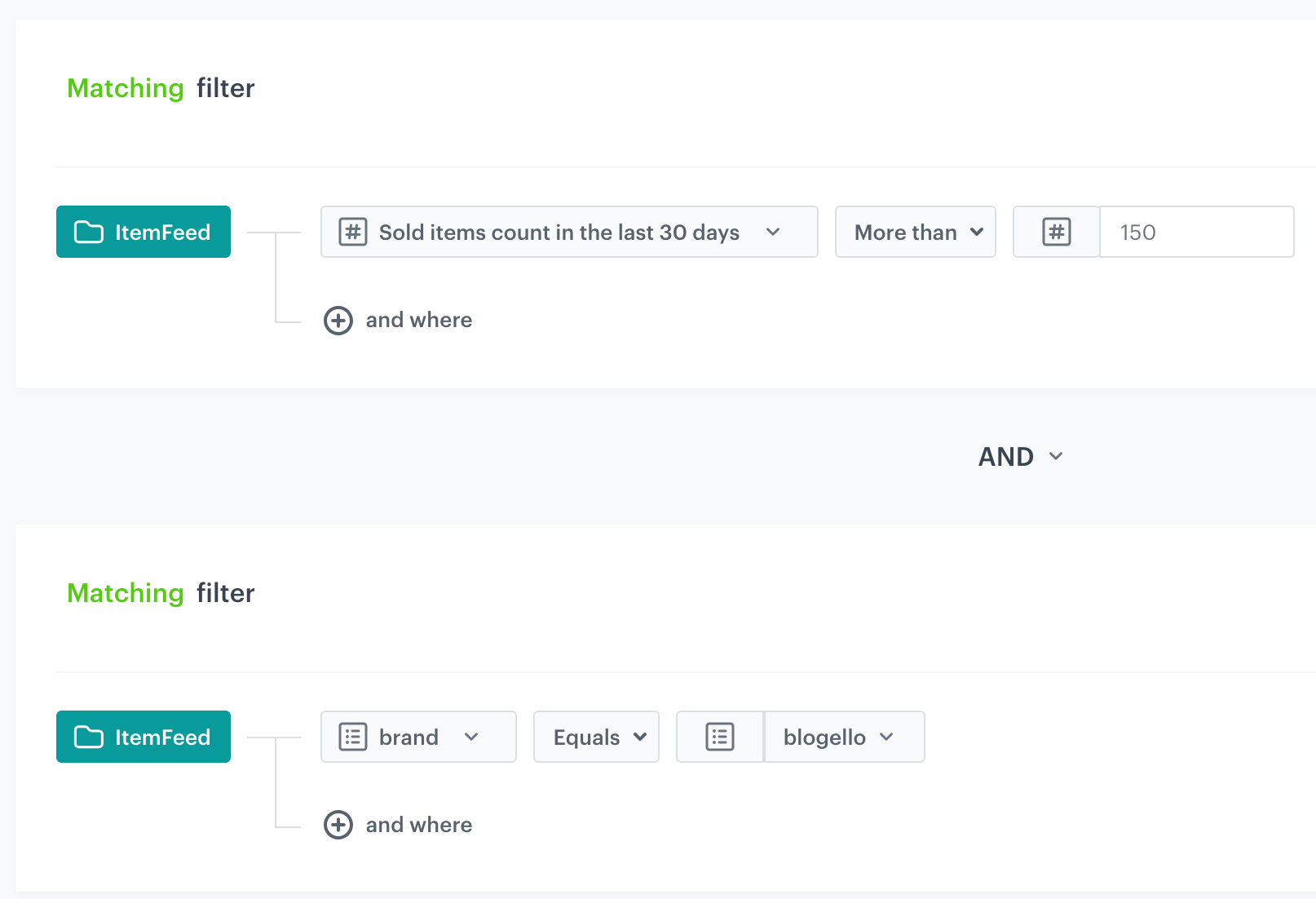
2. The goal of the recommendation is boost brand loyalty by promoting items of specific brand whose number of purchases exceeded over 150 times in the last 30 days.
Items of specific brand which were purchased over 150 times in the last 30 days
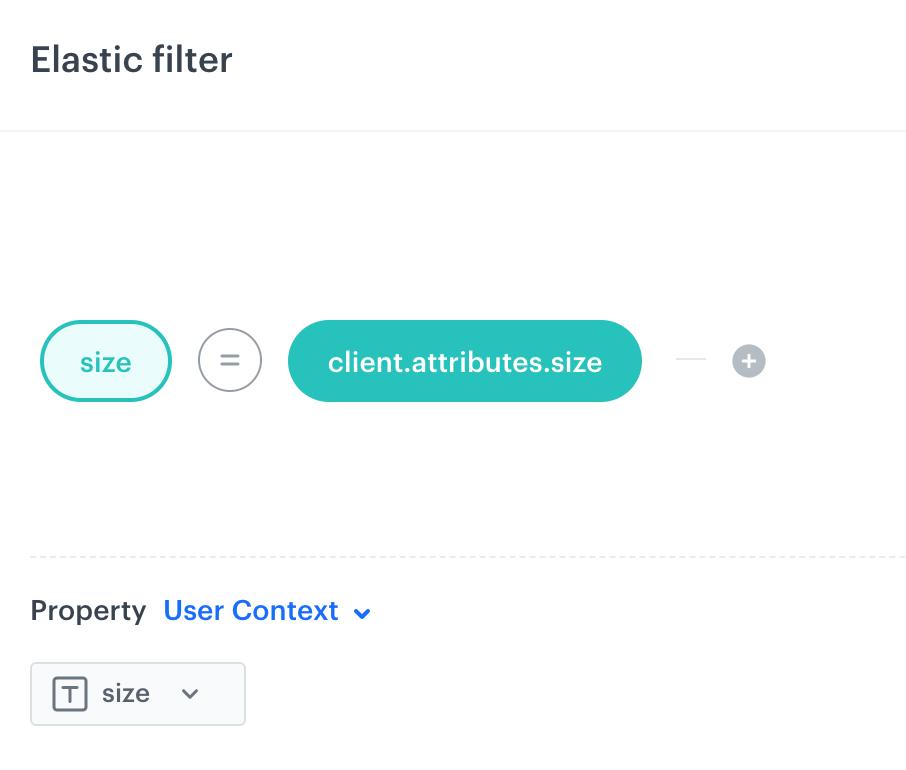
2. The goal of the recommendation is to display items with size matched individually for each customer. To make it happen, set the filters to the following configuration:
Size of the items adjusted individually for each customer
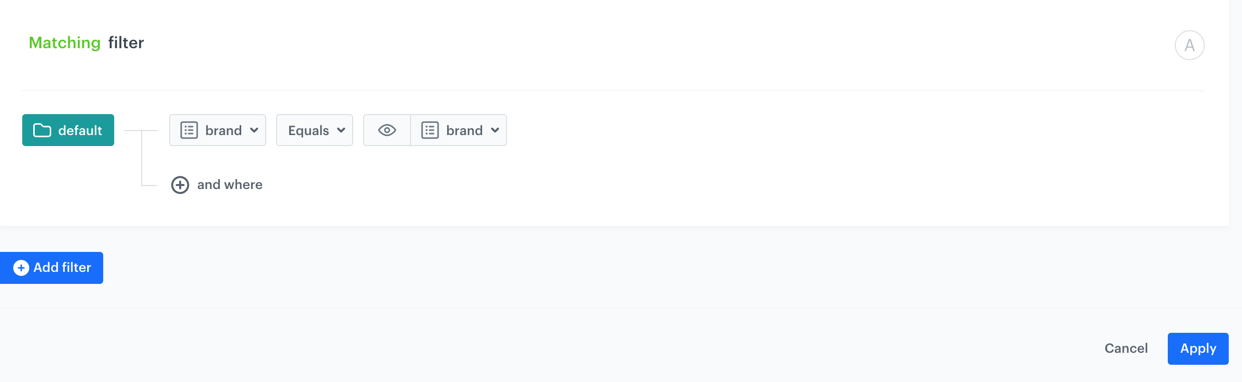
2. The goal of the recommendation is to display items in the recommendation frame of the same brand as the currently viewed items. In order to make it happen, set the filters to the following configuration:
The items displayed in recommendations
You can see the same example for the IQL Query wizard. Go to the Examples in IQL Query section.
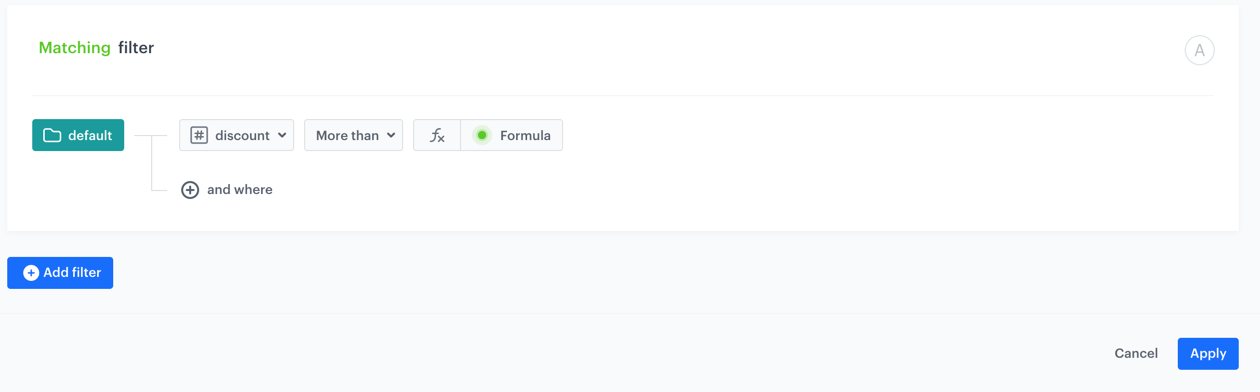
2. The goal of the recommendation is to display items in the recommendation frame that is discounted more than the currently viewed product. In order to make it happen, set the filters to the following configuration:
Items in recommendations are of the same brand as the currently displayed item Click here to see the tutorial
While creating the filters, consider the conditions set in the filters and the dependency between them (described by `OR` and `AND` operators) as well.
## IQL Query
---
### Examples of use
1. The goal of the recommendation is to display items which number in your stock is greater than 12. To make it happen, set the filters to the following configuration:
The items displayed in recommendations
2. The goal of the recommendation is to display items with size matched individually for each customer. To make it happen, set the filters to the following configuration:
Size of the items adjusted individually for each customer
2. The goal of the recommendation is to display items in the recommendation frame of the same brand as the currently viewed items. In order to make it happen, set the filters to the following configuration:
Items in recommendations are of the same brand as the currently displayed item
3. The goal of the recommendation is to display items in the recommendation frame that are more expensive (above $180) when the size of the currently viewed item is larger than 36 and if this item is of the XYZ brand. In other case (when the size is smaller than 36 or the brand is not XYZ), the recommendation frame shows items which cost less than $180.
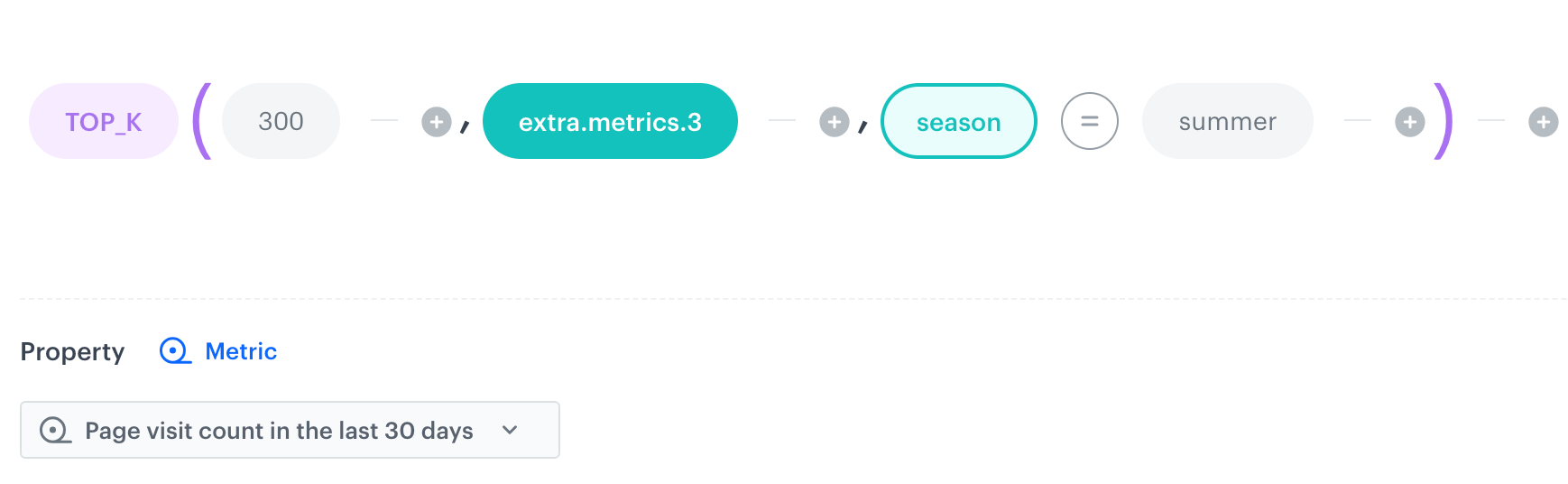
4. The goal of the recommendation is to promote items which are popular in summer. In order to make it happen, set the filter to the following configuration:
Recommending items popular in a selected season
## Examples of use
---
- [Promote customer's favorite products in recommendations](/use-cases/boost-favorite-products)
- [Excluding category of recently purchased products in recommendations](/use-cases/reco-excluding-recently-purchased-category)