This article contains a summary of the changes to the Screen views feature.

## Terminology

With the release of the new version of the Documents feature, we introduce new terms:

- **Group** - It functions as a tag, you can assign documents to various groups. While creating a screen view campaign, you can select a group of documents which will be included in the campaign. Tags also help you you with management of content in screen view campaigns, for example, you can add a new document to a group, and it will automatically show in the screen views which use that group.
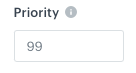
- **Priority** - A parameter that defines the order of displaying documents (1 is the highest, 99 is the lowest).

## Summary
See the comparison below to find out what has changed in the feature recently.

| Now                                                                                                                                                                                                                                                                                                                                                                                                | Before                                                                                                                                                                   |
|----------------------------------------------------------------------------------------------------------------------------------------------------------------------------------------------------------------------------------------------------------------------------------------------------------------------------------------------------------------------------------------------------|--------------------------------------------------------------------------------------------------------------------------------------------------------------------------|
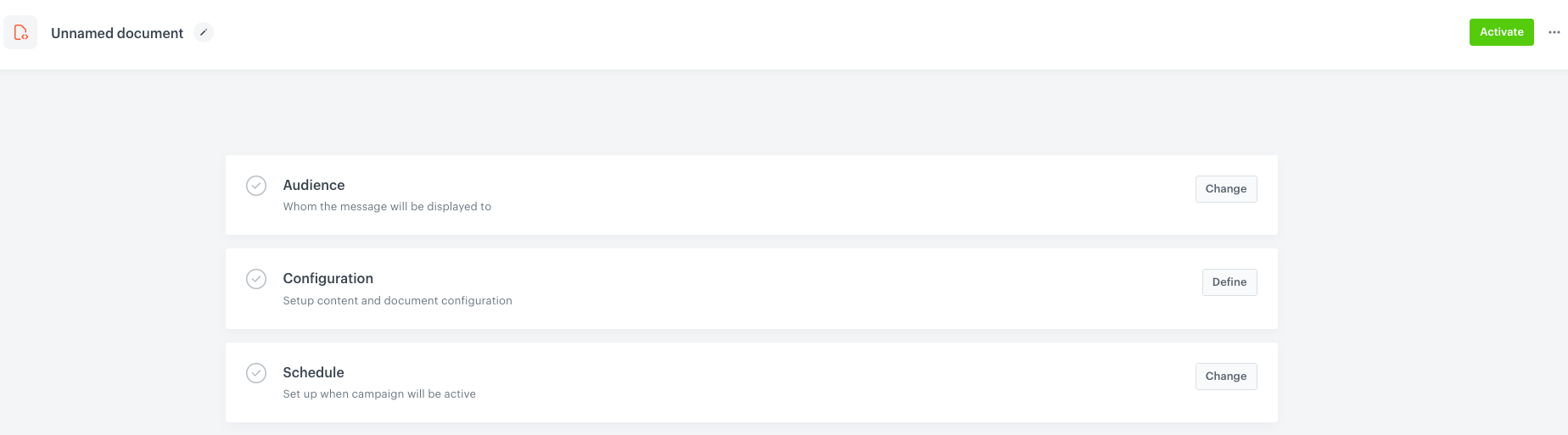
| You can select the audience of the document while creating a document                                                                                                                                                                                                                                                                                                                              | The document was visible for all app users by default. Defining <br> the audience of the document was only available through creating a screen view campaign with this document.                                                                   |
| You can define the priority of the document                                                                                                                                                                                                                           | You couldn't define the priority of the document in its settings, <br> however, you could define the priority of a screen view <br> campaign a document was used in.                     |
| You can assign a document to a group                                                                                                                          | You couldn't assign a document to a group/category                                                                                                                         |
| No document versioning                                                                                                                                                                                                                                                                                                                                                                             | You could define the versions of the document to publish                                                                                                                              |
| A document can have the following statuses: <br> - **Active** - a document is visible to a profile in a mobile application <br> - **Scheduled** - a document will be activated at a fixed date <br> - **Draft** - a document is inactive and editable <br>- **Paused** - a document that was previously active is not visible in a mobile application, it can be edited and activated again<br>- **Finished** - a document is not visible, it can't be edited or run again. | A document could take the following statuses: <br> - <img src="/api/docs/image/54176ad07f146575310749eba44b7c2f42c1b327/icons/published-doc.png" alt="Published" class="icon"> - a document was published <br> - <img src="/api/docs/image/54176ad07f146575310749eba44b7c2f42c1b327/icons/unpublished-doc.png" alt="Unpublished" class="icon"> - a document was active  <div class="admonition admonition-note"><div class="admonition-icon"><svg xmlns="http://www.w3.org/2000/svg" fill="none" viewBox="0 0 24 24" stroke="currentColor" stroke-width="2.5"><path stroke-linecap="round" stroke-linejoin="round" d="M13 16h-1v-4h-1m1-4h.01M21 12a9 9 0 11-18 0 9 9 0 0118 0z" /></svg></div><div class="admonition-body"><div class="admonition-content"> Documents in both statuses were visible <br> in the application, however, the document received <br> the published status, when the **Publish** option was selected. </div></div></div> |
| You can schedule a document display                                                                                                                                                                                                                                                                                                                                                                | You could schedule a document display                                                                                                                                      |

## UI changes

### General

| Now | Before |
|-----|--------|
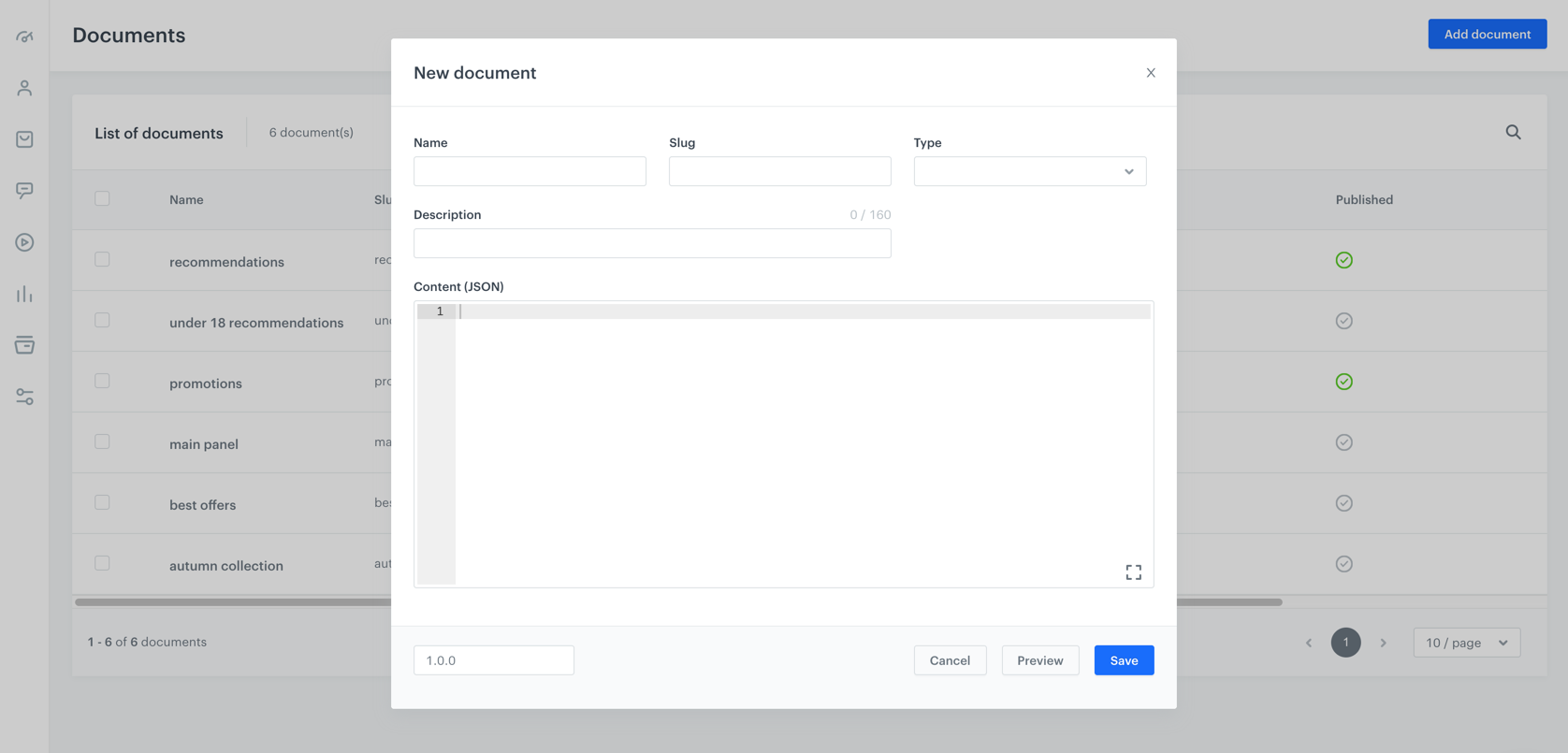
| <img src="/api/docs/image/54176ad07f146575310749eba44b7c2f42c1b327/docs/assets/_gfx/doc-new-config.png" alt="Document wizard" class="full" >    |  <img src="/api/docs/image/54176ad07f146575310749eba44b7c2f42c1b327/docs/assets/_gfx/creating-documents.png" alt="Document wizard" class="full" >      |

### In detail

| Action                                 | Now | Before |
|----------------------------------------|-----|--------|
| Define a document title                | <img src="/api/docs/image/54176ad07f146575310749eba44b7c2f42c1b327/docs/assets/_gfx/doc-name.png" alt="Doc name" class="full">    |  <img src="/api/docs/image/54176ad07f146575310749eba44b7c2f42c1b327/docs/assets/_gfx/doc-name-old.png" alt="Doc name" class="full">      |

| Define the document recipients         | <img src="/api/docs/image/54176ad07f146575310749eba44b7c2f42c1b327/docs/assets/_gfx/doc-audience.png" alt="Doc audience" class="full">    | n/a      |
| Define an identifier of the document   | <img src="/api/docs/image/54176ad07f146575310749eba44b7c2f42c1b327/docs/assets/_gfx/doc-slug.png" alt="Doc audience" class="full">    |  <img src="/api/docs/image/54176ad07f146575310749eba44b7c2f42c1b327/docs/assets/_gfx/doc-slug.png" alt="Doc audience" class="full">      |
| Define the type of the document        |  <img src="/api/docs/image/54176ad07f146575310749eba44b7c2f42c1b327/docs/assets/_gfx/doc-type.png" alt="Doc audience" class="full">   |  <img src="/api/docs/image/54176ad07f146575310749eba44b7c2f42c1b327/docs/assets/_gfx/doc-type.png" alt="Doc audience" class="full">      |
| Define the description of the document | n/a    |  <img src="/api/docs/image/54176ad07f146575310749eba44b7c2f42c1b327/docs/assets/_gfx/doc-description-old.png" alt="Doc audience" class="full">      |

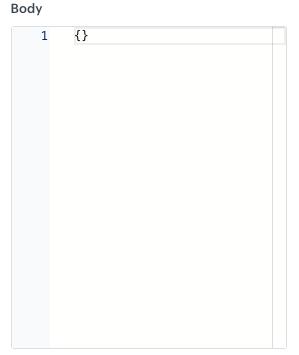
| Define the content of the document     |  <img src="/api/docs/image/54176ad07f146575310749eba44b7c2f42c1b327/docs/assets/_gfx/doc-body.png" alt="Doc audience" class="full">   |  <img src="/api/docs/image/54176ad07f146575310749eba44b7c2f42c1b327/docs/assets/_gfx/doc-body-old.png" alt="Doc audience" class="full">      |
| Assign a document to a group/category     | <img src="/api/docs/image/54176ad07f146575310749eba44b7c2f42c1b327/docs/assets/_gfx/doc-group.png" alt="Doc audience" class="full">    |   n/a     |

| Define the priority of a document      | <img src="/api/docs/image/54176ad07f146575310749eba44b7c2f42c1b327/docs/assets/_gfx/doc-priority.png" alt="Doc audience" class="full">    |   n/a     |
| Preview a document                     | <img src="/api/docs/image/54176ad07f146575310749eba44b7c2f42c1b327/docs/assets/_gfx/doc-preview.png" alt="Doc audience" class="full">    |  <img src="/api/docs/image/54176ad07f146575310749eba44b7c2f42c1b327/docs/assets/_gfx/doc-preview-old.png" alt="Doc audience" class="full">      |
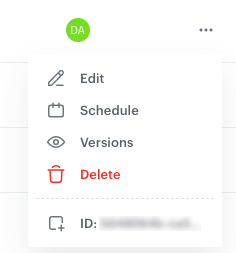
| Schedule a document                    | <img src="/api/docs/image/54176ad07f146575310749eba44b7c2f42c1b327/docs/assets/_gfx/doc-schedule.png" alt="Doc audience" class="full">    |  <img src="/api/docs/image/54176ad07f146575310749eba44b7c2f42c1b327/docs/assets/_gfx/doc-schedule-old.png" alt="Doc audience" class="full">      |

## Deprecated endpoints

- [Create a document - /document](https://developers.synerise.com/AssetManagement/AssetManagement.html#operation/createDocumentPost)
- [Get document versions - /document/{uuid}/versions](https://developers.synerise.com/AssetManagement/AssetManagement.html#operation/documentVersionsGet)
- [Publish document - /document/{uuid}/publish](https://developers.synerise.com/AssetManagement/AssetManagement.html#operation/documentPublishPost)

## Q&A

### 1 How to create a document?

The only difference in the processes before and now is defining the audience. You can also define priority and a group of the document, however, it's optional.  

If you create a new document, you must complete the following steps (these steps are also required when you edit an existing document):

1. Define the recipients of the document.  
    
   <div class="admonition admonition-tip"><div class="admonition-icon"><svg xmlns="http://www.w3.org/2000/svg" fill="none" viewBox="0 0 24 24" stroke="currentColor" stroke-width="2.5"><path stroke-linecap="round" stroke-linejoin="round" d="M9.663 17h4.673M12 3v1m6.364 1.636l-.707.707M21 12h-1M4 12H3m3.343-5.657l-.707-.707m2.828 9.9a5 5 0 117.072 0l-.548.547A3.374 3.374 0 0014 18.469V19a2 2 0 11-4 0v-.531c0-.895-.356-1.754-.988-2.386l-.548-.547z" /></svg></div><div class="admonition-body"><div class="admonition-content">

   Documents in the previous version worked as if the audience was set to **Everyone**.

   </div></div></div>

2. Create the content of a document.  
    Optionally, you can define the priority of a document and assign a group (category to a document).
3. Schedule the activity time (when this document will be visible) of the document.

### 2 How to make my existing document work as previously?

The core logic of documents remains the same - you can use documents to inject an object with a specific content into a mobile application. If you're happy with the settings of your active documents, you don't have to do anything.

You can still use documents on their own or use them in the [Screen view](/docs/campaign/screen-views/whats-new) campaigns.

### 3 What will happen with existing documents?

#### In terms of document status:
---

- If the document was published (<img src="/api/docs/image/54176ad07f146575310749eba44b7c2f42c1b327/icons/published-doc.png" alt="Published" class="icon">), the document:
    - receives the **Active** status, 
    - the Audience section is set to **Everyone**,
    - other versions of the documents, if existed, are deleted
- If the document was active (<img src="/api/docs/image/54176ad07f146575310749eba44b7c2f42c1b327/icons/unpublished-doc.png" alt="Unpublished" class="icon">), the latest version of the document will be kept and its status will be set to **Draft**.
- Expired documents will be deleted

You can edit only **Draft** and **Paused** documents.

#### In terms of unsupported options
---
- If a document has more than one version, the latest is kept and older versions are deleted.
- The value of the **Description** field available in the configuration of the document is not visible on the interface.