This node allows you to initiate import of events to Synerise. The node doesn't require any further configuration - it contains a list of required parameters a file must contain to be imported.
## Requirements
---
The file must contain the following columns (case sensitive):
- `action`
- `label`
- `type` - if you import events other than `custom`, fill in the type of the event according to the [API documentation](https://developers.synerise.com/DataManagement/DataManagement.html#tag/Events):
1. Find the endpoint that's used for the non-custom event you want to import.
2. As the `type`, use the last element of the path.
For example, if the endpoint is `/events/added-to-favorites`, the type is `added-to-favorites`
## Node configuration
---
No configuration is required. However, this node must be preceded by one of the following nodes:
- [Local File](/docs/automation/operation/local-file-node)
- [SFTP](/docs/automation/integration/sftp-integrations)
- [HTTP](/docs/automation/integration/http-integrations)
## Example of use
---
You can launch a single import of custom events to Synerise for a particular customer. The file used in this example includes events of a customer.
The file used in this example
action,label,type,client.id addedTo.Favorites,Added to favorites,custom,4421574246 delete.Favorites,Product deleted from favorites,custom,4421574246 call.Support,Contacted with support,custom,4421574246
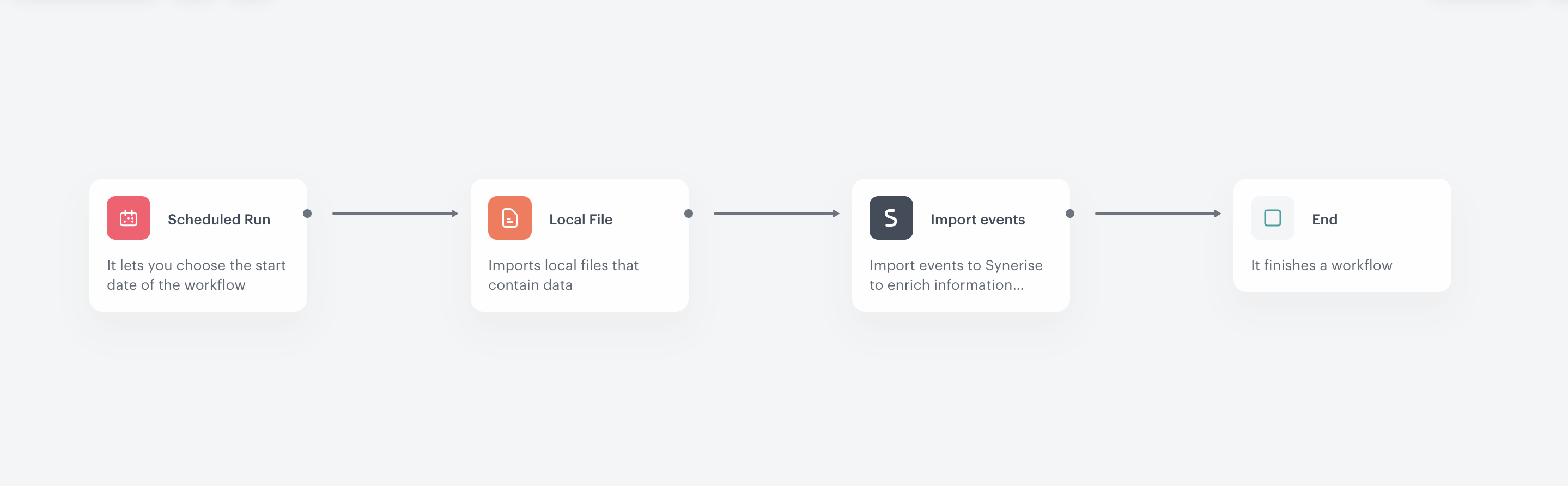
The final configuration of the import event workflow
1. Start the workflow with the **Scheduled Run** node.
2. In the configuration of the node:
1. Set the **Run trigger** to **one time**.
2. Select the **Immediately** tab.
3. Click **Apply**.
3. Add the **Local File** node.
4. In the configuration of the node:
1. Upload a file with events.
2. Click **Apply**.
5. Add the **Import Events** node.
6. Add the **End** node.