The List-Unsubscribe header is an email header field that provides a method for recipients to easily unsubscribe from email lists. It's included in the header section of an email and typically contains one or more methods for unsubscribing, such as a URL link or a mailto address. This allows email clients to offer a convenient unsubscribe button or link to the user.

Synerise adds the List-Unsubscribe header to all emails sent through the platform except for the test emails. This solution is supported with all SMTP providers and email senders integrated with Synerise.

<figure><img src="/api/docs/image/54176ad07f146575310749eba44b7c2f42c1b327/docs/campaign/_gfx/oneclick-unsubscribe-example.png" class="medium" alt="Example of the Unsubscribe button next to the sender's name"><figcaption>Example of the Unsubscribe button next to the sender's name</figcaption></figure>

When a recipient clicks the button:
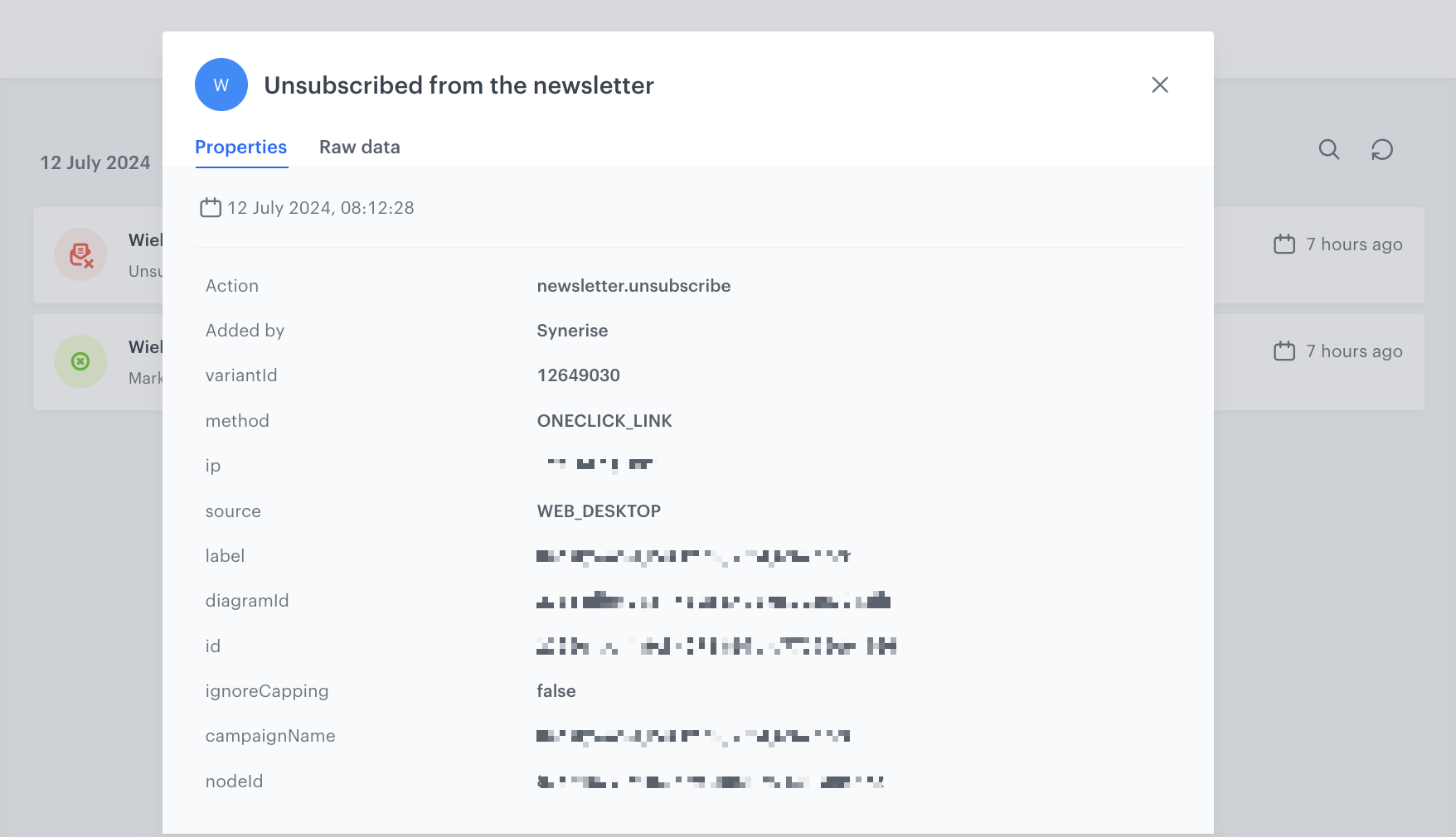
1. A [`newsletter.unsubscribe`](/docs/assets/events/event-reference/email#newsletterunsubscribe) event is generated with the `method` event parameter set to `ONECLICK_LINK` or `ONECLICK_MAILTO` on their profile card in Synerise. The parameter value depends on which method the post client used to unsubscribe the recipient (link or mailto method).  
    <figure><img src="/api/docs/image/54176ad07f146575310749eba44b7c2f42c1b327/docs/campaign/_gfx/oneclick-event-example.png" class="medium" alt="Example of the newsletter.unsubscribe event with the ONECLICK_LINK method"><figcaption>Example of the newsletter.unsubscribe event with the ONECLICK_LINK method</figcaption></figure>
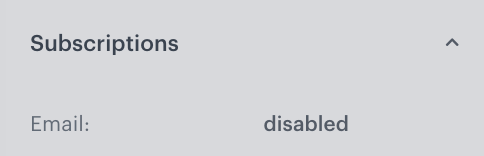
2. A [`marketingAggreement.turnOff`](/docs/assets/events/event-reference/email#marketingagreementturnoff) event is generated which results in setting the newsletter agreement attribute to disabled.  
    <figure><img src="/api/docs/image/54176ad07f146575310749eba44b7c2f42c1b327/docs/campaign/_gfx/oneclick-email-subscription.png" class="medium" alt="Email agreement attribute set to disabled on the profile card"><figcaption>Email agreement attribute set to disabled on the profile card</figcaption></figure>


<div class="admonition admonition-important"><div class="admonition-icon"><svg xmlns="http://www.w3.org/2000/svg" fill="none" viewBox="0 0 24 24" stroke="currentColor" stroke-width="2.5"><path stroke-linecap="round" stroke-linejoin="round" d="M12 8v4m0 4h.01M21 12a9 9 0 11-18 0 9 9 0 0118 0z" /></svg></div><div class="admonition-body"><div class="admonition-content">

**EmailLabs** users only: Prior to July 8, 2024, EmailLabs was responsible for adding the List-Unsubscribe header and adding customers to the blacklist. From July 8, 2024, Synerise automatically adds this header and customers are no longer added to the EmailLabs blacklist.

</div></div></div>


This practice aligns with most mail clients' requirements, such as Gmail and Yahoo, improving email reputation protection by offering users a direct way to unsubscribe without marking emails as spam. In the email account configuration, you can [customize one-click unsubscribe settings](/docs/campaign/e-mail/configuring-email-account#unsubscribe-configuration).

While the display of the one-click unsubscribe button depends on the mail clients, it is typically reserved for reputable senders. However, the button only appears if the email client's algorithm allows it. **For this reason, we strongly recommend adding the unsubscribe link manually to the email template.**