This expression can be used for [Promotions for selected items](/docs/ai-hub/promotions/creating-promotions). It allows you to check whether customers gathered enough loyalty points to use the promotion.
## Requirements
---
- Paste the tracking code to the website source.
If you want to create exactly the same expression as described in this article, you need to:
- Create an analysis that counts a daily number of transactions.
- Create an analysis that counts the sum of the product value.
- Create an analysis that checks whether the customer is blocked.
- Create an analysis that checks whether the customer is in a segmentation for the VIP customers.
- Create an analysis that counts the number of boosted products.
- Create an analysis that counts the value of boosted products.
It's best to use either [aggregates](/docs/analytics/aggregates/creating-aggregates) or [expressions](/docs/analytics/expressions/creating-expressions) for this purpose.
## Description
---
Stage 1 of creating the expression
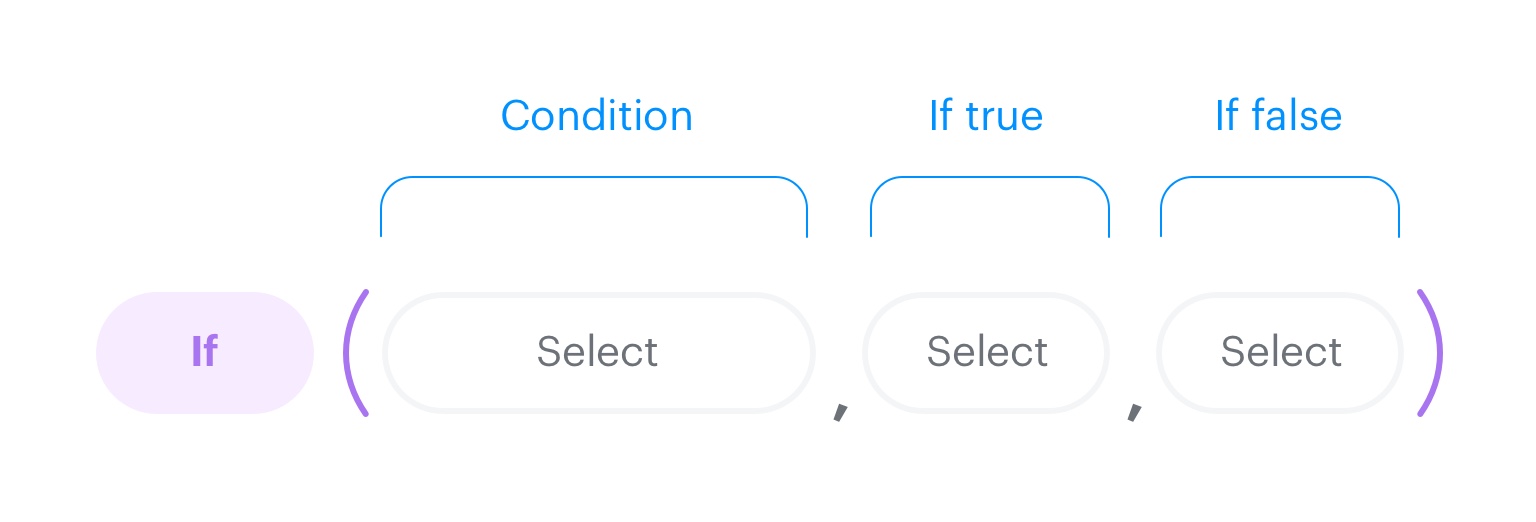
1. The `If` function is the starting point of the analysis. The formula of this function includes three elements. The first element defines the condition, the second defines what happens it the condition is met, the third one defines what happens if the condition isn't fulfilled.
Stage 2 of creating the expression
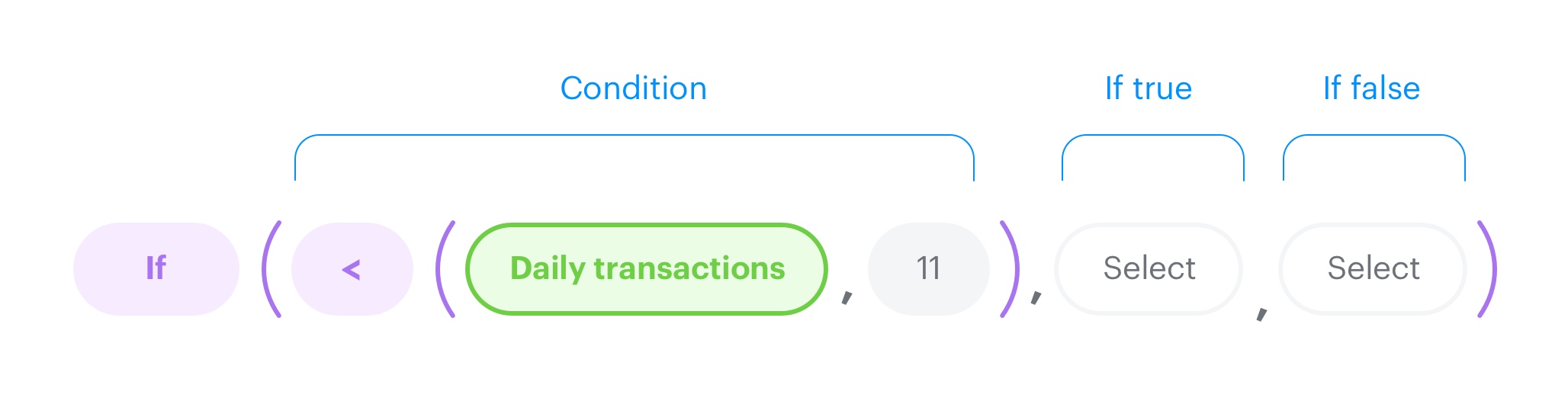
2. The condition is defined - the `Less than` function is used and it specifies that the number of transactions cannot be larger than 10.
Stage 3 of creating the expression
3. The **If true** section consists of 3 expressions (formulas).
The structure of Expression 1
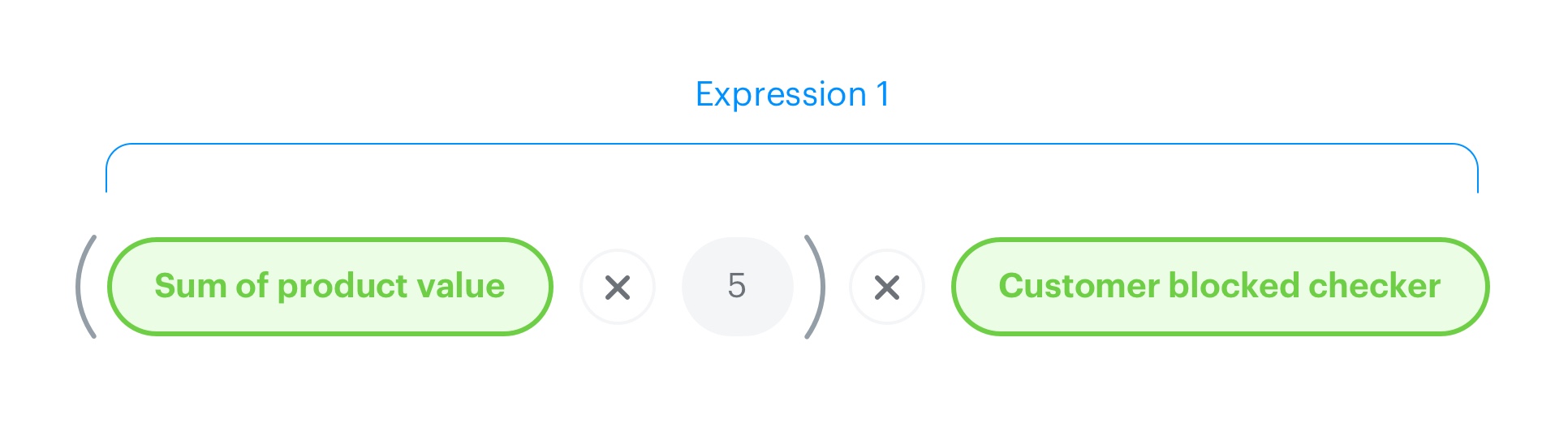
- Sum of product value is the total value of products in one transaction. This calculation is possible due to a dynamic `orderID` parameter which is used in the analysis. The analysis counts the products which were not excluded nor canceled. The transaction value is multiplied by 5. The result of multiplication is multiplied by the expression that checks if the customer is blocked (if the customer is blocked, the result of the expression is 0, if not, it's 1).
The structure of Expression 2
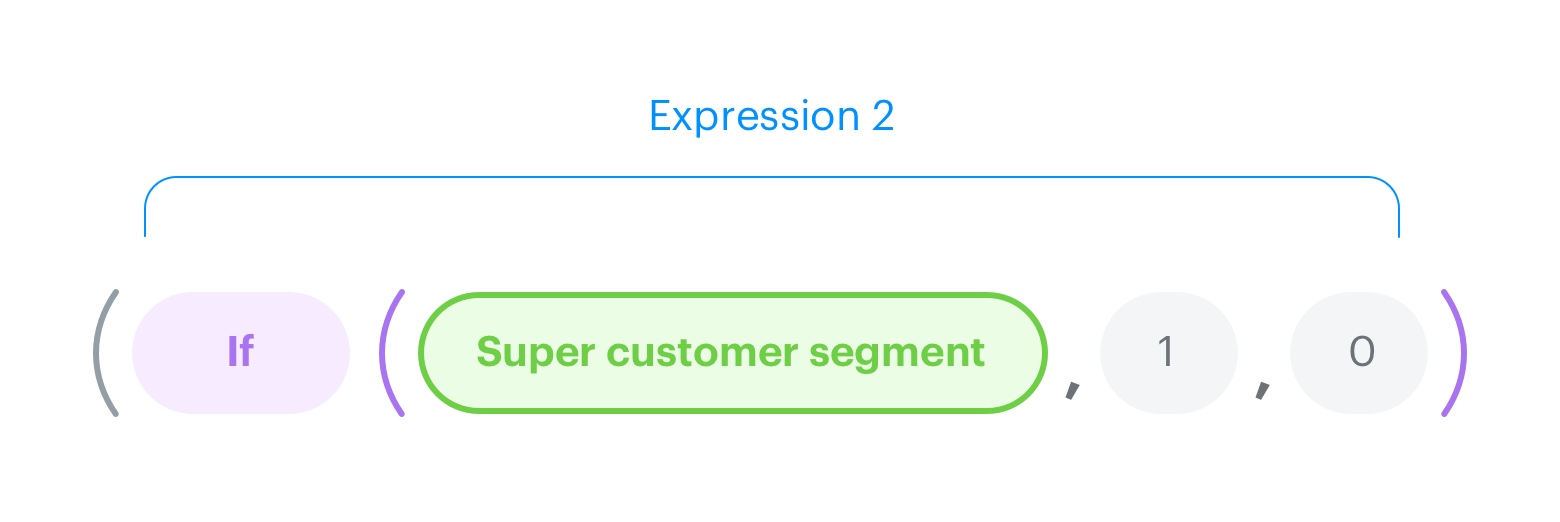
- The result of the first expression is multiplied by the result of the second expression. The second expression uses the `If` function to check whether the customer belongs to a special group. If so, the expression returns 1, if not it's 0.
The structure of Expression 3
- The third expression contains two functions. It begins with the `If` function which checks the number of boosted products. The `If` function contains the `Less or equals` function to check if the number of boosted products exceeds a specific number (in this case 2). If it's equal or less than 2, then the prices of those products are rounded and multiplied by 10. If the number of boosted products is 3 or more, the product prices are multiplied by 0.
The final form of the expression
4. Define the **If false** section. If the conditions of `If` function are not met (in this example, if the number of daily transactions is higher than 11), the result of the whole expression is 0.
5. To complete the process, click **Save**.