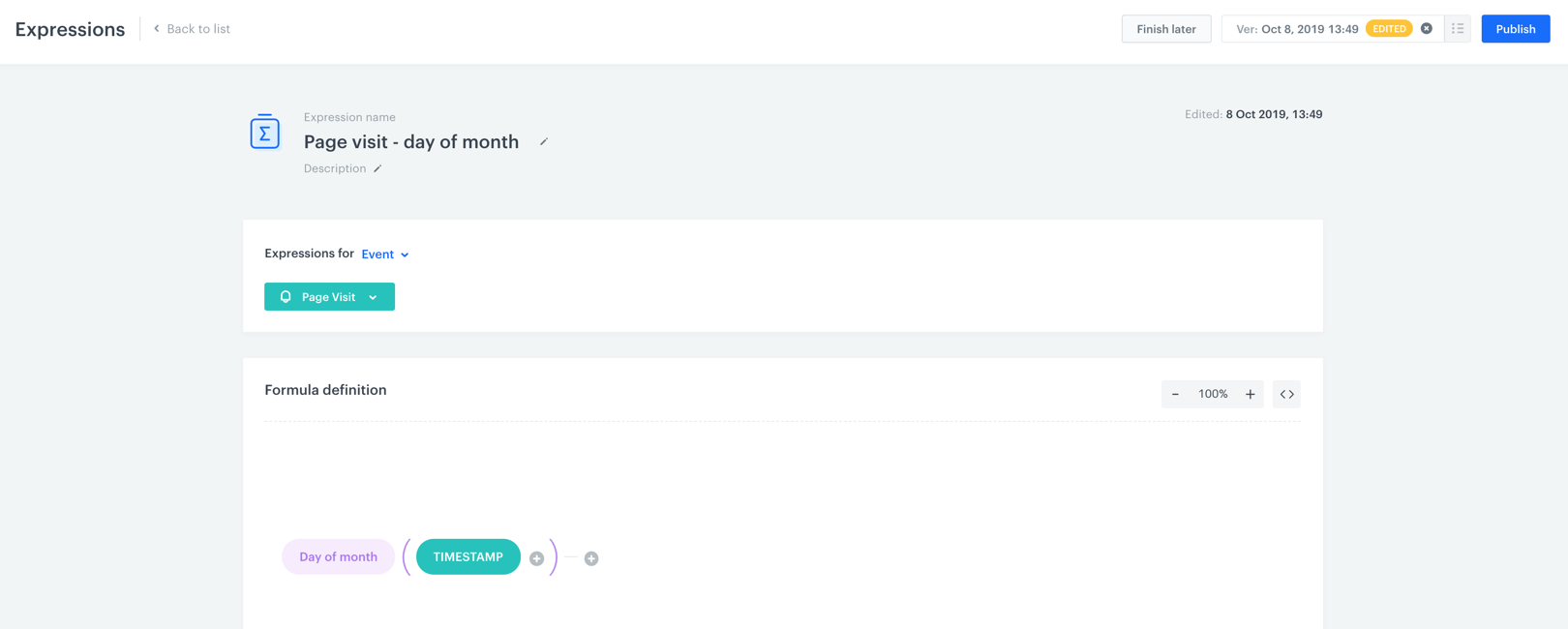
Expression versioning allows you to save modifications to existing expressions as their subsequent versions. This way, you can track the changes made to expressions and return to previous versions when needed. Changes to expressions can be saved in a draft mode as well. 


<div class="admonition admonition-important"><div class="admonition-icon"><svg xmlns="http://www.w3.org/2000/svg" fill="none" viewBox="0 0 24 24" stroke="currentColor" stroke-width="2.5"><path stroke-linecap="round" stroke-linejoin="round" d="M12 8v4m0 4h.01M21 12a9 9 0 11-18 0 9 9 0 0118 0z" /></svg></div><div class="admonition-body"><div class="admonition-content">

Expression versioning is applicable only to the existing expressions.

</div></div></div>


<figure>
<img src="/api/docs/image/54176ad07f146575310749eba44b7c2f42c1b327/docs/analytics/_gfx/expression-versioning.png" alt="Image presents a bar that allows to choose expression version" class="full" >
<figcaption>Choosing a version of an expression</figcaption>
</figure>


1. To access an expression, go to <img src="/api/docs/image/54176ad07f146575310749eba44b7c2f42c1b327/icons/behavioral-data-hub-icon.svg" alt="Behavioral Data Hub icon" class="icon"> **Behavioral Data Hub > Expressions**.
2. Click the chosen expression.
3. Make the changes to the expression. 
    - To save the changes as a draft, click the **Finish later** button.
    - If you want to publish the changes, click the **Publish** button. 
    - If you want to go back to the previous version:
        1. In the right upper corner, click the <img src="/api/docs/image/54176ad07f146575310749eba44b7c2f42c1b327/docs/analytics/_gfx/expression-version-icon.png" alt="Expression version icon" class="icon" > icon.
        2. On the list of versions, find the one you want to restore.
        3. Hover the mouse cursor over the version and click the <img src="/api/docs/image/54176ad07f146575310749eba44b7c2f42c1b327/icons/threedoticon.png" alt="Three-dot icon icon" class="icon" > icon.
        4. From the dropdown list, click either the **Publish** (to restore the other version of the expression) or **Edit** (to make changes to other version of the expression) button.


   <div class="admonition admonition-warning"><div class="admonition-icon"><svg xmlns="http://www.w3.org/2000/svg" fill="none" viewBox="0 0 24 24" stroke="currentColor" stroke-width="2.5"><path stroke-linecap="round" stroke-linejoin="round" d="M12 9v2m0 4h.01m-6.938 4h13.856c1.54 0 2.502-1.667 1.732-2.5L13.732 4c-.77-.833-1.964-.833-2.732 0L4.082 16.5c-.77.833.192 2.5 1.732 2.5z" /></svg></div><div class="admonition-body"><div class="admonition-content">

   All analytics that contain expressions use the published version of the expression. When the expression version is changed, the analytics that contain them are updated automatically.

   </div></div></div>


<div class="admonition admonition-tip"><div class="admonition-icon"><svg xmlns="http://www.w3.org/2000/svg" fill="none" viewBox="0 0 24 24" stroke="currentColor" stroke-width="2.5"><path stroke-linecap="round" stroke-linejoin="round" d="M9.663 17h4.673M12 3v1m6.364 1.636l-.707.707M21 12h-1M4 12H3m3.343-5.657l-.707-.707m2.828 9.9a5 5 0 117.072 0l-.548.547A3.374 3.374 0 0014 18.469V19a2 2 0 11-4 0v-.531c0-.895-.356-1.754-.988-2.386l-.548-.547z" /></svg></div><div class="admonition-body"><div class="admonition-content">

The list also contains drafts of the expression versions. They are not differentiated from the older, published versions of the expression.

</div></div></div>
