You can make a group of test profiles by picking them from your existing profiles in the <img src="/api/docs/image/54176ad07f146575310749eba44b7c2f42c1b327/icons/behavioral-data-hub-icon.svg" alt="Behavioral Data Hub icon" class="icon"> **Profiles** section. 
You can include up to 99 test profiles, and use them for:

- checking preview of message templates, [documents](/docs/assets/documents/introduction-to-documents), [snippets](/docs/assets/snippets), [AI recommendations](/docs/ai-hub/recommendations-v2/previewing-recommendations), and [AI Search](/docs/ai-hub/ai-search/previewing-search-engine-results). 
    If your message uses customized details, you can choose a test profile to see how the message will look when it's sent.  
    <figure><img src="/api/docs/image/54176ad07f146575310749eba44b7c2f42c1b327/docs/settings/_gfx/test-profiles-message-preview.png
    "class="medium" alt="The preview context option is available in the left upper corner in the code editor of any message type in type"><figcaption>The preview context option is available in the left upper corner in the code editor of any message type in type; after expanding the list, you can find test profiles at the top of the list</figcaption></figure>
- sending test messages  
    When preparing messages for your customers, you can send a test version of such message to the test profiles.
- [sending test requests within workflows](/docs/automation/test-requests-for-outgoing-integrations)  
    When preparing workflows that connect to external APIs or services, you can send test requests to verify credential validity, connection status (for example, expired tokens or invalid credentials), and dynamic templating errors.
    
You can also aim these test profiles in the final campaigns, include them in analyses, workflows. You can remove them from the test list to return them back to their original profile status.


<div class="admonition admonition-warning"><div class="admonition-icon"><svg xmlns="http://www.w3.org/2000/svg" fill="none" viewBox="0 0 24 24" stroke="currentColor" stroke-width="2.5"><path stroke-linecap="round" stroke-linejoin="round" d="M12 9v2m0 4h.01m-6.938 4h13.856c1.54 0 2.502-1.667 1.732-2.5L13.732 4c-.77-.833-1.964-.833-2.732 0L4.082 16.5c-.77.833.192 2.5 1.732 2.5z" /></svg></div><div class="admonition-body"><div class="admonition-content">

[Profile merging](/docs/crm/profile-merge) is not applicable to test profiles if at least [one source profile](/docs/crm/profile-merge) contains attributes marked as [personally identifiable information (PII)](/docs/settings/pii).

</div></div></div>


## Prerequisites
---
To manage test profiles, you must be granted a [user role](/docs/settings/identity-access-management/permissions) with a permission to preview (read), create, edit, and/or delete test profiles. The permission is available in the [permission matrix](/docs/settings/identity-access-management/permissions#permissions) under **Settings > Test profiles**.

## Designating test profiles
---

You can make a group of test profiles by picking them from your existing profiles in the <img src="/api/docs/image/54176ad07f146575310749eba44b7c2f42c1b327/icons/behavioral-data-hub-icon.svg" alt="Behavioral Data Hub icon" class="icon"> **Profiles** section. 

1. Go to <img src="/api/docs/image/54176ad07f146575310749eba44b7c2f42c1b327/icons/settings-icon.svg" alt="Settings icon" class="icon"> **Settings > Test profiles**.  
2. On the **Test profiles** section, click **Show**.  
    **Result**: A form appears.  
    <figure><img src="/api/docs/image/54176ad07f146575310749eba44b7c2f42c1b327/docs/settings/_gfx/test-profiles-unselected.png" class="large" alt="View of unconfigured test profile list"><figcaption>View of unconfigured test profile list</figcaption></figure>
4. Click **Add profiles**.  
    **Result**: A pop-up with a list of existing profiles appears.
5. Next to the name of the profile which you want to use as a test profile, select the checkbox.  
6. At the bottom of the pop-up, confirm by clicking **Apply**.  
    **Result**:   
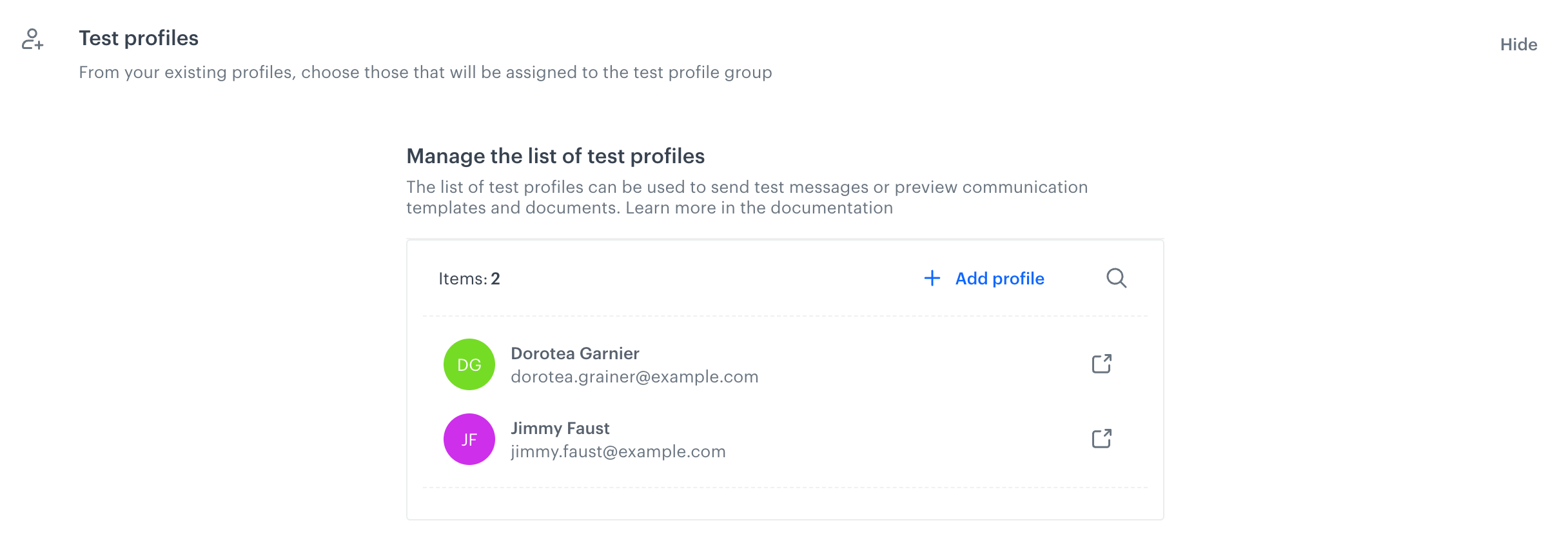
    <figure><img src="/api/docs/image/54176ad07f146575310749eba44b7c2f42c1b327/docs/settings/_gfx/test-profiles-selected.png" class="large" alt="View of unconfigured test profile list"><figcaption>View of configured test profile list</figcaption></figure>