 **Settings > Access Control**.
2. In the **Security** section, next to **IP allow-listing**, click **Show**.
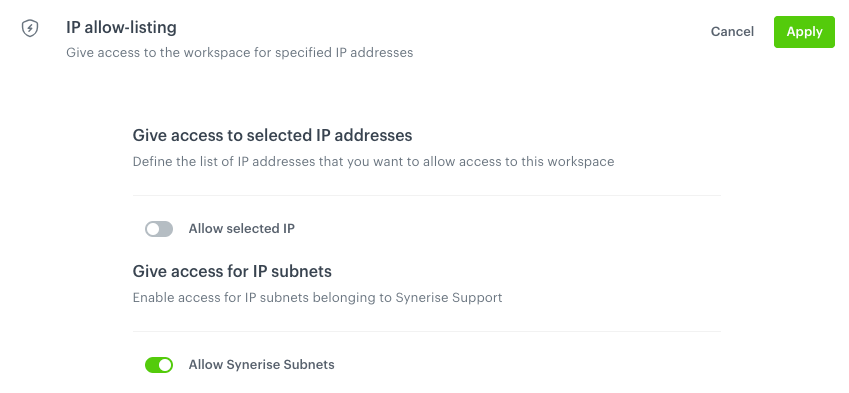
3. In **Give access to selected IP addresses** section, the **Allow selected IP** toggle is off by default (users can access a workspace from various IP addresses). To define the list of IP addresses only from which users can access the workspace, switch the toggle on.
**Result**: A text field appears.
4. In the text field enter an IP address.
5. Confirm by clicking **Add address**.
6. To add more addresses, repeat steps 4 and 5.
7. Optionally, you can manage access to your workspace by Synerise subnets for support reasons. This option is on by default.
**Settings > Access Control**.
2. In the **Security** section, next to **IP allow-listing**, click **Show**.
3. In **Give access to selected IP addresses** section, the **Allow selected IP** toggle is off by default (users can access a workspace from various IP addresses). To define the list of IP addresses only from which users can access the workspace, switch the toggle on.
**Result**: A text field appears.
4. In the text field enter an IP address.
5. Confirm by clicking **Add address**.
6. To add more addresses, repeat steps 4 and 5.
7. Optionally, you can manage access to your workspace by Synerise subnets for support reasons. This option is on by default.