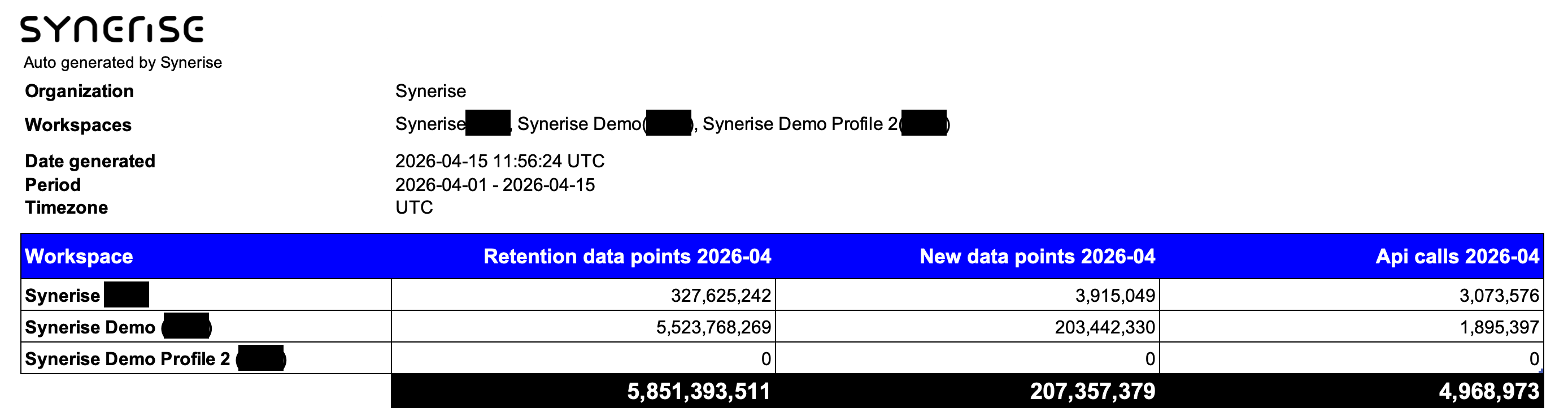
If your report includes only a part of a month (for example, Sep 1 - Sep 15), remember that:
- New data points and API calls are calculated only for the days of the month that are included in the report. If your report is for only a part of the month, the number is usually lower than for a full month.
- Retention events and their average number are calculated only for the days included in the report. If a report is only for a part of a month, the average daily value is usually similar to the daily average from a full month.
 **Statistics**.
4. On the **Events** tab, select a data filter for the report:
1. From the **Workspaces** dropdown list, select the workspaces to include. By default, all workspaces are selected.
2. From the **Event** dropdown list, select the events to include. By default, all events are selected.
5. On the **API calls** tab, from the **Workspaces** dropdown list, select **the same workspaces as on the Events tab**.
If the selection differs, the report can't be generated.
6. Click **Generate report**.
Generating the report may take some time, depending on the size of the dataset.
**Result**: When the report is ready, your browser downloads it automatically or opens a dialog to confirm the download, depending on your settings.
## Reading the report
To read the report, open it with spreadsheet software, such as Microsoft Excel.
You can filter and/or sort the data in the tables in the report. The available options depend on the software you're using.
**Statistics**.
4. On the **Events** tab, select a data filter for the report:
1. From the **Workspaces** dropdown list, select the workspaces to include. By default, all workspaces are selected.
2. From the **Event** dropdown list, select the events to include. By default, all events are selected.
5. On the **API calls** tab, from the **Workspaces** dropdown list, select **the same workspaces as on the Events tab**.
If the selection differs, the report can't be generated.
6. Click **Generate report**.
Generating the report may take some time, depending on the size of the dataset.
**Result**: When the report is ready, your browser downloads it automatically or opens a dialog to confirm the download, depending on your settings.
## Reading the report
To read the report, open it with spreadsheet software, such as Microsoft Excel.
You can filter and/or sort the data in the tables in the report. The available options depend on the software you're using.