Cloning objects allows you to easily make a duplicate of a Synerise object, like an expression or segmentation, and use it in different workspaces. When you clone an object, everything it contains - such as nested analyses - is also copied over. This saves you time because you don't have to recreate these objects from scratch for each workspace.
You can find complete documentation on cloning objects in ["Cloning objects to other workspaces"](/docs/settings/workspace/cloning-objects)
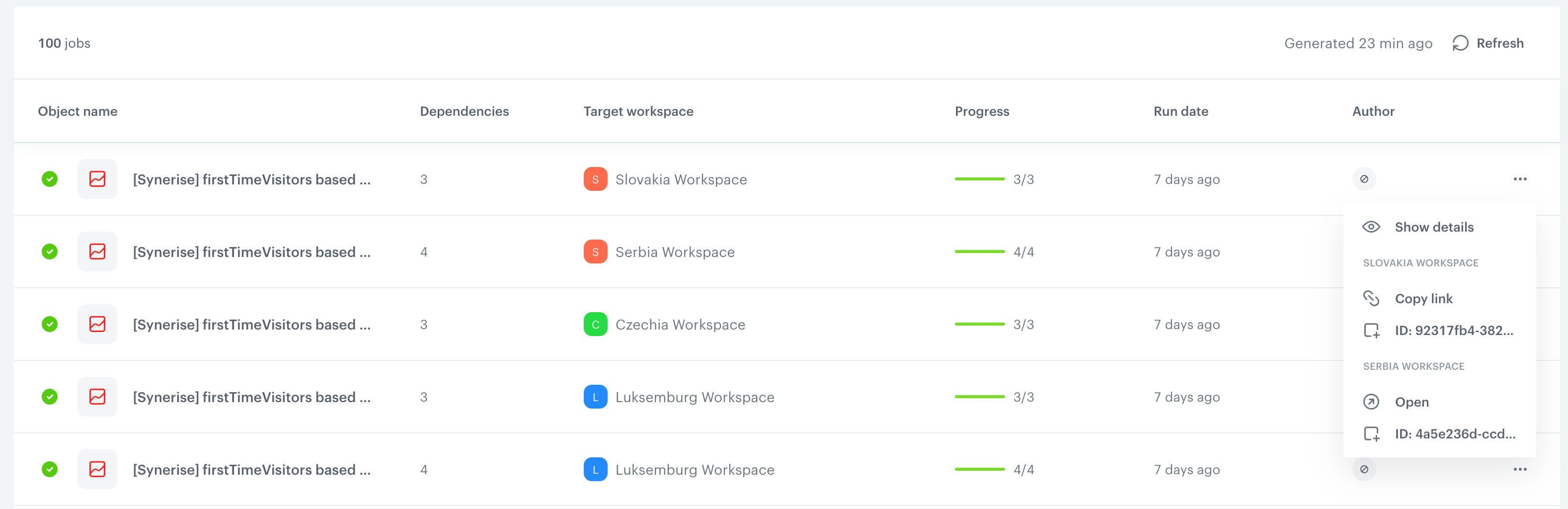
In the Cloning Logs section, you can:
- Track the progress of the cloning process.
- See how many linked elements the cloned object has.
- Check the destination workspace for the cloned object.
- View the date when the cloning was done.
- Get the link and ID of the cloned object (in a source and target workspaces).
- Check the cloning details, like event mapping, parameter mapping, and tag mapping.
## Overview
---
Example cloning logs and context menu expanded