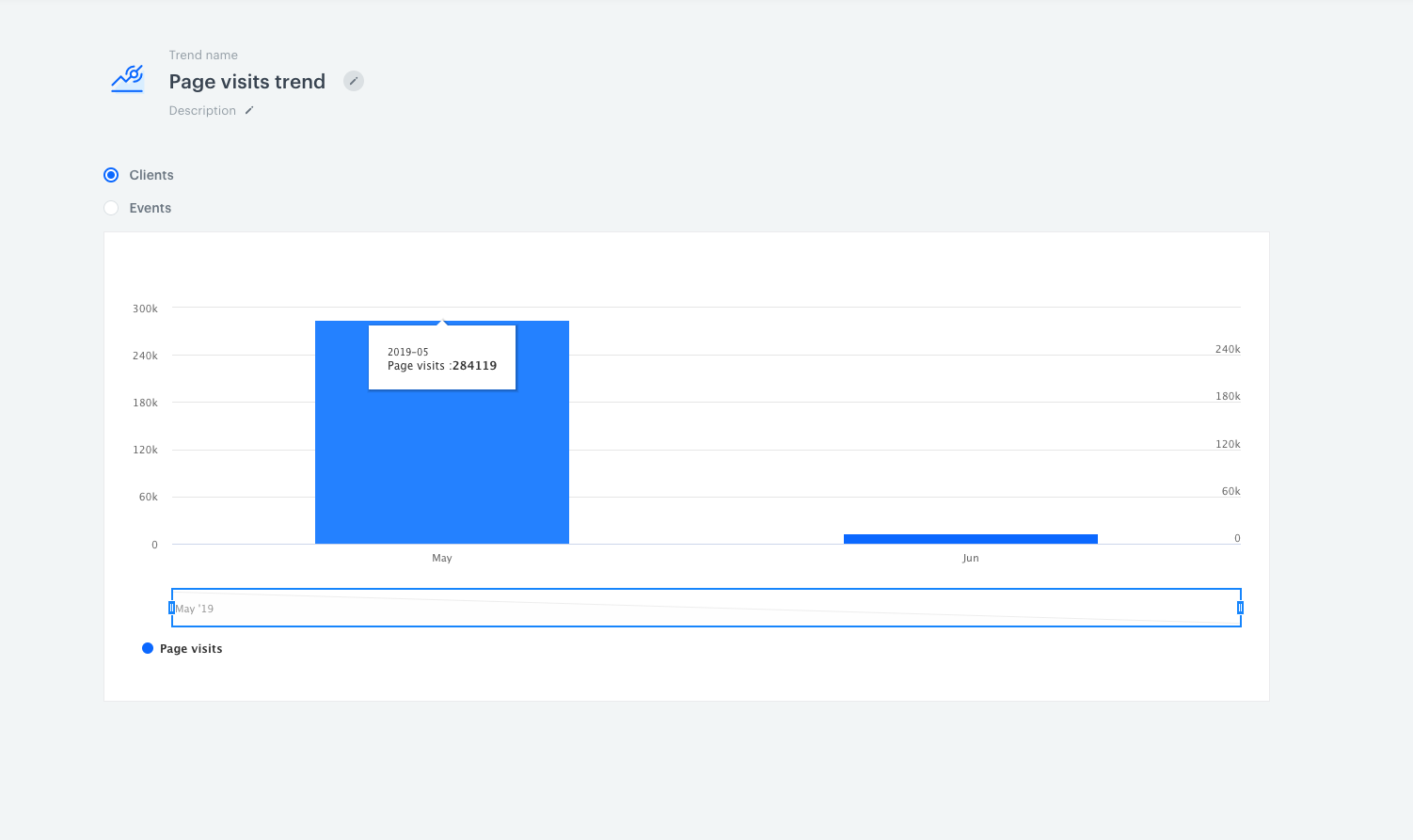
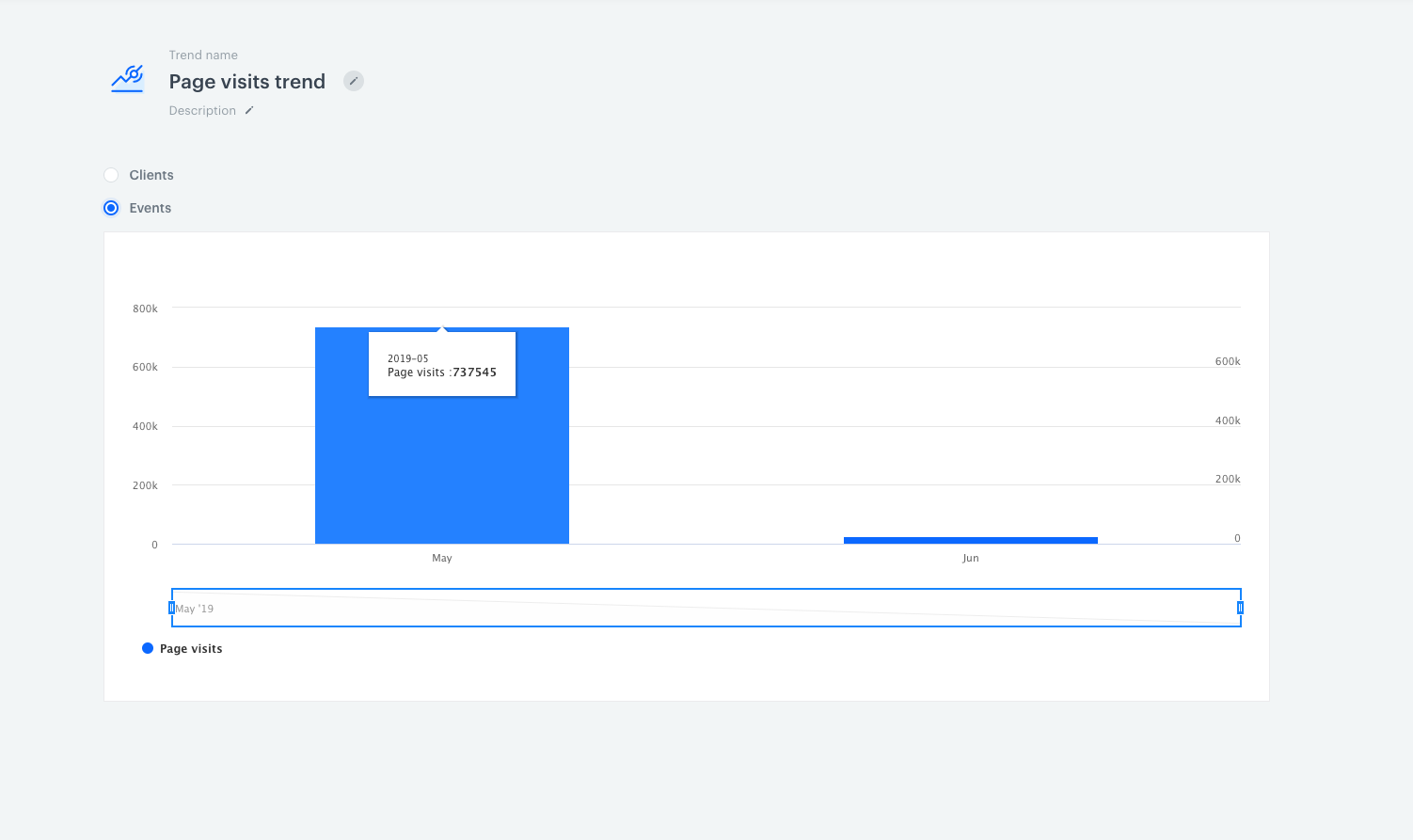
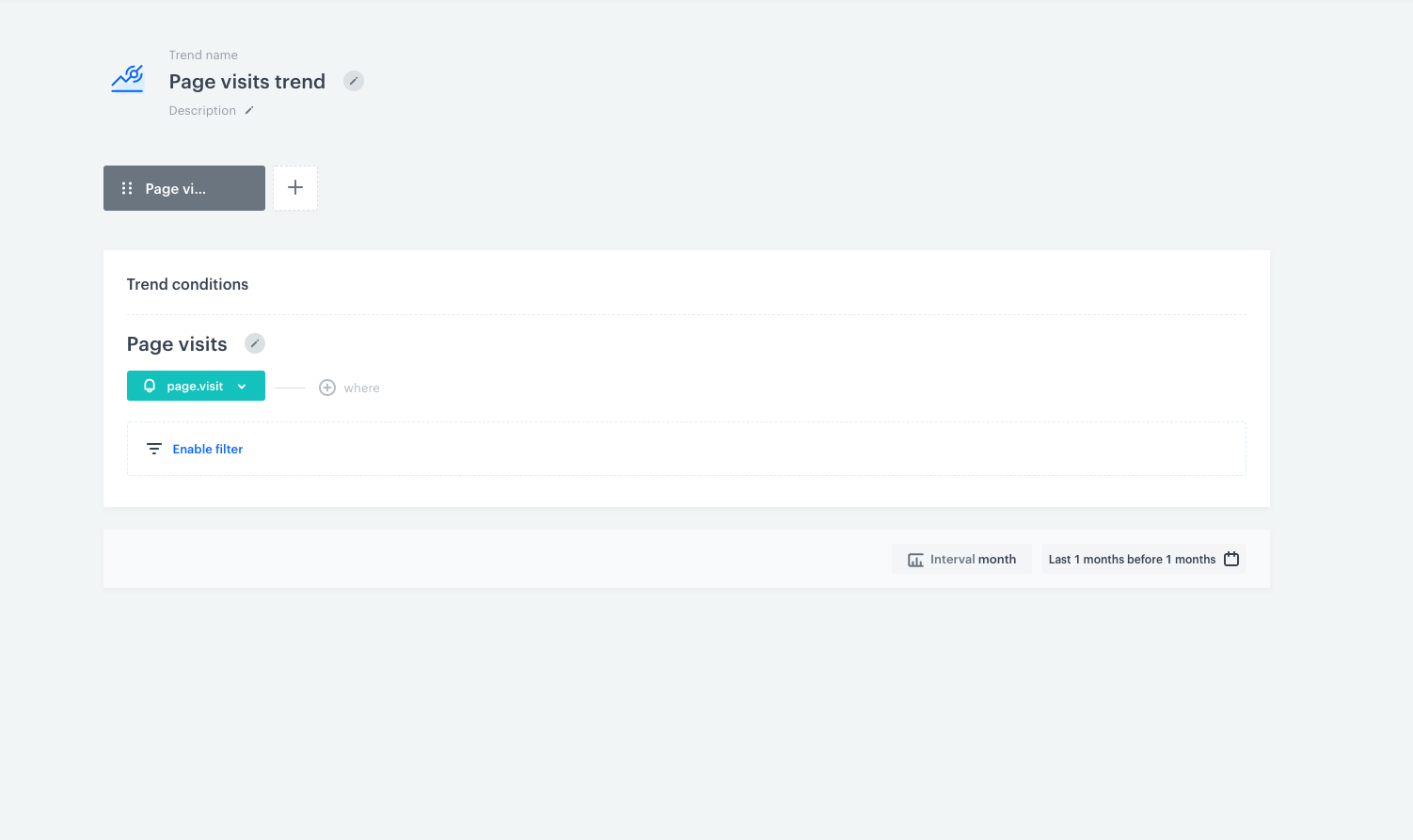
<details class="accordion"><summary>Different data between analytics modules (trend)</summary><div class="accordion-content"><p>To better understand this difference, look at the example below. We&#39;re creating a simple query which shows us page visit events and customers who performed this action. </p> <p><img src="/api/docs/image/54176ad07f146575310749eba44b7c2f42c1b327/troubleshooting/analytics/_gfx/differences_data_between_modules1.png" alt="Screenshot from the Synerise analytics module presenting choose event"></p> <ul> <li>Click the <strong>Preview</strong> button. You will see the trend presenting customers who have visited the page (in monthly intervals). In this case, we&#39;ve got <strong>284,119 customers</strong> with page visit events in May.</li> </ul> <p><img src="/api/docs/image/54176ad07f146575310749eba44b7c2f42c1b327/troubleshooting/analytics/_gfx/differences_data_between_modules2.png" alt="Screenshot from the Synerise analytics module presenting trend result"></p> <ul> <li>To change the context tick the <strong>Events</strong> radio button.</li> </ul> <p><img src="/api/docs/image/54176ad07f146575310749eba44b7c2f42c1b327/troubleshooting/analytics/_gfx/differences_data_between_modules3.png" alt="Screenshot from the Synerise analytics module presenting trend result"></p> <p>In response to the same query, the chart shows that <strong>737,545</strong> page visit events have been recorded in May. This means that <strong>284,119 clients</strong> generated <strong>737,545 actions</strong> (page visits). </p> <p>Yoi will find more information about segmentations at the <a href="/docs/analytics/segmentations/">link</a>. </p></div></details>


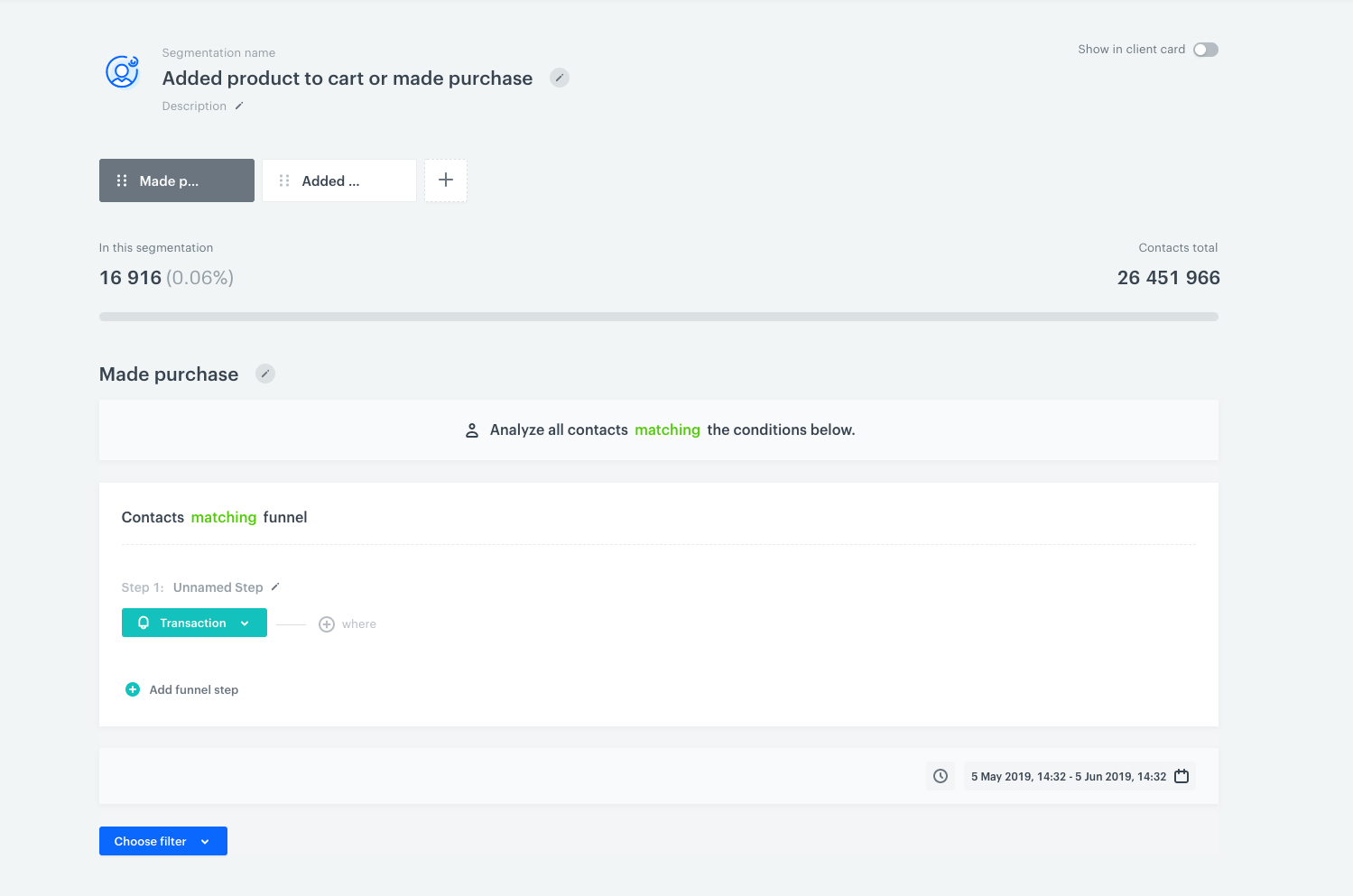
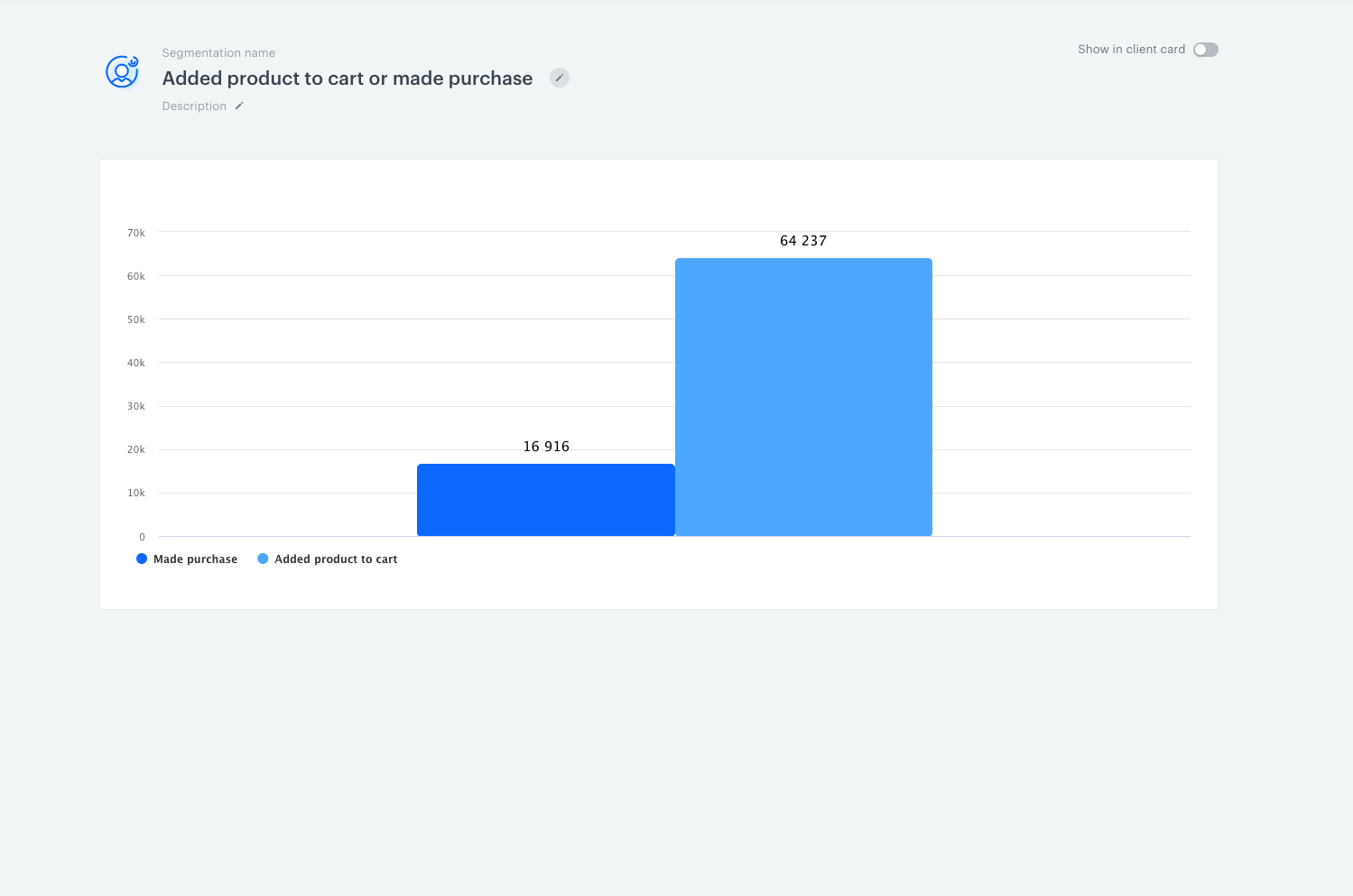
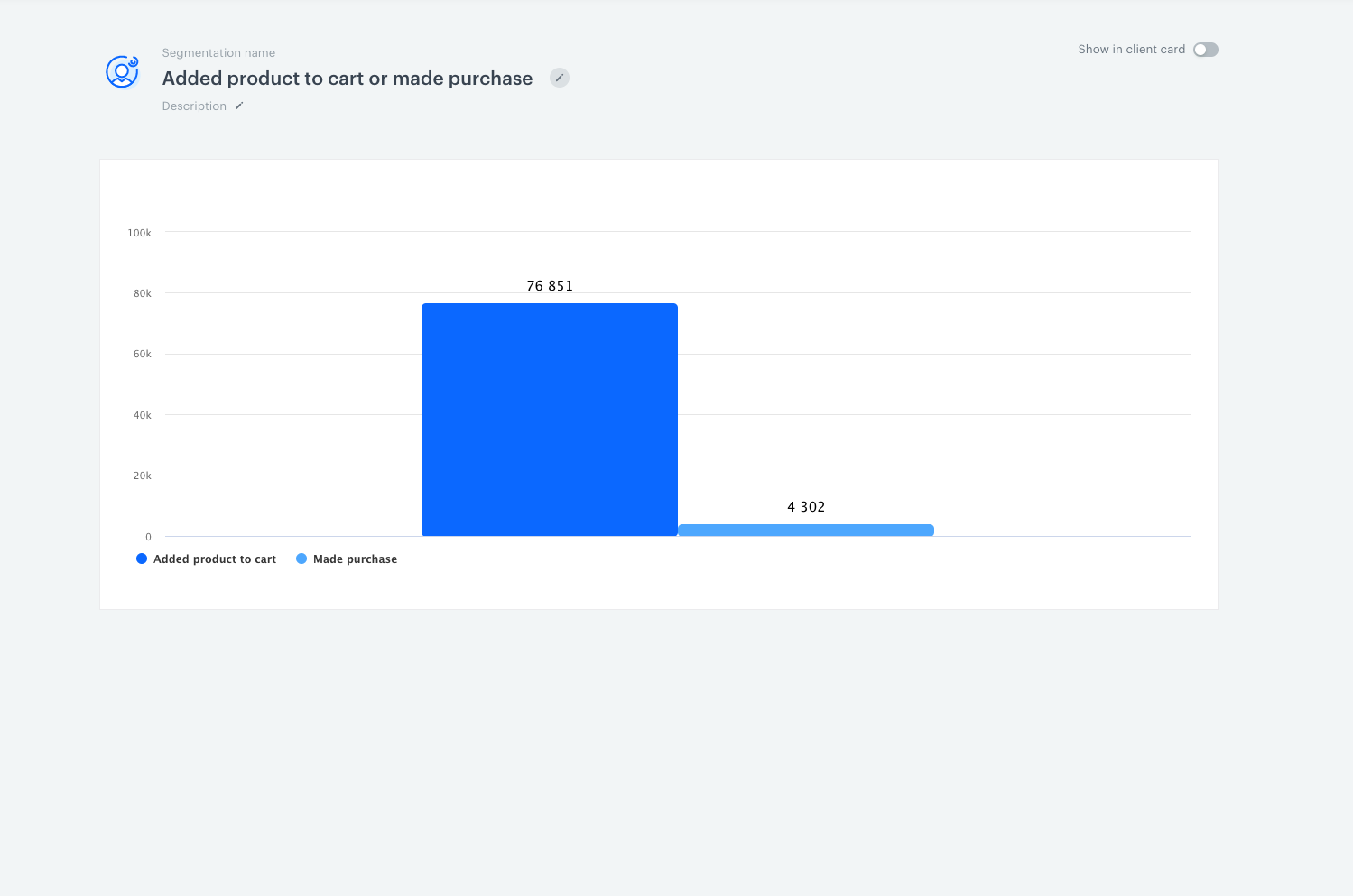
<details class="accordion"><summary>I meet both segment conditions, but I'm in only one segment in segmentation</summary><div class="accordion-content"><div class="admonition admonition-tip"><div class="admonition-icon"><svg xmlns="http://www.w3.org/2000/svg" fill="none" viewBox="0 0 24 24" stroke="currentColor" stroke-width="2.5"><path stroke-linecap="round" stroke-linejoin="round" d="M9.663 17h4.673M12 3v1m6.364 1.636l-.707.707M21 12h-1M4 12H3m3.343-5.657l-.707-.707m2.828 9.9a5 5 0 117.072 0l-.548.547A3.374 3.374 0 0014 18.469V19a2 2 0 11-4 0v-.531c0-.895-.356-1.754-.988-2.386l-.548-.547z" /></svg></div><div class="admonition-body"><div class="admonition-content"> <p>If you build a segmentation based on two segments, you might be confused that you meet both conditions of the segments, but you are only in one of them. This situation is a result of logical operations on the data sets.</p> </div></div></div> <p>OR is the operator between segments in segmentation (which means we&#39;ve got an alternative between segments). If customers meet conditions in the first segment, they should not appear in the next segment in this segmentation. Let&#39;s look at the example below. We have built a segmentation that consists of two segments: users who made a purchase and users who added a product to a cart. </p> <p><img src="/api/docs/image/54176ad07f146575310749eba44b7c2f42c1b327/troubleshooting/analytics/_gfx/differences_data_between_modules4.png" alt="Screenshot from the Synerise analytics module presenting choose event"></p> <ul> <li>As a result we get two bars representing two groups. The first (from the left) shows the users who made a purchase OR added a product to cart. The second bar presents the users who added a product to a cart, but didn&#39;t make a purchase.</li> </ul> <p><img src="/api/docs/image/54176ad07f146575310749eba44b7c2f42c1b327/troubleshooting/analytics/_gfx/differences_data_between_modules5.png" alt="Screenshot from the Synerise analytics module presenting segmentation result"> </p> <ul> <li>Now, let&#39;s change the order of conditions. You&#39;ll get different data, because changes in the conditions affect the query logic. Now the first bar presents the users who made a purchase OR added a product to a cart. The second bar includes the users who made a purchase, but didn&#39;t add product to a cart.</li> </ul> <p><img src="/api/docs/image/54176ad07f146575310749eba44b7c2f42c1b327/troubleshooting/analytics/_gfx/differences_data_between_modules6.png" alt="Screenshot from the Synerise analytics module presenting segmentation result"> </p> <p>These logical rules result from the fact that customers cannot be included twice in one segmentation, even if they meet both conditions.</p></div></details>


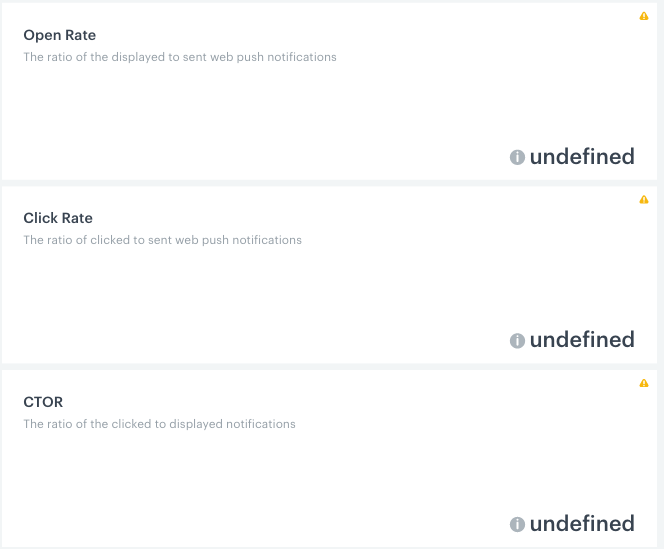
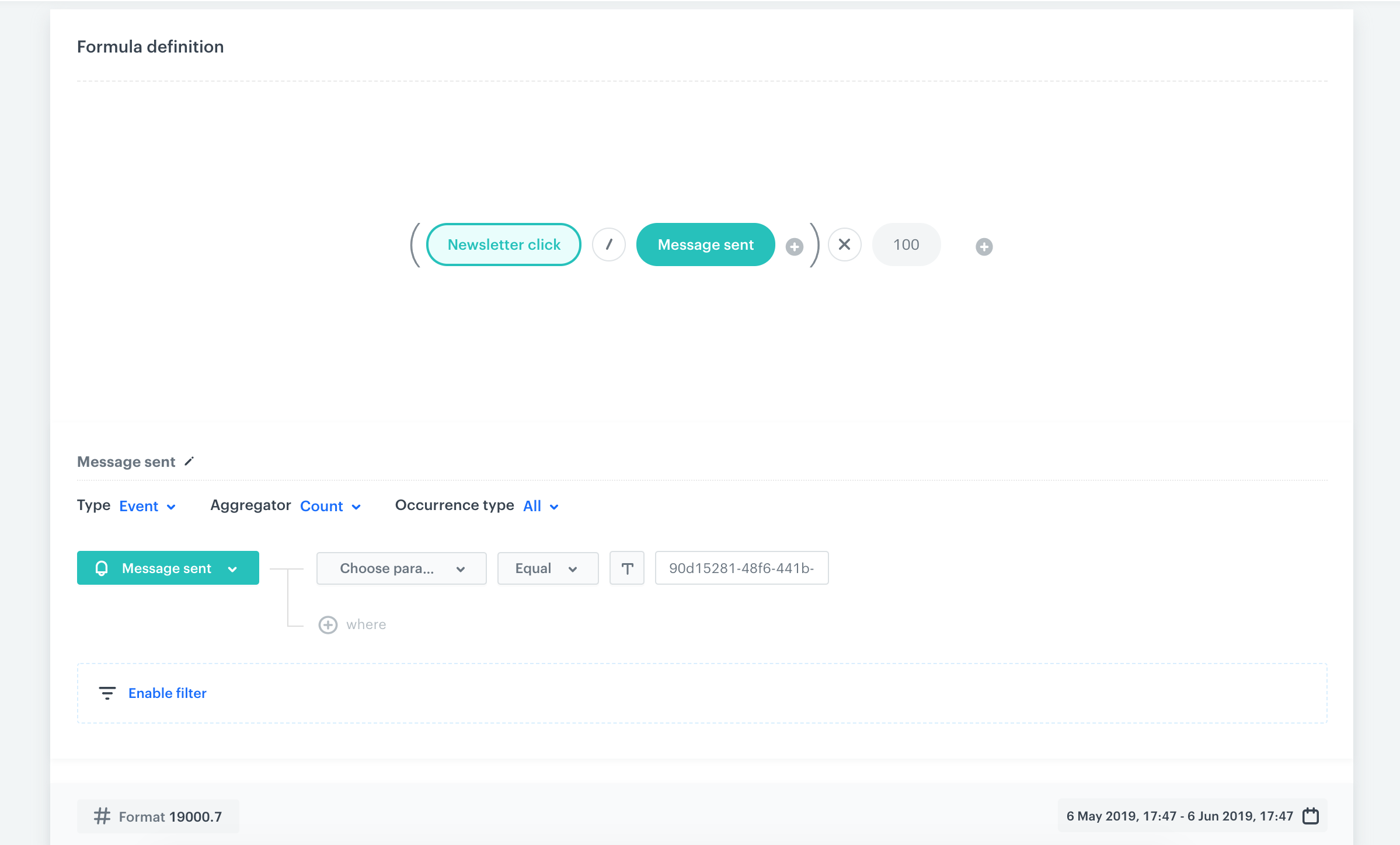
<details class="accordion"><summary>Metric returns \"undefined\" as a result in a dashboard</summary><div class="accordion-content"><p>This situation may occur if the analytics query is built incorrectly (for example, it contains a logical or mathematical error, like dividing by zero). </p> <p><img src="/api/docs/image/54176ad07f146575310749eba44b7c2f42c1b327/troubleshooting/analytics/_gfx/not_diplaying_data1.png" alt="Screenshot from the Synerise analytics module presenting dashboard result"> </p> <p>If you are dealing with such a situation, check the points below:</p> <ul> <li><p>Make sure your metric formula is correct. </p> </li> <li><p>Check the components of your query separately. You can calculate every single metric to find out if one of them returns zero.</p> </li> </ul> <p><img src="/api/docs/image/54176ad07f146575310749eba44b7c2f42c1b327/troubleshooting/analytics/_gfx/not_diplaying_data2.png" alt="Screenshot from the Synerise analytics module presenting metric query"> </p></div></details>


<div class="admonition admonition-note"><div class="admonition-icon"><svg xmlns="http://www.w3.org/2000/svg" fill="none" viewBox="0 0 24 24" stroke="currentColor" stroke-width="2.5"><path stroke-linecap="round" stroke-linejoin="round" d="M13 16h-1v-4h-1m1-4h.01M21 12a9 9 0 11-18 0 9 9 0 0118 0z" /></svg></div><div class="admonition-body"><div class="admonition-content">

**If you haven't found the solution to your issue, please collect information and provide examples or screenshots to our [help desk](https://hgintelligence.atlassian.net/servicedesk/customer/portal/1).**

</div></div></div>