Remember that a web push will be shown during the second and subsequent visits.
1. Make sure the web push notification doesn't contain errors.
- In case there are any [snippets](/docs/assets/snippets) used in the template, make sure that the item of information you want to display using an snippet is available on the customer cards of the recipients. For example, if you want to mention the recipient's city name in the template, check if all recipients have the name of the city in the customer's card, otherwise, this snippet will not display.
- If a web push is displayed differently than expected, check how the specific browser, operating system, or device handles web pushes.
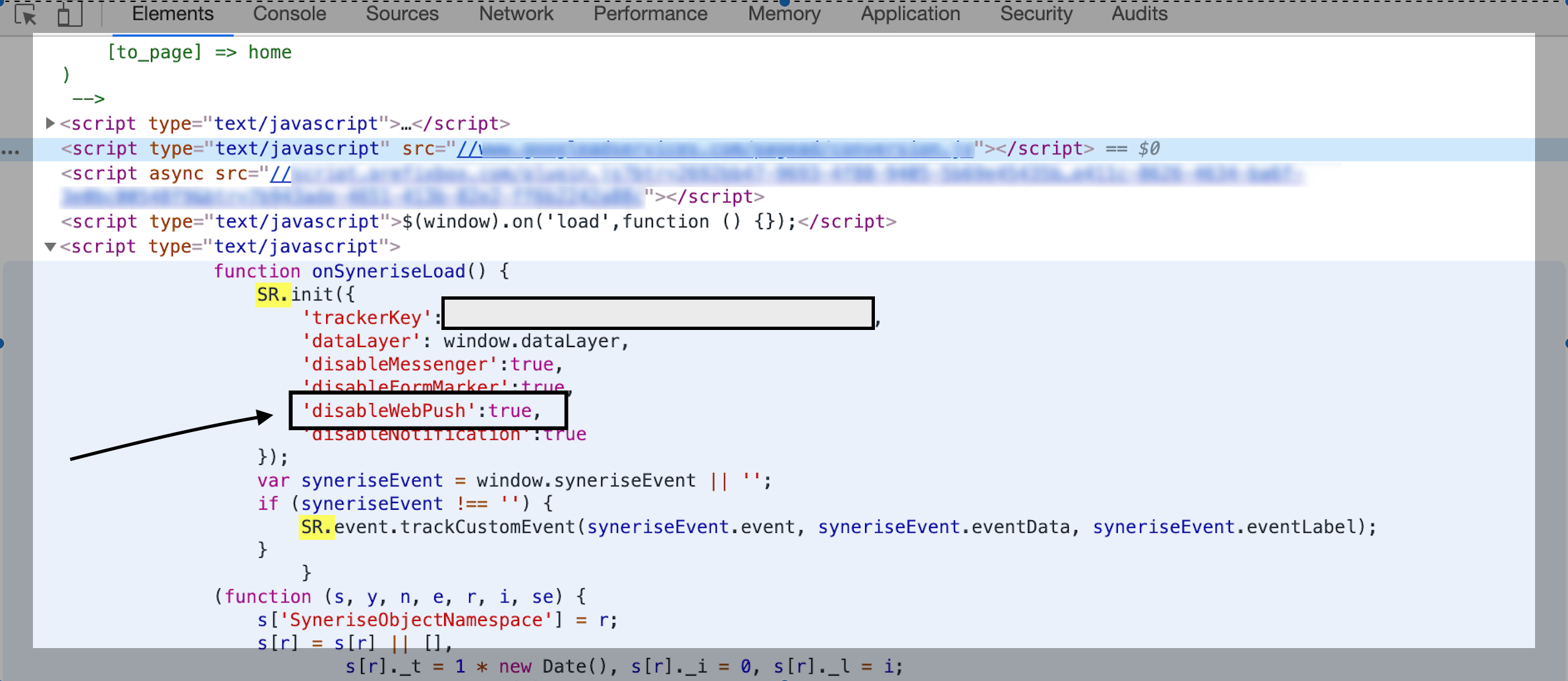
2. If the web push notification is created correctly, go to your website.
3. Open the console.
4. Search for `SR.init`.
5. If there is the `disableWebPush` parameter, contact your developers to remove it.
Console view
If the source of issue still hasn't been found:
- Check if the web push **integration** has been set up correctly.
1. Check if you downloaded the **manifest.js** and **service worker** files from **Settings > Web push**.
2. Check if the files have been embedded on your webserver.
3. Check if the HTML code from **Settings > Web push** was embedded on your website. More information can be found [here](/docs/campaign/Webpush).
- Check if the recipient's browser supports web push notifications.
- Check if a limit was set on the display of web push notifications.
More information about limits is available [here](/docs/settings/configuration/campaign-limits).
- Check if the recipients have given web push consent.
- Verify whether it's a global issue or if it concerns only several recipients - check the customer cards and look for `webpush.send`, `webpush.show`, `webpush.click`, and `webpush.capping` (this event is generated when a web push notification wasn't sent due to the limits of web pushes that can be sent to a customer in a defined time frame) events.
Learn more about [capping configuration](/docs/settings/configuration/campaign-limits).
- Verify if the notification wasn't deleted.
- Verify the status of sending on the list of web push notifications (it might still be waiting to be sent).
- Check if the recipient of the message belongs to the proper segment.