<details class="accordion"><summary>Are there any limits of actions in one automation?</summary><div class="accordion-content"><p>No, there are no limits to the number of actions in a single automation.</p></div></details>


<details class="accordion"><summary>Can I stop an automation?</summary><div class="accordion-content"><p>Yes, you can stop an automation at any time. </p></div></details>


<details class="accordion"><summary>Can I edit a template used in automation?</summary><div class="accordion-content"><p>Yes, but you have to remember that before changing the template it is best to stop the automation. Apply the changes and trigger the automation again. </p> <p>Otherwise, the automation may use old versions of the template.</p></div></details>


<details class="accordion"><summary>Are there any limits in setting the delay?</summary><div class="accordion-content"><p>No, there are no limits. You can set any date for the actions in your automation.</p> <p>Remember that a better practice is to create short-term automations. That way, you can constantly collect the results of your automation and prepare better solutions for your clients in the future.</p></div></details>


<details class="accordion"><summary>Can I use event expressions in Event Filter or Profile Event?</summary><div class="accordion-content"><p>There is no possibility to use event expression in these nodes. Event Filter and Profile Event are triggered instantly after the occurrence of a defined event and for these nodes there is no request made to Decision Hub, so it&#39;s not possible to calculate a dynamic parameter.</p></div></details>


<details class="accordion"><summary>Which sender account is used in the “Email Alert” node in a workflow</summary><div class="accordion-content"><p>Synerise uses the default account for this action. You can check which account is set as default in <strong>Settings &gt; Email Accounts</strong></p></div></details>


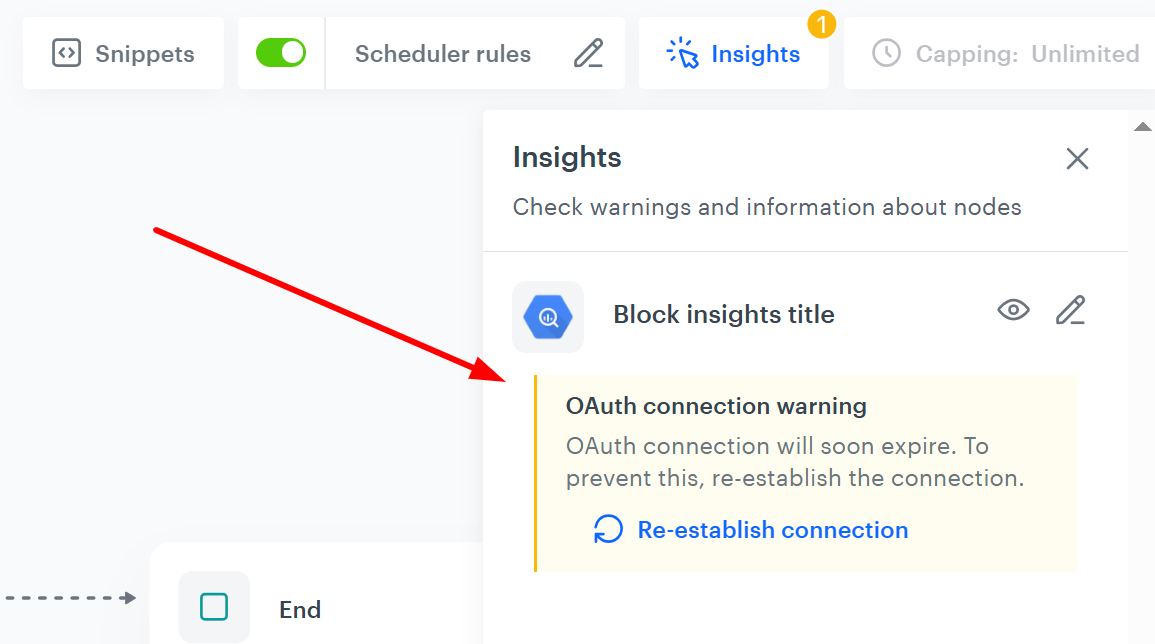
<details class="accordion"><summary>How long are tokens for establishing connections between Synerise and Google services valid?</summary><div class="accordion-content"><p>Tokens are valid for approximately 183 days (about 6 months) from the moment they are generated or last refreshed. This means that if you use such a token to establish <a href="/docs/settings/tool/connections/">connection</a> between Synerise and Google service, you can generally expect the token to stay active for up to 6 months without needing to refresh it. To help you manage this, reminders about token expiration will appear in the Insights tab of your workflow, ensuring you have enough time to renew it on schedule.</p> <figure><img src="/api/docs/image/54176ad07f146575310749eba44b7c2f42c1b327/docs/automation/_gfx/token-expiration-warning.png" class="medium" alt="Token expiration warning in the Insights tab in a workflow"><figcaption>Token expiration warning displayed in the Insights tab in a workflow view in the Automation module</figcaption></figure></div></details>