 **AI Hub > Indexes**.
2. Click **Add index**.
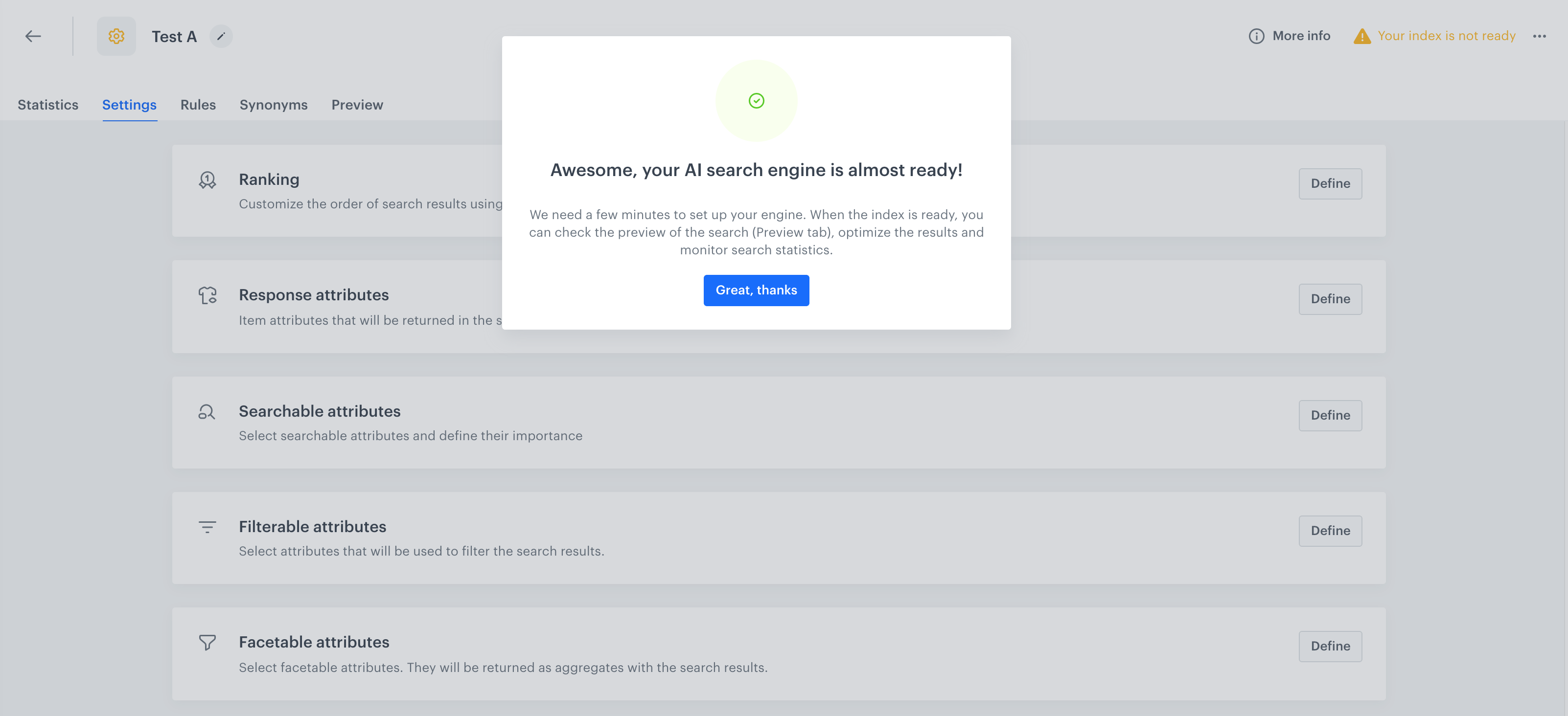
3. Follow the instructions on the interface until the configuration of Ranking (step 4). If you need more information, you can read instruction on configuring [AI Search index](/docs/ai-hub/ai-search/create-index).
4. Set the ranking for the personalization search index. You will create the besteller version later.
- For the personalization search index:
- Frequency of item page views to 70%
- Frequency of item purchases to 0%
- Personalization to 100%
- For the bestseller search index:
- Frequency of item page views to 20%
- Frequency of item purchases to 80%
- Personalization to 0%
5. Save the index. The index will be ready in several minutes.
**AI Hub > (AI Search) A/B/X Tests > New A/B test**.
2. Enter the name of the test.
3. In the **Variants and customer allocation** section, click **Define**.
4. Click the **Base variant** tab.
5. From the dropdown list, select one of the indices you created in [the previous part of the process](/use-cases/ai-search-ab-test#prepare-two-search-indexes).
6. Add the next variant by clicking
**AI Hub > Indexes**.
2. Click **Add index**.
3. Follow the instructions on the interface until the configuration of Ranking (step 4). If you need more information, you can read instruction on configuring [AI Search index](/docs/ai-hub/ai-search/create-index).
4. Set the ranking for the personalization search index. You will create the besteller version later.
- For the personalization search index:
- Frequency of item page views to 70%
- Frequency of item purchases to 0%
- Personalization to 100%
- For the bestseller search index:
- Frequency of item page views to 20%
- Frequency of item purchases to 80%
- Personalization to 0%
5. Save the index. The index will be ready in several minutes.
**AI Hub > (AI Search) A/B/X Tests > New A/B test**.
2. Enter the name of the test.
3. In the **Variants and customer allocation** section, click **Define**.
4. Click the **Base variant** tab.
5. From the dropdown list, select one of the indices you created in [the previous part of the process](/use-cases/ai-search-ab-test#prepare-two-search-indexes).
6. Add the next variant by clicking  .
7. From the **Index** dropdown list, select the second index you created in the previous part of the process. You can rename the tab for better management of the versions.
8. In the **Customer allocation** section, assign the percentage of customers to each variant.
9. Confirm the settings by clicking **Apply**.
10. Click **Save&Run**.
After some time you can [check the statistics of the A/B test](/use-cases/ai-search-ab-test#analyze-results).
## Analyze results
---
When the A/B tests has been running for long enough, you can analyze the statistics for each variant.
1. Go to **AI Hub > (AI Search) A/B/X Tests**.
2. From the list, select the test.
3. Choose the **Statistics** tab. You can find there the results for key performance indicators such as a conversion rate or revenue.
.
7. From the **Index** dropdown list, select the second index you created in the previous part of the process. You can rename the tab for better management of the versions.
8. In the **Customer allocation** section, assign the percentage of customers to each variant.
9. Confirm the settings by clicking **Apply**.
10. Click **Save&Run**.
After some time you can [check the statistics of the A/B test](/use-cases/ai-search-ab-test#analyze-results).
## Analyze results
---
When the A/B tests has been running for long enough, you can analyze the statistics for each variant.
1. Go to **AI Hub > (AI Search) A/B/X Tests**.
2. From the list, select the test.
3. Choose the **Statistics** tab. You can find there the results for key performance indicators such as a conversion rate or revenue.