The main reason why it is worth having a **loyalty program** is to retain customers by rewarding them for their repeat purchase behavior. Also, customers appreciate such programs because they can get access to rewards and special offers.
Setting up loyalty programs can help improve your brand recognition, increase growth and improve customer service.
It is also worth remembering special days for your club members, not only their birthday, but also **membership anniversary**, which can be a great opportunity to send them special rewards like coupons.
## Example of use - Retail industry
---
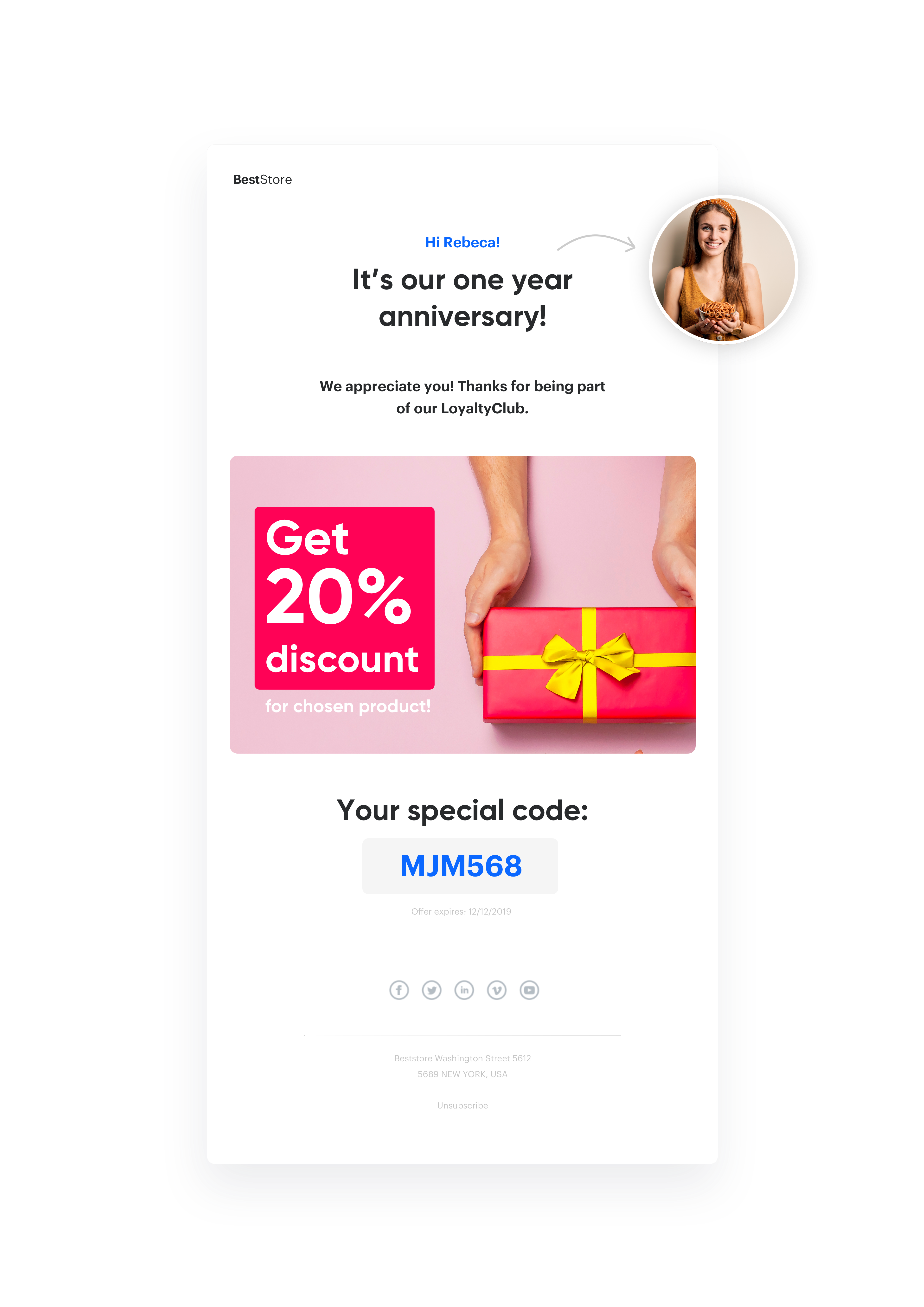
A customer from the footwear industry has had a customer club for several years and makes special offers and promotions available to members. They decided to show their appreciation for such clients by sending them an email on the anniversary of joining the club. Each email contained an individual rebate code.
Anniversary coupon
## Prerequisites
---
To implement this use case, you have to:
- [Configure your email account](/docs/campaign/e-mail/configuring-email-account).
- Import customer base with `email addres`. and `registration date`.
- Implement [tracking code](/docs/settings/tool/tracking_codes).
## Process
---
Prepare use case that will consist of 4 steps:
1. [Prepare a coupon pool](/use-cases/coupon_for_anniversary#prepare-a-coupon-pool).
2. [Prepare an email template](/use-cases/coupon_for_anniversary#prepare-an-email-template).
3. [Prepare workflow](/use-cases/coupon_for_anniversary#prepare-workflow).
## Prepare a coupon pool
---
In [this](/docs/assets/code-pools) article, you will find the rules and procedures needed to create and use voucher pool in Synerise.
On user registration anniversaries, it’s good to send each of them individual coupon codes with a discount. To do it you will have to import to Synerise coupons previously prepared in your ecommerce platform, which will apply the appropriate discount in the shopping cart.
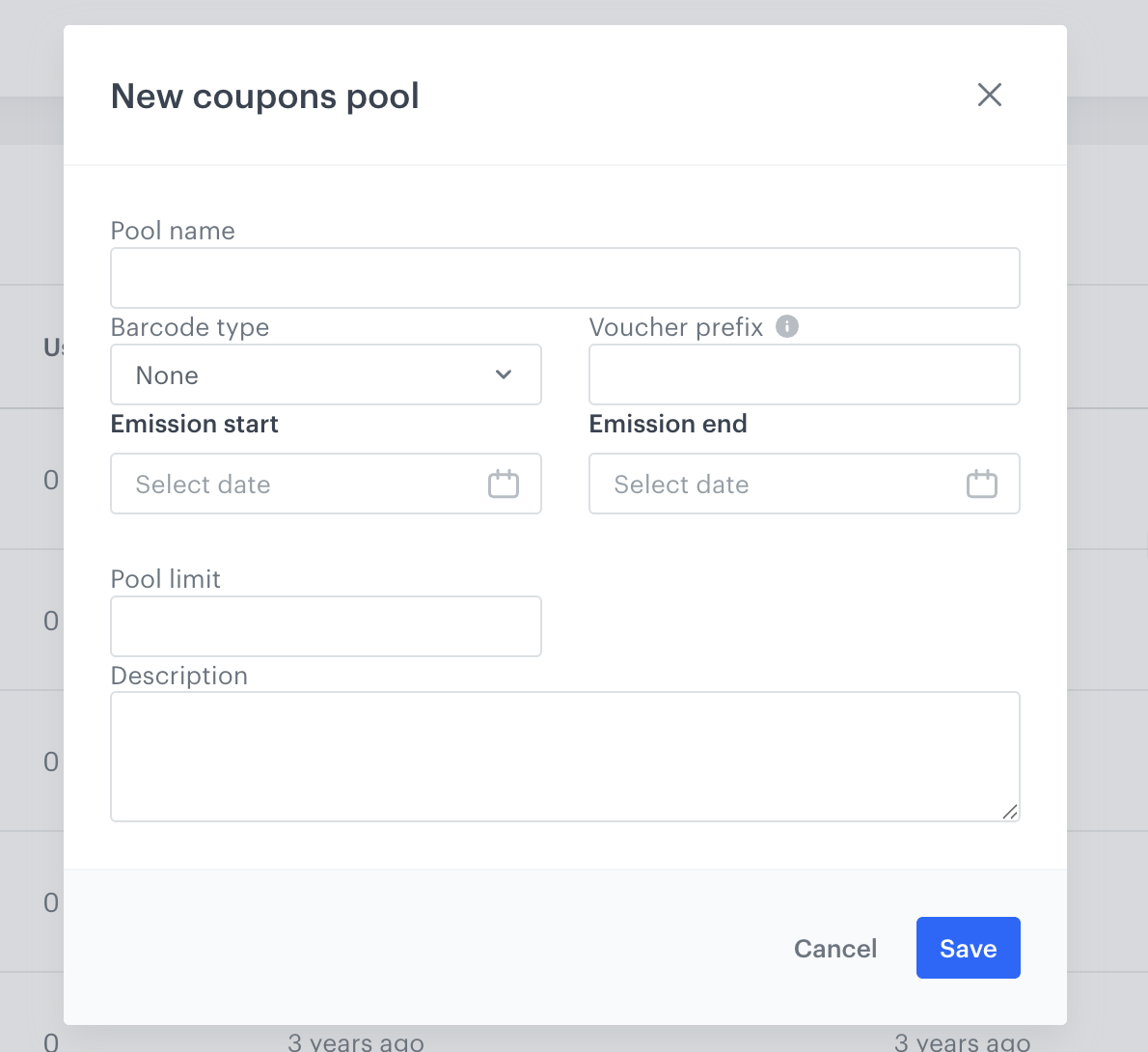
1. To import such coupons, go to **Data Modeling Hub > Voucher Pools** and prepare a **Voucher pool**, to which you will add your coupons.
2. Add an obligatory **Pool name**, and set the Emission start and end dates.
3. When the pool is created, click **Import** and choose **CSV with vouchers**.
Prepare coupon pool
Remember that your csv should have only 1 column, without a name.
## Prepare an email template
---
To distribute coupon codes in an email, prepare a template - design banners, copy and add the ID of the coupon pool.
1. Go to **Experience Hub > Emails > Templates > Drag&drop builder** or **Code editor** to create an email template..
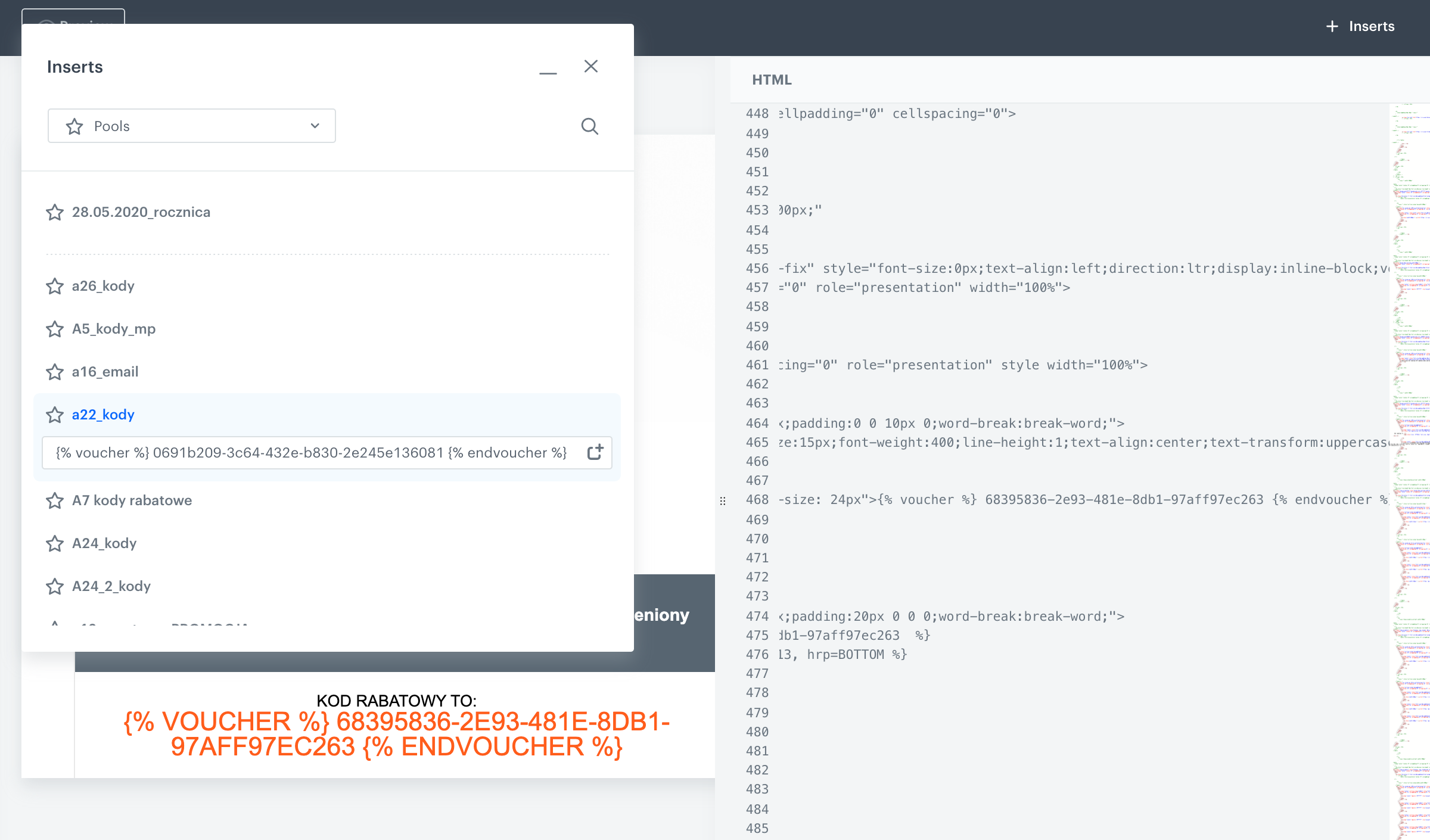
2. Click **Inserts** in the upper right corner, find **Pools** on the list of inserts, then choose the **Coupon pool** prepared in the previous step.
3. Copy and paste the Jinjava code of the pool in the place where the coupon code should be shown to the user. Instead of `{% voucher %}` voucher-hash `{% endvoucher %}`, a user will see a unique coupon code.
Prepare an email template
If your codes have the appropriate format, you can insert them as barcodes, details [here]( /docs/assets/code-pools/).
## Prepare workflow
---
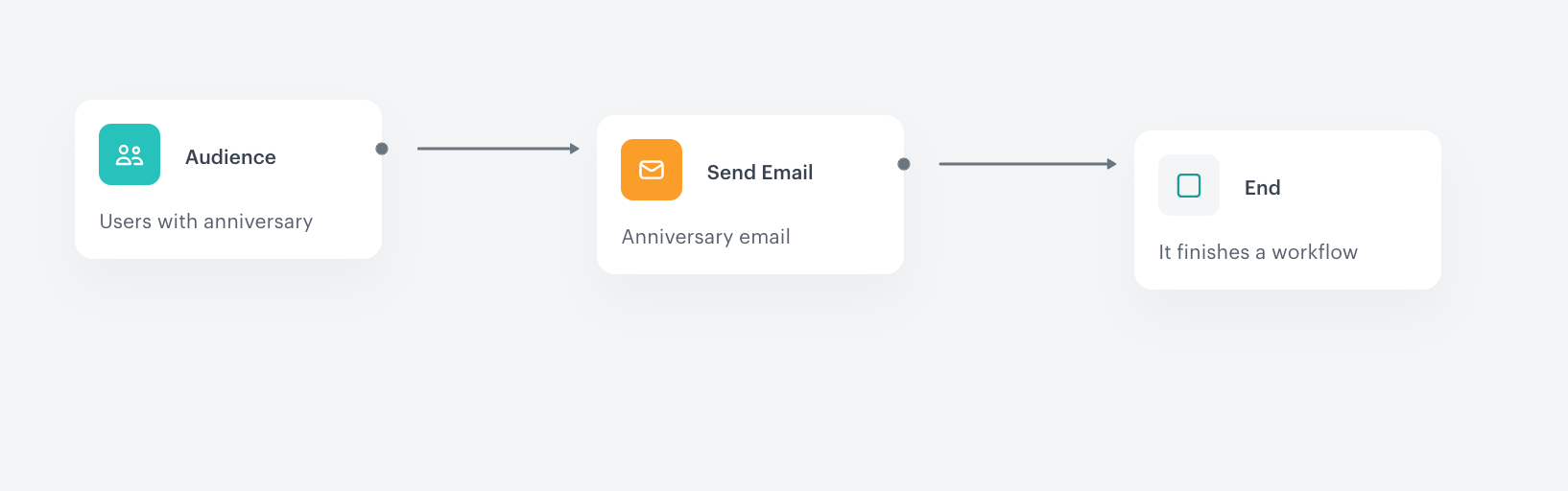
To start sending your prepared email template you have to create a workflow, which in basic configuration may look like the one below. To do this, go to **Automation Hub > Workflow > New workflow**.
### Add the Audience as attribute
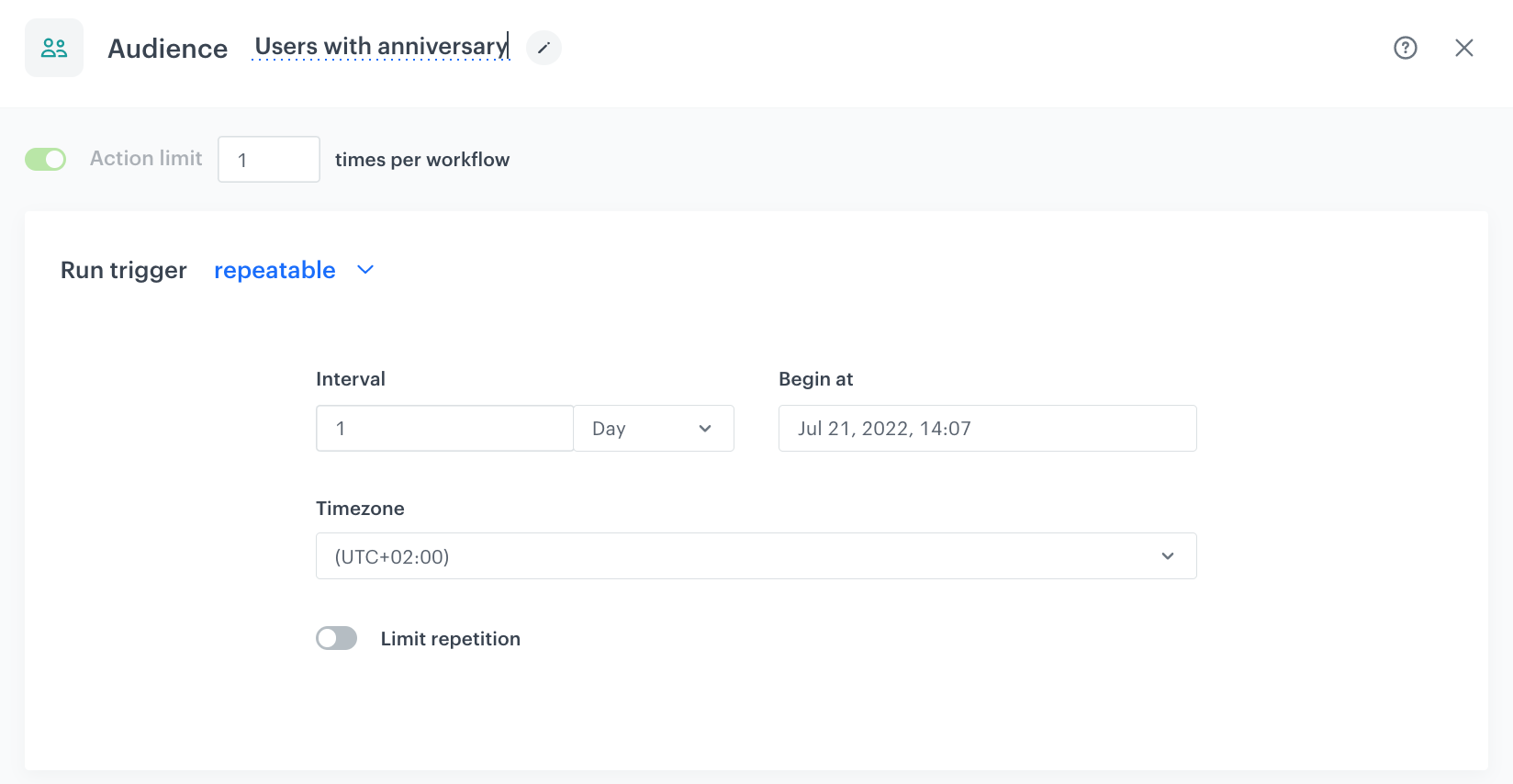
To start the journey for every user who has a anniversary on a given date, select the **Audience** node.
Add the trigger
1. Set the **Run trigger** to repeatable.
2. Select 1-day interval.
3. Select the **New audience** tab.
4. Click **Define conditions**.
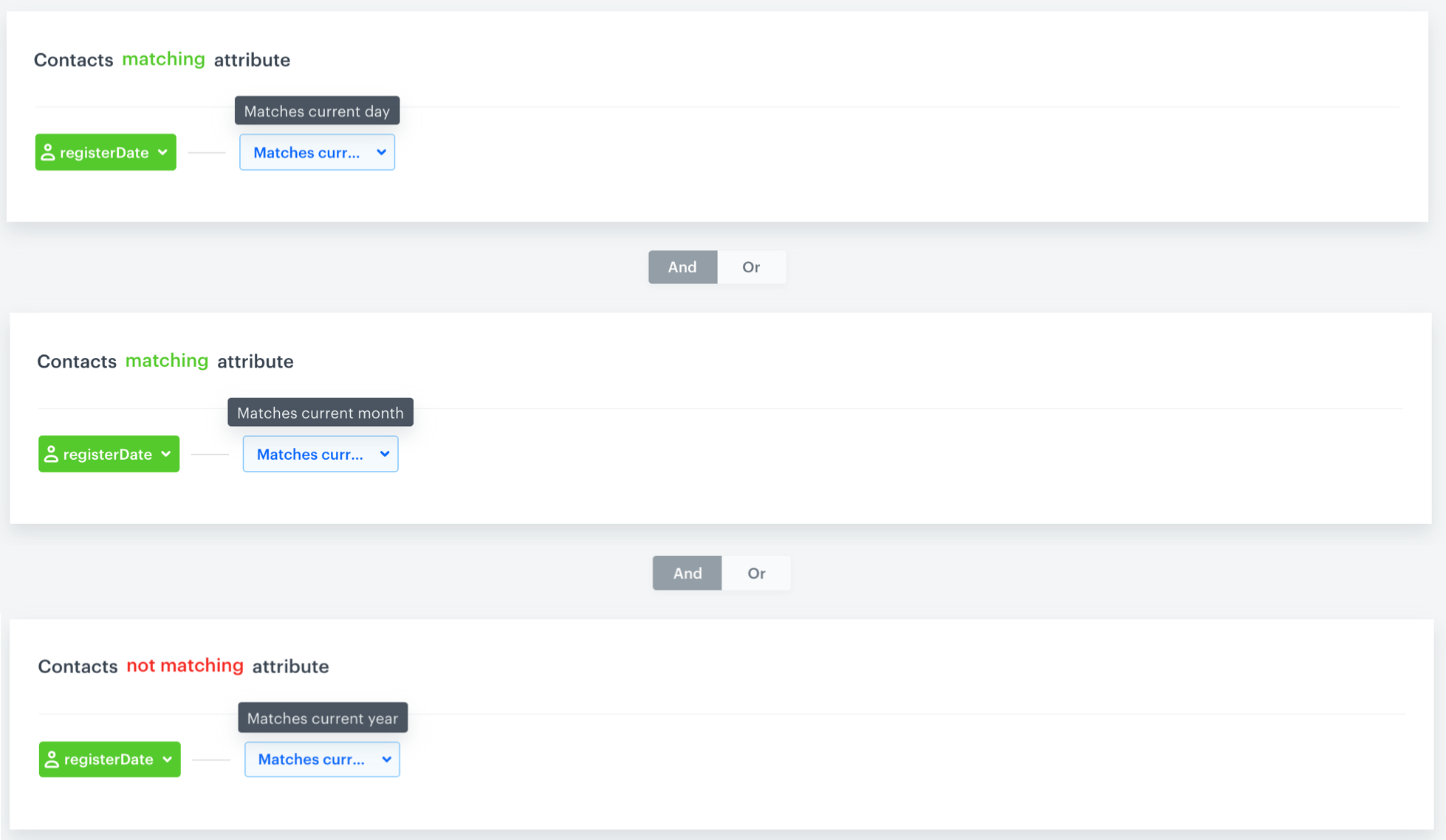
5. Define three conditions, every has a registration date, the first one matches the current day, the second matches the current month, and the third one doesn't match the current year:
Prepare anniversary attribute
### Set up the anniversary email
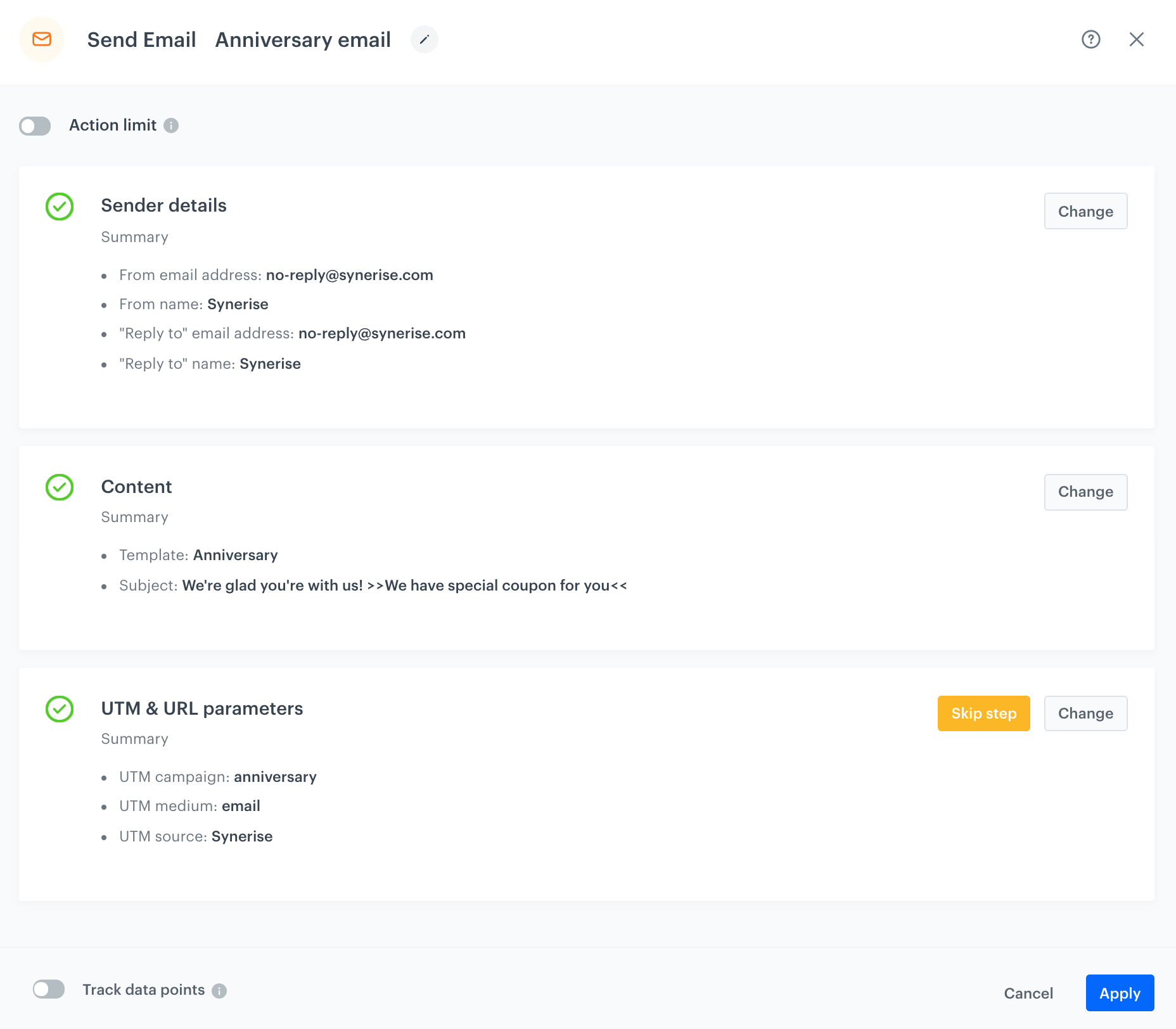
When you finish setting up the anniversary attribute, you can set the **Send Email** node by selecting the appropriate email account, choosing the template that you prepared previously and adding the email subject and UTMs.
Email datail
### Prepare the final settings
1. **Add End nodes** where the workflow should finish for users.
2. Define **capping**.
3. Optionally, **add titles** to each node so the workflow will be more understandable to your colleagues.
4. Name the **workflow**.
5. To save it as a draft, click Save, or activate the workflow by clicking **Save & Run**.
Prepare workflow
## Check the workflow set up on the Synerise Demo workspace
---
You can check the [workflow](https://app.synerise.com/automations/automation-diagram/8d237fd3-5772-414d-a738-199b7fcc7dff) configuration directly in Synerise Demo workspace.
If you’re our partner or client, you already have automatic access to the **Synerise Demo workspace (1590)**, where you can explore all the configured elements of this use case and copy them to your workspace.
If you’re not a partner or client yet, we encourage you to fill out the contact [form](https://demo.synerise.com/request) to schedule a meeting with our representatives. They’ll be happy to show you how our demo works and discuss how you can apply this use case in your business.
## Read more
---
- [Creating code pools](/docs/assets/code-pools)
- [Email templates](/docs/campaign/e-mail)
- [Import clients](/docs/automation/actions/synerise-integrations/import-customers#example-of-use)
- [Workflow](/docs/automation)