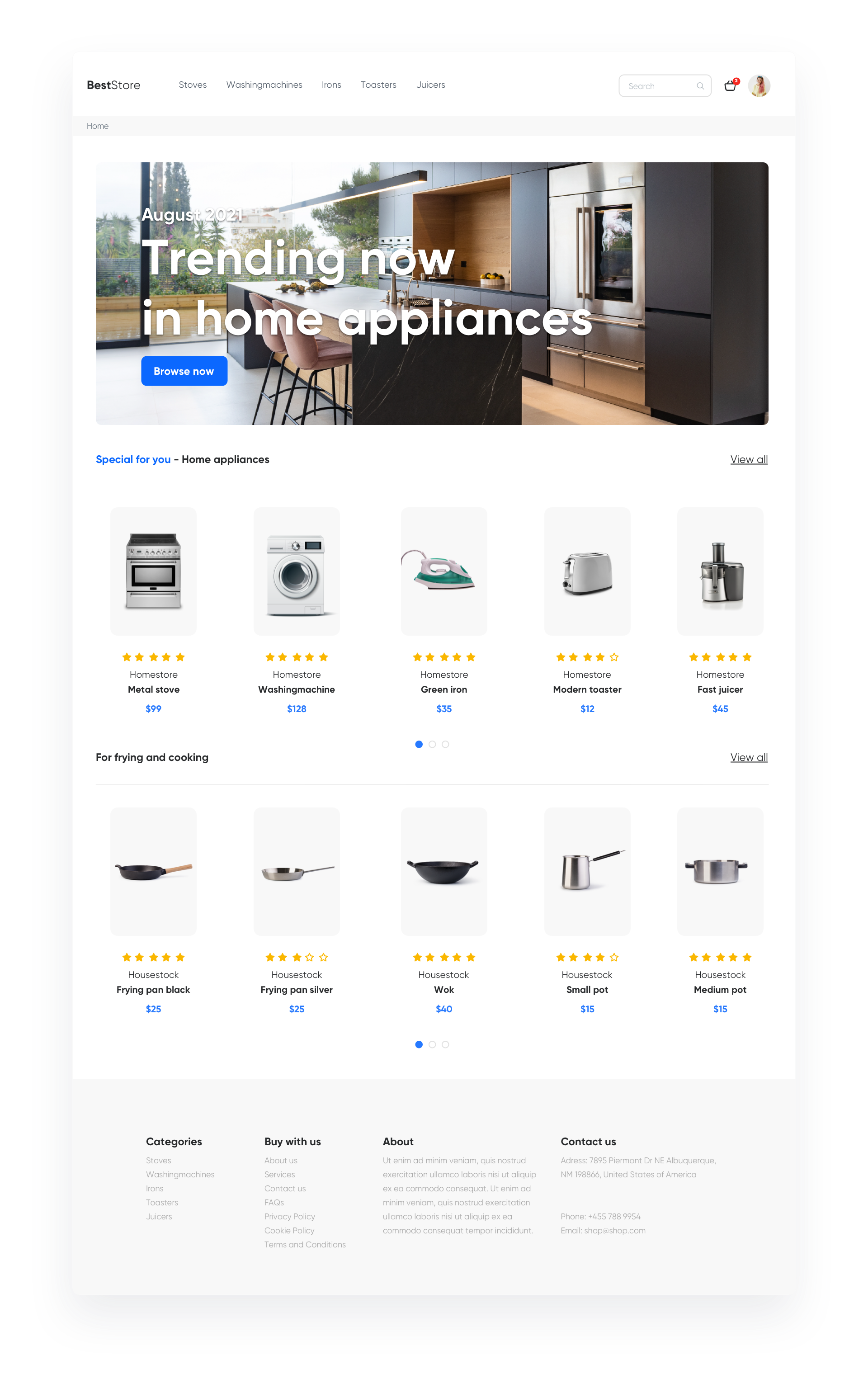
Synerise allows you to prepare a dedicated landing page containing a **personalized offer of recommended products**. You can send it via email or web push to people who were on the site but did not buy anything or didn't even add anything to their cart. This will allow you to attract their attention again after leaving the site. Also you can add a tab in the menu, like **Chosen for you**, which will redirect to such a landing page with an offer suited for a particular user.  


## Example of use - Home appliances industry

Our client wanted to activate customers, who left an e-store but did not add anything to the shopping cart. They used automation to send an email message directing to the landing page with personalized recommendations after a customer had finished the session.

 <figure>
   <img src="/api/docs/image/54176ad07f146575310749eba44b7c2f42c1b327/use-cases/all-cases/_gfx/personalized-products-landing.png" alt="Screenshot presenting personalized landing page" class="full no-frame">
   <figcaption> Landing Page </figcaption>
   </figure>

**Results**

- OR 25,2%, 
- CTR 21,8%, 
- Conversion 5,13%.

## Prerequisites 
---
To be able to implement this use case, you must:
- [Implement a tracking code](/docs/settings/tool/tracking_codes) 
- [Track forms](/developers/web/tracking-form-data)
- [Configure newsletter sign-up process](/docs/settings/configuration/newsletter-sign-up)
- [Create a sender account](/docs/campaign/e-mail/configuring-email-account)

## Process
---
Creating a landing page with personalized products, perform the steps in the following order:

1. [Prepare a subpage](/use-cases/landing-page-personalized#prepare-a-subpage).
2. [Prepare AI Recommendation](/use-cases/landing-page-personalized#prepare-ai-recommendation).
3. [Prepare Dynamic Content](/use-cases/landing-page-personalized#prepare-dynamic-content).

## Prepare a subpage 
---

Prepare an empty page within the website of your ecommerce store, for example, `www.yourdomain/recommended-for-you`, which will contain only header and footer – the rest will be added by Dynamic Content.  

## Prepare AI Recommendation 
---

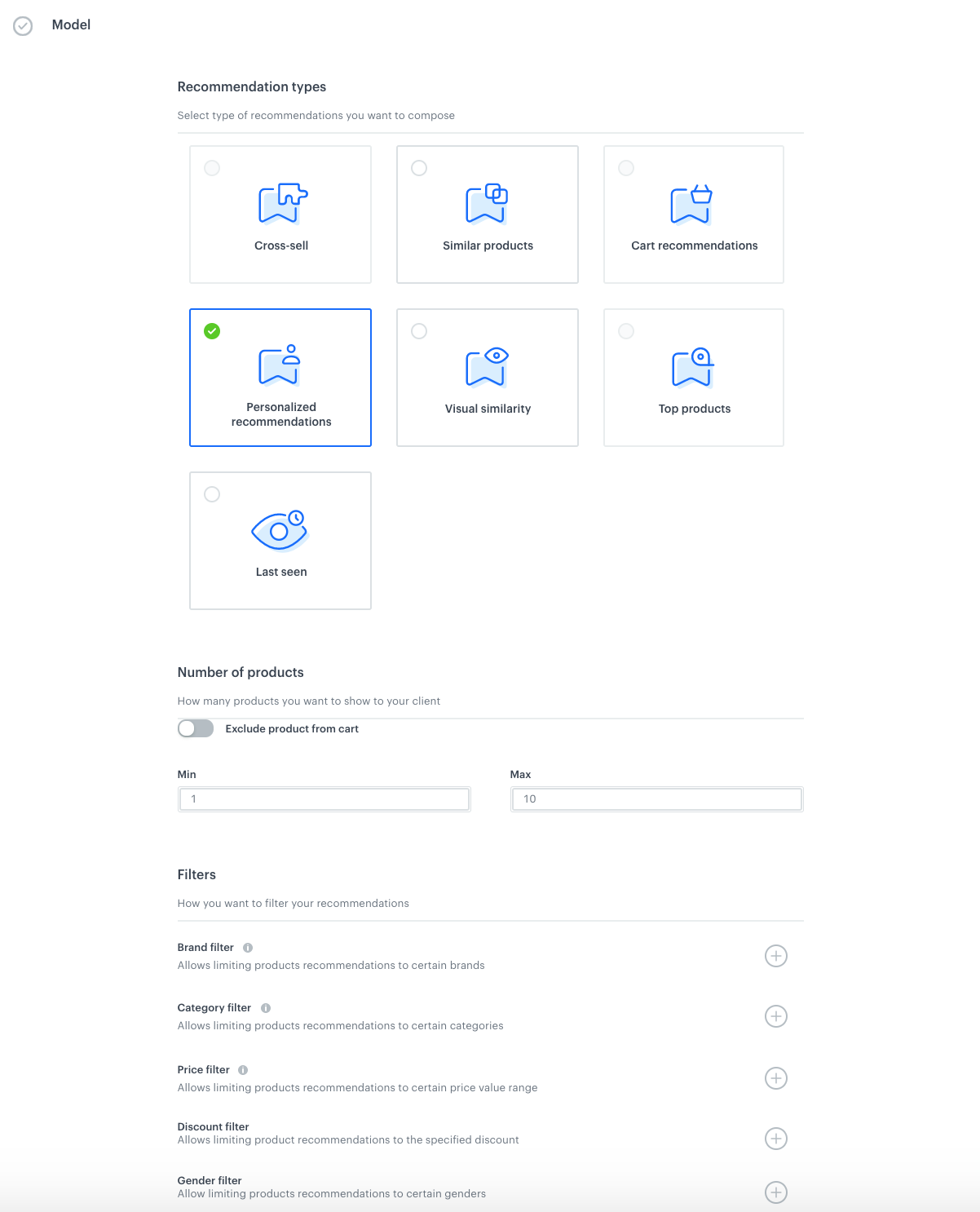
1. Go to **Experience Hub > Recommendations** and click **Add Recommendation**. 
2. Choose personalised recommendation type. 
3. Select how many products the user should get – as it is a landing page, you can show them way more products than by email or a typical recommendation frame. 
4. Add additional filters if needed.  

<figure>
   <img src="/api/docs/image/54176ad07f146575310749eba44b7c2f42c1b327/use-cases/all-cases/_gfx/landingpage4a.png" alt="`Screenshot presenting AI campaign`" class="full">
   <figcaption> AI recommendation </figcaption>
   </figure>


## Prepare Dynamic Content
--- 

You can use Dynamic content to insert recommendations on the landing page.

1. Choose **Insert Object** type.
2. Select **everyone** in the Audience.
3. In Content select **Simple message**, and specify the CSS selector where you want to insert recommendations.
4. In the Content tab, click **Create Message**, insert Jinjava code with AI recommendation and add your own CSS. Let’s look at how to prepare the appropriate the jijnava code. 

   
   <details class="accordion"><summary>Check the jinja code</summary><div class="accordion-content"><pre><code class="language-jinja">&lt;!-- Downloading the AI campaign --&gt; {% recommendations2 campaignId=cg3HBgRC5P2h %} {% for p in recommended_products2 %} &lt;li data-snr-ai-product-id="{{p.productRetailerPartNo}}"&gt; &lt;a class="snrs-AI--item-link" href="{{p.link}}" title="{{p.title}}"&gt; &lt;img src="{{ p.imageLink }}" class="products-slider__item-image snrAI-product-image snrAI-product-image-{{p.productRetailerPartNo}}" width="90" alt="{{p.title}}" id="snrAI-image-{{p.productRetailerPartNo}}"&gt; &lt;h3 class="snrs-AI-product--product-name"&gt; &lt;span class="snrs-AI-product--name-first"&gt;{{p.title}}&lt;/span&gt; &lt;/h3&gt; &lt;/a&gt; &lt;/li&gt; {% endfor %} {% endrecommendations2 %}</code></pre></div></details>


5. Schedule when dynamic content is active.
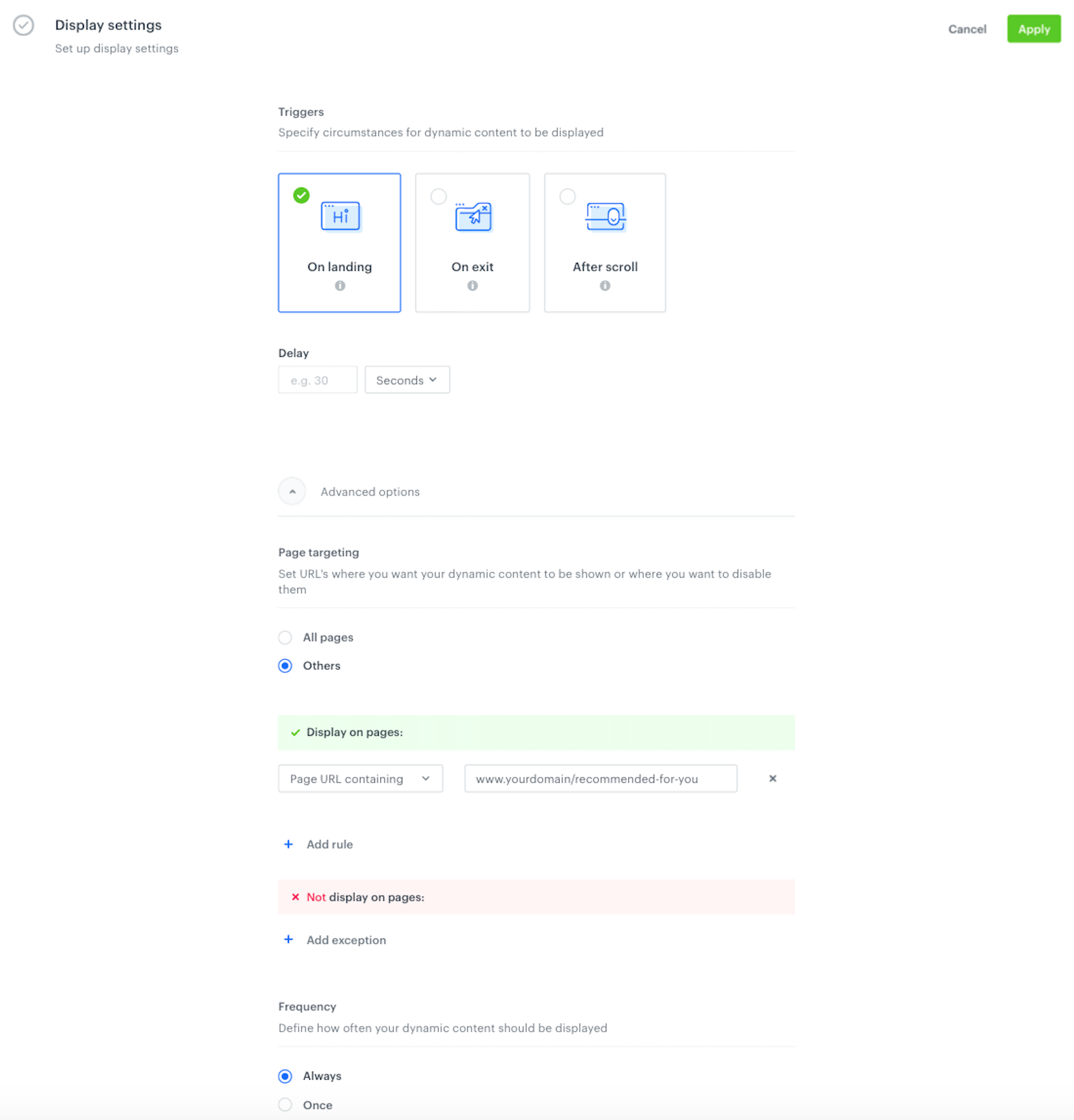
6. In **Display settings**, specify that Dynamic contet has to be shown Always, On landing, or on a specific URL. 

<figure>
   <img src="/api/docs/image/54176ad07f146575310749eba44b7c2f42c1b327/use-cases/all-cases/_gfx/landingpage4b.png" alt="`Screenshot presenting display settings`" class="full">
   <figcaption> Display settings </figcaption>
   </figure>

Save the dynamic cotent, and use the ready recommendation in your landing page. 


<div class="admonition admonition-tip"><div class="admonition-icon"><svg xmlns="http://www.w3.org/2000/svg" fill="none" viewBox="0 0 24 24" stroke="currentColor" stroke-width="2.5"><path stroke-linecap="round" stroke-linejoin="round" d="M9.663 17h4.673M12 3v1m6.364 1.636l-.707.707M21 12h-1M4 12H3m3.343-5.657l-.707-.707m2.828 9.9a5 5 0 117.072 0l-.548.547A3.374 3.374 0 0014 18.469V19a2 2 0 11-4 0v-.531c0-.895-.356-1.754-.988-2.386l-.548-.547z" /></svg></div><div class="admonition-body"><div class="admonition-content">

If you don’t want to use dynamic content, you can retrieve recommendations via API request [details](https://developers.synerise.com/AIRecommendations/AIRecommendations.html#tag/Recommendations).

</div></div></div>


## Read more
---
- [AI API recommendations](https://developers.synerise.com/AIRecommendations/AIRecommendations.html#tag/Recommendations/)
- [Dynamic content](/docs/campaign/dynamiccontent)
- [Jinjava inserts](/developers/inserts/insert-usage)
- [Personalized recommendations](/docs/ai-hub/recommendations-v2/recommendation-types#personalized)