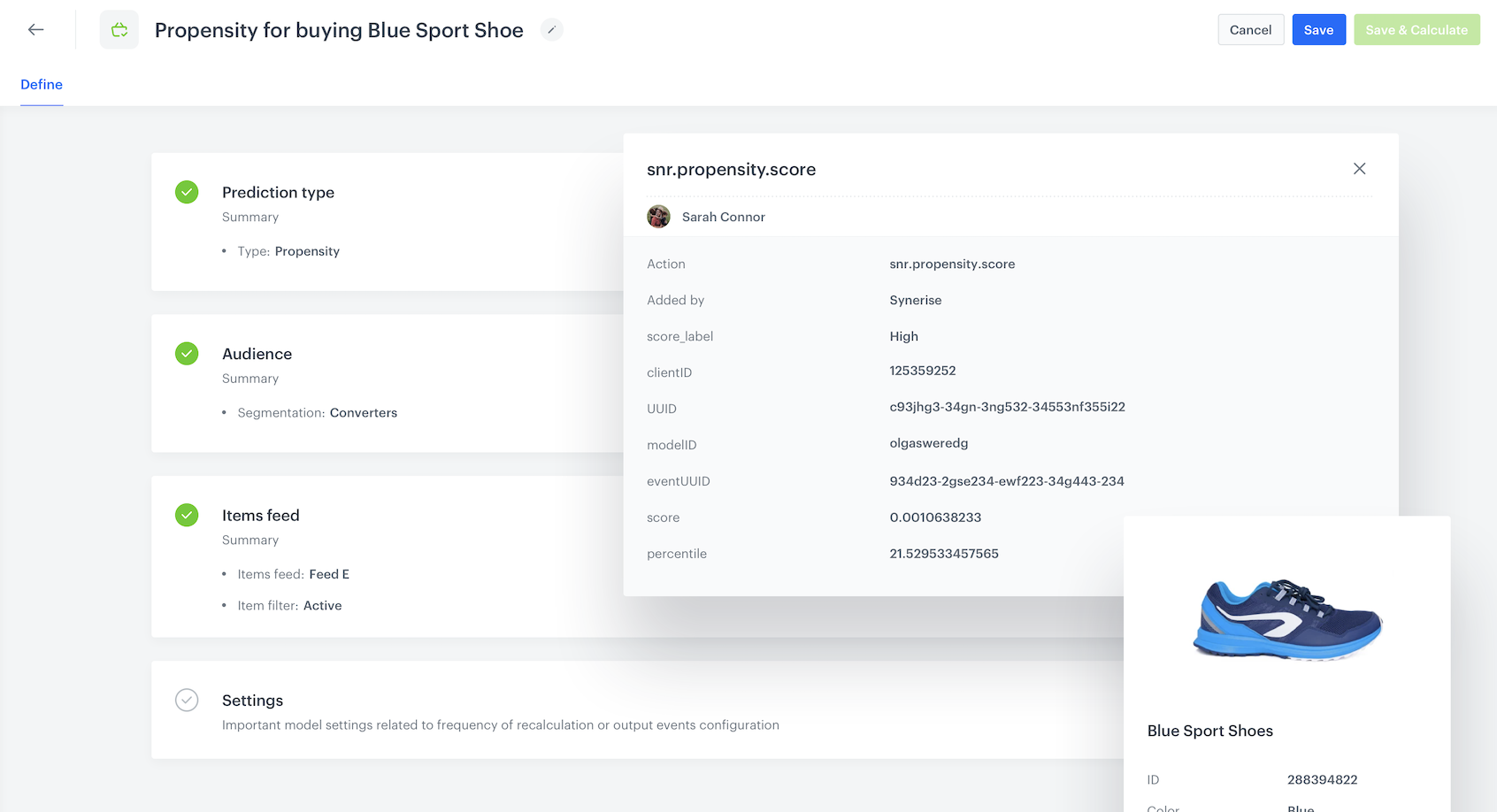
You can use the Predictions feature to calculate the probability of customers buying a particular item. The results can be used for better targeting of your marketing efforts.
Propensity to buy a particular item: blue sport shoes, identified by a unique ID
## Prerequisites
---
- [Enable the Propensity prediction type](/docs/ai-hub/predictions/enabling-predictions#enabling-propensity-and-best-fit-predictions).
- The `itemID` attribute (the unique identifier attribute of an item) must be added to [filterable attributes](/docs/ai-hub/ai-search/define-attributes#filterable-attributes).
## Creating the prediction
---
1. Go to **(AI Predictions) Models > New prediction** and select **Propensity** as the prediction type.
2. Select an audience for the prediction.
For more information, see the [Predictions quick start article](/docs/ai-hub/predictions/propensity#select-customers-to-be-analyzed).
### Define the item
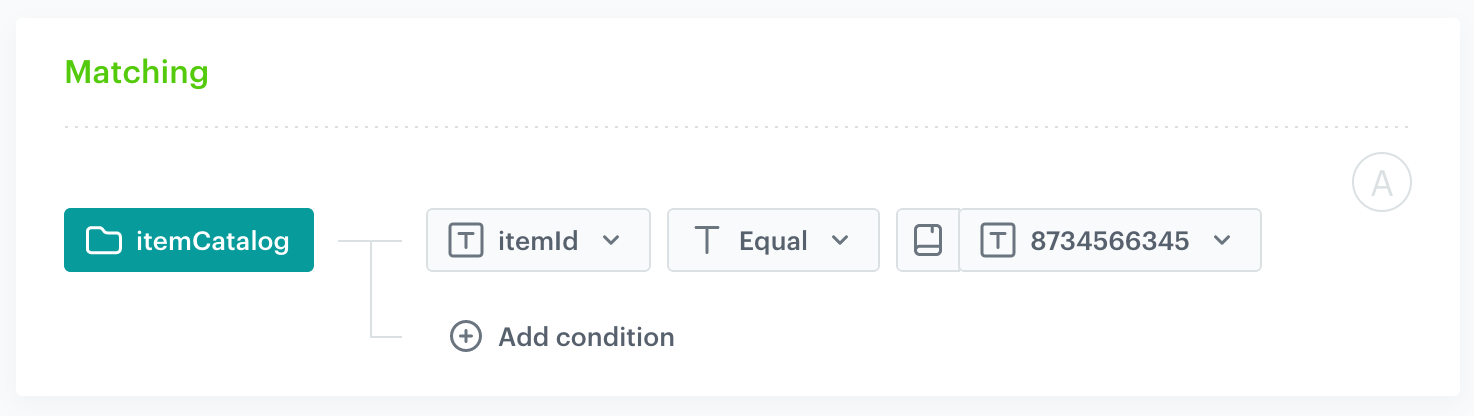
In this section, you define the item for which you want to calculate the prediction. This is done by creating a filter that matches the item by its unique identifier in the catalog.
1. In the **Item feed** section, click **Define**.
2. Click **Choose item feed**.
3. Select the catalog that contains the items you want to make the prediction for.
**Result**: the **Item filter** section appears.
4. Click **Define item filter**.
5. From the **Select attribute** drop-down list, select the `itemId` attribute.
You can use the search field.
6. From the drop-down list that appears, select the **Equal** operator.
7. From the list of available values that appears, select an identifier.
You can use the search field.
The filter matches exactly one item
8. Click **Save**.
9. Save the item feed configuration by clicking **Apply**.
### Additional settings and saving
Configure the [additional settings](/docs/ai-hub/predictions/propensity#additional-settings) (or leave them at default) and click **Save & Calculate**.
## What's next
---
After the calculation is completed, a `snr.propensity.score` event is saved in the profiles of each customer in the audience. The event data includes detailed results of the prediction.
Based on the `snr.propensity.score` event, you can create segmentations of customers with different propensity and use those segmentations as campaign targets:
- [email](/docs/campaign/e-mail)
- [SMS](/docs/campaign/SMS)
- [web push](/docs/campaign/Webpush)
- [mobile push](/docs/campaign/Mobile)
- [dynamic content](/docs/campaign/dynamiccontent)
- [screen views](/docs/campaign/screen-views)
Email, SMS, web push and mobile push can be sent manually or you can launch them by using [Automation Hub](/docs/automation).
## Check the use case set up on the Synerise Demo workspace
---
You can check the configuration of the [Propensity prediction](https://app.synerise.com/ai-v2/predictions/propensity/ovwcgaomjlwu), [segmentation](https://app.synerise.com/analytics-v2/segmentations/2de2b62c-c659-47fc-8a41-cfba97e94439) and [catalog](https://app.synerise.com/assets/catalogs/13168) directly in Synerise Demo workspace.
If you’re our partner or client, you already have automatic access to the **Synerise Demo workspace (1590)**, where you can explore all the configured elements of this use case and copy them to your workspace.
If you’re not a partner or client yet, we encourage you to fill out the contact [form](https://demo.synerise.com/request) to schedule a meeting with our representatives. They’ll be happy to show you how our demo works and discuss how you can apply this use case in your business.
## Read more
---
- [Predictions](/docs/ai-hub/predictions)
 **(AI Predictions) Models > New prediction** and select **Propensity** as the prediction type.
2. Select an audience for the prediction.
For more information, see the [Predictions quick start article](/docs/ai-hub/predictions/propensity#select-customers-to-be-analyzed).
### Define the item
In this section, you define the item for which you want to calculate the prediction. This is done by creating a filter that matches the item by its unique identifier in the catalog.
1. In the **Item feed** section, click **Define**.
2. Click **Choose item feed**.
3. Select the catalog that contains the items you want to make the prediction for.
**Result**: the **Item filter** section appears.
4. Click **Define item filter**.
5. From the **Select attribute** drop-down list, select the `itemId` attribute.
You can use the search field.
6. From the drop-down list that appears, select the **Equal** operator.
7. From the list of available values that appears, select an identifier.
You can use the search field.
**(AI Predictions) Models > New prediction** and select **Propensity** as the prediction type.
2. Select an audience for the prediction.
For more information, see the [Predictions quick start article](/docs/ai-hub/predictions/propensity#select-customers-to-be-analyzed).
### Define the item
In this section, you define the item for which you want to calculate the prediction. This is done by creating a filter that matches the item by its unique identifier in the catalog.
1. In the **Item feed** section, click **Define**.
2. Click **Choose item feed**.
3. Select the catalog that contains the items you want to make the prediction for.
**Result**: the **Item filter** section appears.
4. Click **Define item filter**.
5. From the **Select attribute** drop-down list, select the `itemId` attribute.
You can use the search field.
6. From the drop-down list that appears, select the **Equal** operator.
7. From the list of available values that appears, select an identifier.
You can use the search field.