You can define the criteria for sorting items in search results. Customizing these settings lets you align with customers' behaviors and preferences and increases chances for relevant search results. You can rank items either by manually adjusting scoring factors or by enabling target optimization, which automatically manages the scoring factors for a selected business target.
Scoring factors (manual adjustment)
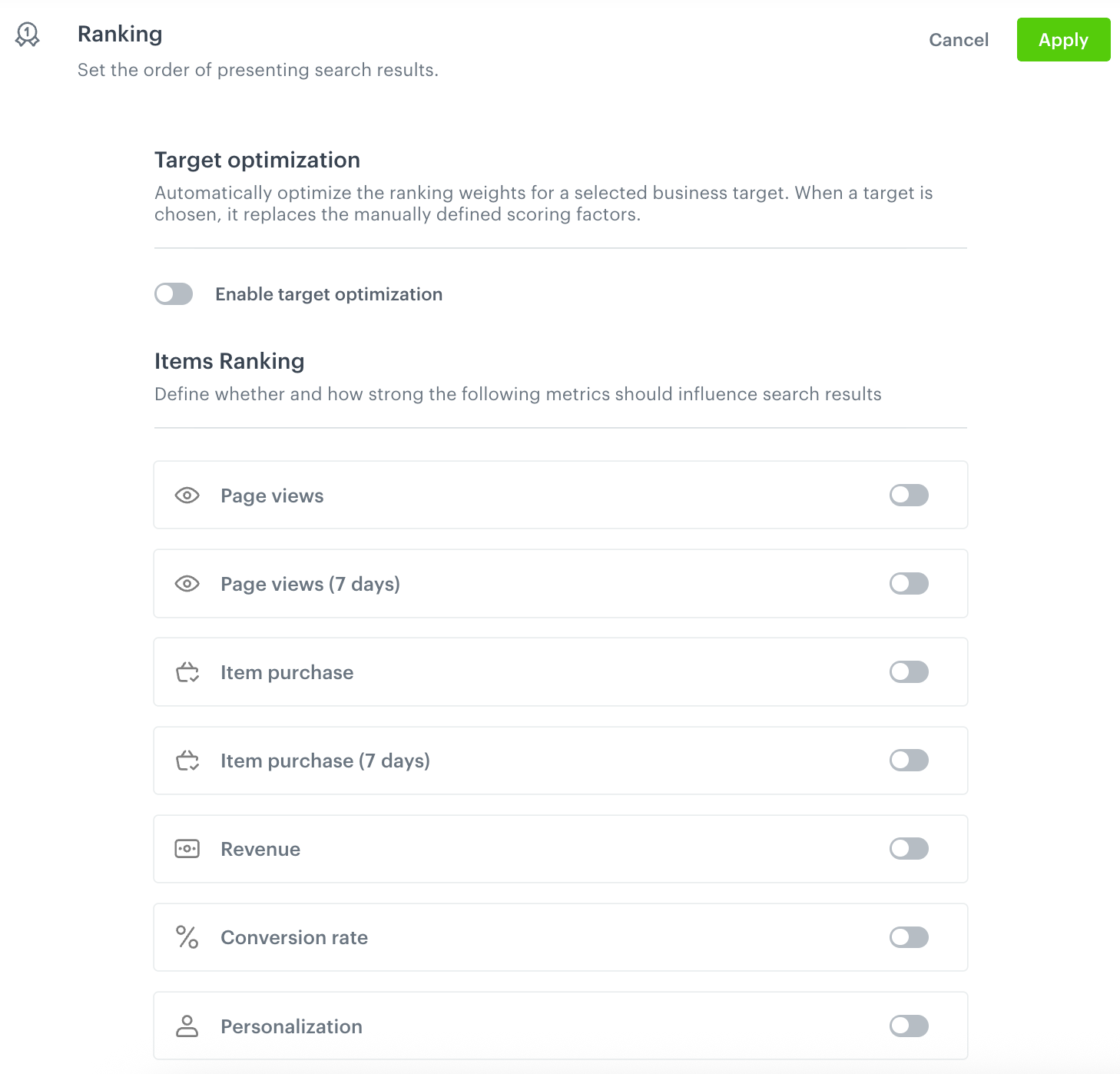
Scoring factors define whether and how strongly a given metric affects the order of items in search results. For each enabled scoring factor, use the slider to define the strength of its impact.
- Page views - Boost items which were frequently viewed by customers.
- Page views (7 days) - Boost items which were frequently viewed by customers over the last 7 days.
- Item purchase - Boost items which were frequently purchased by customers.
- Item purchase (7 days) - Boost items which were frequently purchased by customers over the last 7 days.
- Revenue - Boost items which generate the highest revenue.
- Conversion rate - Boost items with the highest ratio of purchases to clicks in search results.
- Personalization - Boost search results based on the individual user's preferences.
Target optimization (automatic adjustment)
Instead of manually defining scoring factors, you can enable target optimization to automatically optimize the ranking weights for a selected business target. When a target is selected, it replaces the manually defined scoring factors listed above, except Personalization, which you can still configure separately.
Before you enable target optimization, make sure that your workspace meets the requirements.
You can choose one of the following optimization targets:
- Click-through rate - Optimizes the ranking to increase the likelihood that customers click items in the search results.
- Conversion rate - Optimizes the ranking to increase the likelihood that customers purchase items after clicking them in the search results.
- Revenue - Optimizes the ranking to increase the revenue generated from the search results.
- Ranking quality (NDCG) - Optimizes the ranking quality using Normalized Discounted Cumulative Gain, a metric that measures how well items are ordered by relevance.
- Margin - Optimizes the ranking to boost items with the highest profit margin. This option is in private preview mode.
Configuration
- Go to
 AI Hub > Indexes.
 - Create or select the index on the list.
- Go to the Settings tab.
- On the Ranking section, click Define.
- Do one of the following:
- To automatically manage scoring factors, switch on the Enable target optimization toggle, then from the Choose optimization target dropdown list, select one of the optimization targets.
- To manually define scoring factors, switch on the toggle next to each scoring factor you want to include, then use the slider to define how strongly it affects the order of items in the search results.
- Click Apply.