IMPORTANT: This feature is available in private preview mode and accessible only on selected workspaces. To get access, contact your account manager or Synerise Support.
The Synerise System Agent is a conversational AI assistant built into the Synerise platform. Instead of navigating through menus and forms, you can describe what you want in plain language - get guidance on setting up a recommendation campaign, check why a search query returns no results, or ask how a metric trended last month — and the agent carries out the request or gets you most of the way there.
The agent works across several product areas at once: recommendations, search, product feeds, catalogs, experiments, analytics, IQL, automation, the Synerise Help documentation, and Jinjava. You don't need to know which area of the platform owns a task - describe the outcome you want, and the agent routes the request to the right capability.
Opening the agent
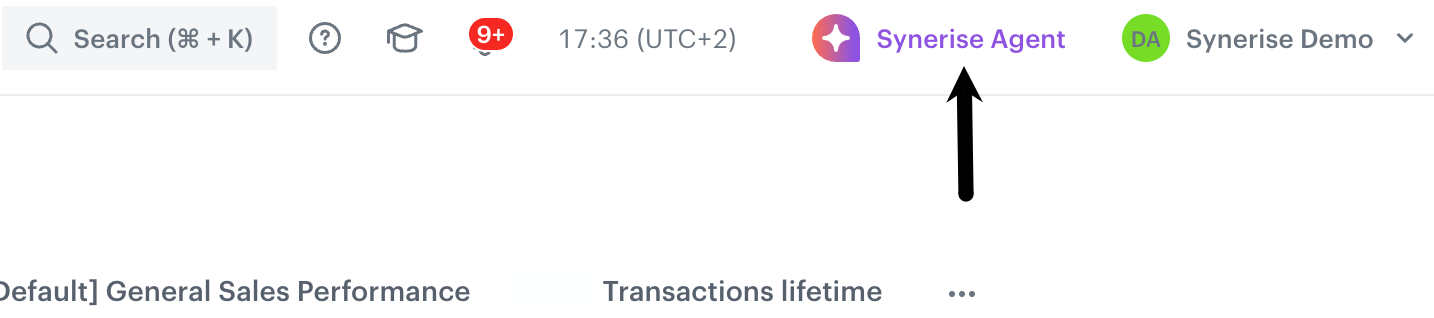
Click Synerise Agent in the top navigation bar, available from anywhere in the workspace. This opens a chat panel where you can type your request. The panel stays open alongside the page you're working on, so you can keep an eye on the agent's response while you continue browsing the workspace.
Each conversation keeps its context, so you can ask follow-up questions or refine a previous request without repeating details you already gave. Past conversations are listed and can be reopened at any time.
How to talk to the agent
Write requests the way you'd describe them to a colleague — there's no special syntax to learn. A few habits make the agent's answers more accurate:
- Name the object you mean - If you know the campaign, search index, catalog, product, rule, or experiment name/ID, include it. If more than one object matches, I’ll show the options and ask you to choose.
- Include a time range for performance questions - Phrases like “last 7 days,” “this month,” or exact dates work. If you don’t specify a range, I’ll use a sensible default and tell you what I assumed.
- Ask in steps when the task is complex - You can refine my answer as we go, for example: “use the Personalized type instead,” “make it 12 items,” or “show that as a chart.”
- Be as specific as you can, but don’t worry if you’re unsure. I can list resources, inspect configurations, preview results, or ask a follow-up question when something is ambiguous.
What the agent can do
| Area | You can ask it to | Learn more |
|---|---|---|
| Recommendations | Inspect and manage recommendation campaigns, configure the AI recommendation engine, analyze performance, and preview recommendations | AI Recommendations |
| Search | Inspect and manage indexes, analyze search behavior, tune relevance, manage synonyms and query rules | AI Search |
| Product feed | Inspect and manage item feed import configurations; look up products in item catalogs | Item feed requirements |
| Catalogs | Inspect and manage key-value data catalogs and records; export data where supported | Introduction to catalogs |
| Experiments (A/B testing) | Inspect A/B/X tests and help prepare or manage experiment configurations for recommendations or search | A/B/X testing |
| Analyses | Create ad-hoc analyses such as reports, metrics, funnels, trends, and segmentations | Introduction to reports |
| IQL | Build, validate, fix, and explain IQL filters | Recommendation filters |
| Automation | Draft automation workflows from a description for you to review and apply | Introduction to Automation Hub |
| Documentation | Get answers from Synerise Hub content | — |
| Jinjava | Generate, validate, fix, and explain Jinjava code | Inserts |
Recommendations
Ask the agent to:
- Work with recommendation campaigns — list and inspect campaigns without opening the campaign editor, and help prepare campaign changes.
- Inspect the AI recommendation engine — check which recommendation types are available or configured for a feed, such as personalized, similar items, complementary recommendations, frequently bought together, and visual similarity. See Recommendation types.
- Get performance insights — clicks, CTR, revenue, and conversions for one campaign or across all of them, including top-performing products. Results come back as a table, which you can ask the agent to turn into a trend chart.
- Preview live recommendations — see what a campaign or recommendation type would return for a given product or customer before using it in production as described in Previewing recommendations.
Example prompts:
- "How is recommendation campaign X performing this month?"
- "Show clicks, CTR, revenue, and conversions for recommendation campaign X from the last 30 days."
- "Preview what campaign X would recommend for product 12345."
- "Show personalized recommendations for customer UUID abc-123."
- "Which products are most often recommended in campaign X?"
Search
Ask the agent to:
- Run searches against an index — full-text, autocomplete, category listings, and visual image-based search.
- Inspect search indexes — list indexes, check index state, and review searchable, filterable, facetable, and sortable attribute configuration.
- Get search analytics — review query summaries, top queries, zero-result rates, filter usage, and rule effectiveness.
- Inspect query rules — list and review rules that promote, hide, boost, filter, or otherwise modify results for specific queries.
- Inspect synonyms — list and review synonym definitions configured for a search index.
Example prompts:
- "Search for sneakers in index X."
- "Show the search query summary for index X."
- "Show the zero-result rate for search index X."
- "Show synonyms configured for index X."
- "Check whether 'sneakers' and 'trainers' are already synonyms in index X."
- "Show query rules configured for index X."
- "Help me draft a rule to boost sale-tagged items for the query 'shoes'."
Product feed
Ask the agent to:
- Inspect item feeds — check existing product import configurations for item catalogs and review available feed setup options, such as grouping or no grouping, where supported.
- Look up products — search products in an item catalog by text or fetch them by ID. Results can be shown as visual product cards with image, title, and product details such as price when available.
Example prompts:
- "Look up product 12345"
- "Show me products matching 'winter jacket'"
- "Check the feed configuration and import status for catalog X"
Catalogs
Ask the agent to:
- Inspect catalogs — list and inspect key-value data catalogs used to enrich events and support personalization, including catalog keys, usage, jobs, and event-enrichment mappings. See Introduction to catalogs.
- Work with catalog records — list, count, and inspect records by ID or item key, and export catalog data as CSV where supported.
Example prompts:
- "List my data catalogs"
- "Show the keys/columns in catalog ID 123"
- "List records in catalog ID 123"
- "Fetch record with item key 'gold' from catalog ID 123"
- "Export catalog ID 123 to CSV"
Experiments (A/B testing)
Ask the agent to:
- Inspect A/B/X tests — list existing experiments and review their configuration for recommendation or search tests. See A/B/X testing and Configuring A/B/X tests.
- Review experiment setup and status — check details such as variants, allocation, and lifecycle status where available.
- Support variant analysis — help interpret experiment results when the required performance data is available.
Example prompts:
- "Help me plan an A/B test between two search configs"
- "Review the setup of the homepage recommendation test"
- "Help me interpret the variant results if I provide the metrics"
Analyses
Ask the Agent questions about your platform data in natural language. The agent can list, inspect, preview, and calculate analytics such as reports, metrics, trends, funnels, segmentations, histograms, aggregates, expressions, and sankeys, so you do not need to build every analysis manually in the interface.
Example prompts:
- "How many profiles bought a product from the Shoes category in the last 10 days?"
- "Count transaction events daily for the last 30 days and show the result as a chart."
- "Compare the purchase conversion rate last month vs. the month before, where conversion rate means purchases divided by visits."
- "Compare saved funnel X for last month and the month before."
- "Calculate saved conversion metric X for last month and the previous month."
IQL
You can ask the Agent to build an IQL filter from a plain-language description, validate or fix an existing filter, or explain what an existing IQL expression does. IQL is used in recommendation filters and other item-filtering contexts in the platform — see Recommendation filters for recommendation-filter guidance.
Example prompts:
- "Build a filter for items priced under $50 that are in stock"
- "What does this IQL expression do:
REQUIRED(profile.tags)?"
Automation
Describe what you want to automate, or describe a use case, and the Agent drafts a workflow diagram for you to review and apply. See Introduction to Automation Hub.
Example prompts:
- "Build a workflow that sends a discount email to customers who abandon their cart"
- "I want to re-engage customers who haven't purchased in 90 days — draft a workflow for that"
Documentation
Ask questions about Synerise Help content — the User Guide and API Reference — and get answers sourced from the documentation, or ask the agent to list available use cases from Use cases.
Example prompts:
- "What's the difference between similar and complementary recommendations?"
- "How do I authenticate against the Synerise API?"
- "What use cases are available for abandoned cart?"
Jinjava
Ask the Agent to generate Jinjava code — the templating language used in message templates and recommendation inserts — from a plain-language description, or to explain, validate, fix, and rewrite existing Jinjava snippets. See Inserting recommendations.
Example prompts:
- "Write Jinjava code that refers to profile email attribute"
- "Explain what this Jinjava snippet does"
How the agent presents results
The Agent adapts its output to the kind of question you ask:
| Output | Used for |
|---|---|
| Chart (line, column, bar, area, pie) | Trends, comparisons, and metric visualizations, such as revenue or CTR over time |
| Table | Lists of metrics, campaigns, analytics results, catalog records, or search/query results |
| Product carousel | Product lookups, showing image, title, and product details such as price when available |
| Guided form | Collecting structured input for setup, configuration, or multi-step tasks |
| Action list | Rows of items, such as campaigns or catalogs, with available next actions |
| Clickable follow-up suggestions | Related questions or next steps you can select instead of typing |
Example scenarios
| Prompt | What you get |
|---|---|
| "How is campaign X performing this month?" | A table of campaign performance metrics, which can be turned into a chart when suitable |
| "Find sneakers in my catalog" | Product cards or a carousel, using the selected or default catalog |
| "Help me draft a personalized recommendation campaign for my homepage" | Suggested campaign setup and configuration guidance |
| "Preview what this campaign would recommend for product 12345" | A preview of recommended items for the selected campaign/product context |
| "Help me plan an A/B test between two search configs" | Guidance for setting up the experiment manually |
| "Count transaction events daily and plot the distribution over time" | A chart from the Analytics Agent, after verifying the event and time window |
| "What's the difference between similar and complementary recommendations?" | An answer sourced from the documentation |
Multi-step example: fixing a zero-result query
Some requests take more than one turn, with the agent analyzing first and asking for your confirmation before any sensitive or destructive change.
- You ask: "Show the search query summary for index X." The agent returns available search statistics, such as query volume and zero-result rate.
- You ask: "Help me fix queries that return no results." The agent can help analyze the available data and suggest possible synonyms or query-rule changes.
- You review the suggestion. If applying synonyms or query rules is not available through the agent, it gives you the proposed configuration to apply manually in Synerise.
Related assistants
The platform also includes narrower, embedded Configuring Customer AI Assistant in the Synerise platform for specific surfaces.
Things to know
- The Synerise System Agent is available in Private Preview mode for selected workspaces, with usage limits applied. Visibility of the Agent in Private Preview can be controlled from the workspace selection panel.
- The agent only knows about data and configuration that already exist in your workspace — it can't act on information it has no access to.
- Always review a proposed action before confirming it, especially one that changes something live, such as pausing a campaign or removing catalog records.