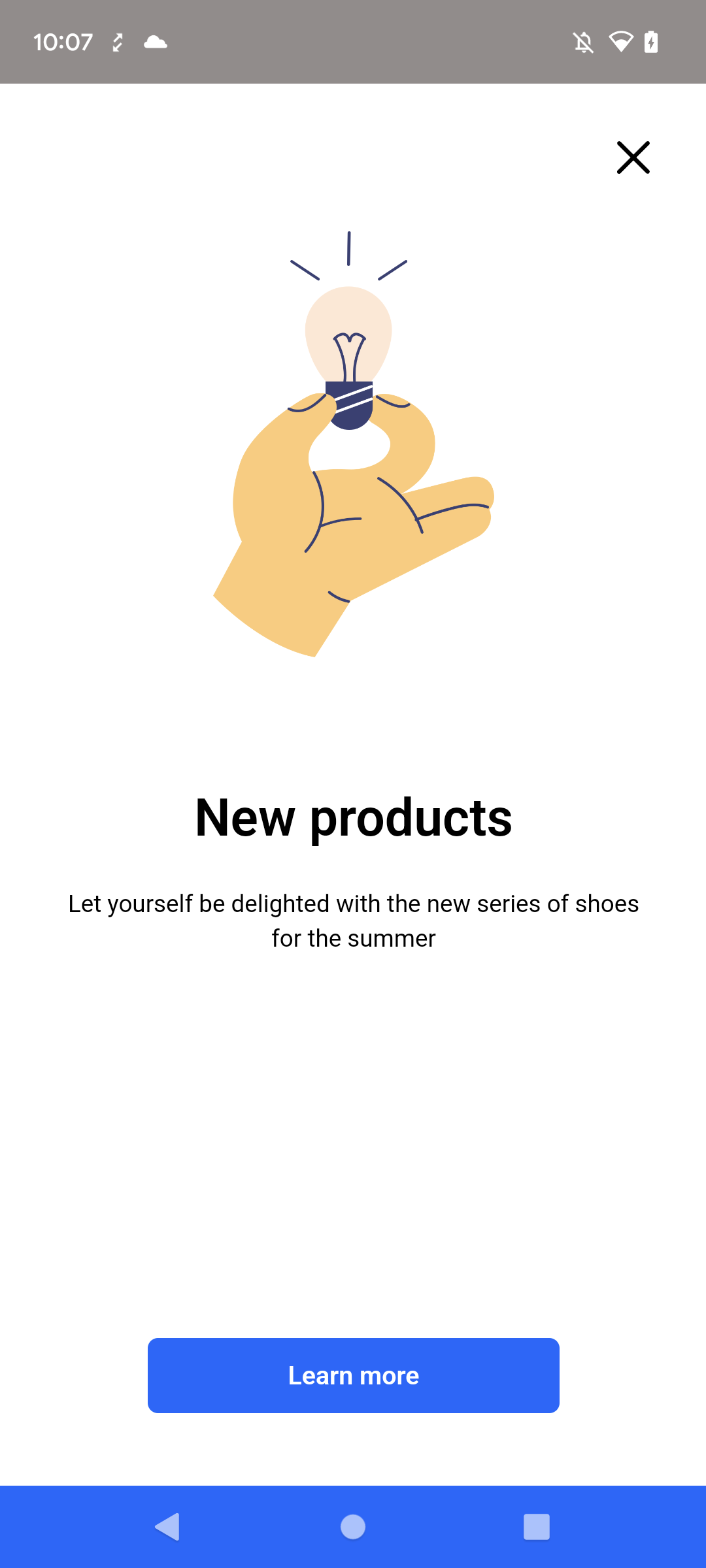
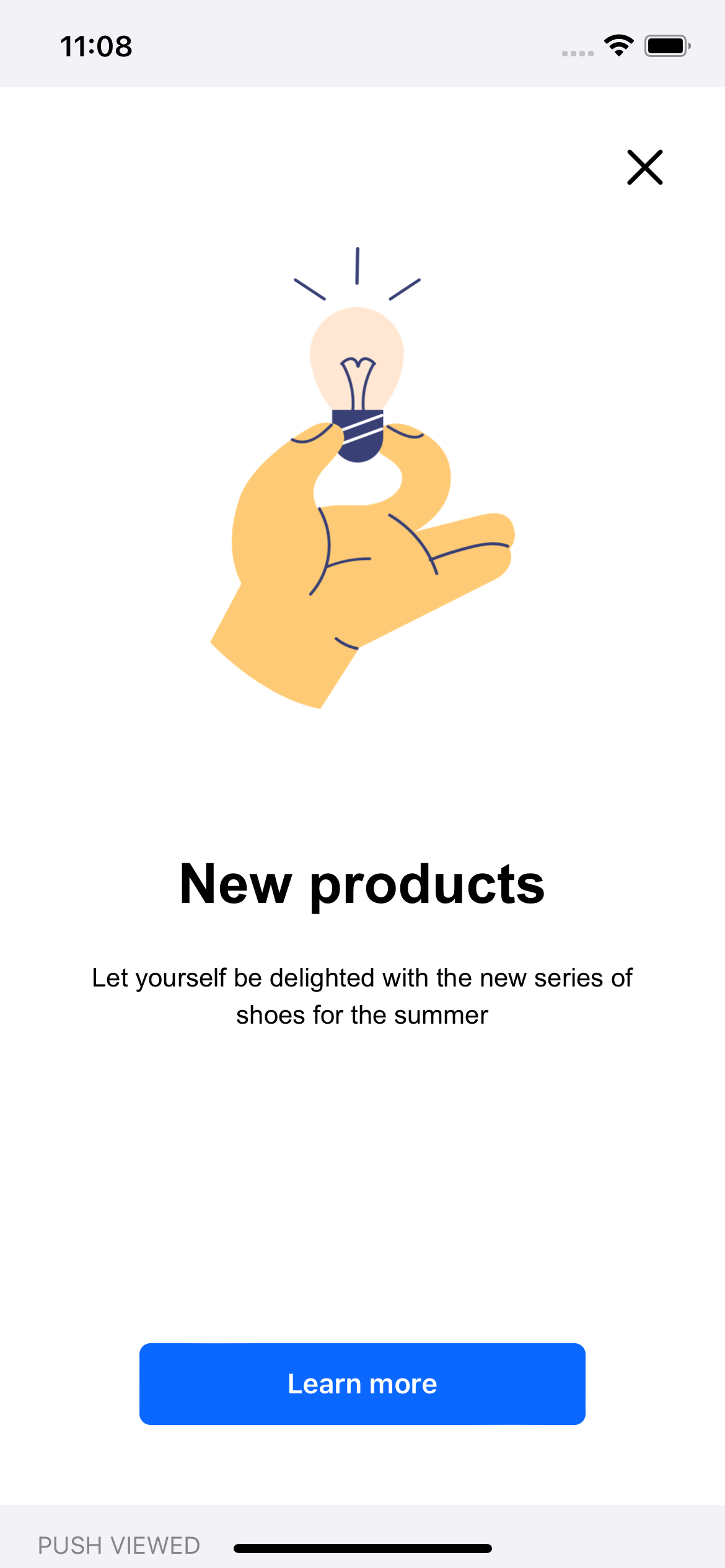
An overlay in-app message is a banner displayed over the app view.
NOTE: The Safe area option in the campaign settings keeps the message inside the safe area on iOS and the display-cutout area on Android. It requires iOS SDK 5.1.0 or later/Android SDK 6.1.0 or later. The option is configured per campaign; there is no SDK setting for it.
Controlling behavior and actions
You may control an incoming in-app message and decide whether to show it (the display of in-app message can be triggered by occurrence of specific events). By default, the SDK allows in-app message display. This decision is available on Android (shouldShow) and iOS (snr_shouldInAppMessageAppear) only; the React Native and Flutter SDKs always allow display. Returning false discards the message: no event is sent and the message is not queued again.
The user interface allows selecting up to 3 trigger events, however, in Android, only for 5.8.1 SDK version (released on 25.08.2023) or higher all triggers are considered altogether. For older SDK versions in Android, only the last event from the trigger list will be considered.
These limitations don't apply in iOS.
Also, you can be notified (in the form of events) about the campaign actions in the following cases:
- When the in-app message is presented.
- When the in-app message disappeared.
- When additional context is needed to render the campaign (Android and iOS; see Providing context to the message for the other platforms).
- When the customer invoked an action.
- When the message calls a method in your application (
SRInApp.customMethod).
You can handle the message using:
- OnInAppListener methods for Android.
- InjectorInAppMessageDelegate methods for iOS.
- InjectorInAppMessageListener methods for React Native.
- InjectorInAppMessageListener methods for Flutter.
Registering the listener
Register one listener for the whole application, as early as possible after SDK initialization.
Injector.setOnInAppListener(inAppListener);

// Only one listener is active; setting another replaces it.
Injector.removeInAppListener();
Injector.setOnInAppListener(inAppListener)

// Only one listener is active; setting another replaces it.
Injector.removeInAppListener()
// The SDK keeps a weak reference. Register an object that stays alive
// (for example the AppDelegate or a long-lived service).
Injector.setInAppMessageDelegate(self)
// The SDK keeps a weak reference. Register an object that stays alive.
[SNRInjector setInAppMessageDelegate:self];
// Synerise.Injector is undefined until initialization finishes,
// and onReady keeps a single callback. Register once, at the app root.
Synerise.onReady(function() {
  Synerise.Injector.setInAppMessageListener(inAppListener);
});
// The listener object is owned by the SDK. Each call only overwrites
// the callbacks you assign; there is no removal API.
Synerise.injector.inAppMessageListener((listener) {
  listener.onPresent = (data) { /* ... */ };
});
See the following code samples:
OnInAppListener inAppListener = new OnInAppListener() {
  // This method is called after an in-app message is loaded and Synerise SDK asks for permission to show it.
  // Main thread. Returning false discards the message.
  @Override
  public boolean shouldShow(InAppMessageData inAppMessageData) {
    return true;
  }

  // This method is called after an in-app message appears.
  @Override
  public void onShown(InAppMessageData inAppMessageData) {
    //...
  }

  // This method is called after an in-app message disappears.
  @Override
  public void onDismissed(InAppMessageData inAppMessageData) {
    //...
  }

  // This method is called when a individual context for an in-app message is needed.
  // Background thread, called while the campaign is rendered. Keep it fast.
  @Override
  public HashMap<String, Object> onContextFromAppRequired(InAppMessageData inAppMessageData) {
    return new HashMap<>();
  }

  // This method is called when the SRInApp.openUrl(url) method is used in an in-app message.
  // Also called for tapped links. The URL is in inAppMessageData.getUrl(). WebView thread, not main.
  @Override
  public void onHandledOpenUrl(InAppMessageData inAppMessageData) {
    //...
  }

  // This method is called when the SRInApp.openDeeplink(url) method is used in an in-app message.
  // The deep link is in inAppMessageData.getDeepLink(). WebView thread, not main.
  @Override
  public void onHandledOpenDeepLink(InAppMessageData inAppMessageData) {
    //...
  }

  // This method is called when the
  // SRInApp.handleCustomAction(name, params) method is used in an in-app message.
  // WebView thread, not main.
  @Override
  public void onCustomAction(String identifier, HashMap<String, Object> params, InAppMessageData inAppMessageData) {
    //...
  }

  // This method is called when the SRInApp.customMethod(name, params) method is used in an in-app message.
  // Resolve the completion exactly once. The default implementation rejects the call.
  @Override
  public void onCustomMethod(String name, HashMap<String, Object> params, InAppMessageData inAppMessageData, InAppCustomMethodCompletion completion) {
    completion.success(null);
  }
};

Injector.setOnInAppListener(inAppListener);
var inAppCallbacks: OnInAppListener = object : OnInAppListener() {
  // This method is called after an in-app message is loaded and Synerise SDK asks for permission to show it.
  // Main thread. Returning false discards the message.
  override fun shouldShow(inAppMessageData: InAppMessageData): Boolean {
    return true
  }

  // This method is called after an in-app message appears.
  override fun onShown(inAppMessageData: InAppMessageData) {
    //...
  }

  // This method is called after an in-app message disappears.
  override fun onDismissed(inAppMessageData: InAppMessageData) {
    //...
  }

  // This method is called when a individual context for an in-app message is needed.
  // Background thread, called while the campaign is rendered. Keep it fast.
  override fun onContextFromAppRequired(inAppMessageData: InAppMessageData): HashMap<String, Any> {
    return HashMap()
  }

  // This method is called when the SRInApp.openUrl(url) method is used in an in-app message.
  // Also called for tapped links. The URL is in inAppMessageData.url. WebView thread, not main.
  override fun onHandledOpenUrl(inAppMessageData: InAppMessageData) {
    //...
  }

  // This method is called when the SRInApp.openDeeplink(url) method is used in an in-app message.
  // The deep link is in inAppMessageData.deepLink. WebView thread, not main.
  override fun onHandledOpenDeepLink(inAppMessageData: InAppMessageData) {
    //...
  }

  // This method is called when the
  // SRInApp.handleCustomAction(name, params) method is used in an in-app message.
  // WebView thread, not main.
  override fun onCustomAction(identifier: String?, params: HashMap<String?, Any?>?, inAppMessageData: InAppMessageData?) {
    //...
  }

  // This method is called when the SRInApp.customMethod(name, params) method is used in an in-app message.
  // Resolve the completion exactly once. The default implementation rejects the call.
  override fun onCustomMethod(name: String, params: HashMap<String, Any>, inAppMessageData: InAppMessageData, completion: InAppCustomMethodCompletion) {
    completion.success(null)
  }
}

Injector.setOnInAppListener(inAppCallbacks)
// MARK: - InjectorInAppMessageDelegate
// Registered with Injector.setInAppMessageDelegate(self); the SDK holds the delegate weakly.

// This method is called after an in-app message is loaded and Synerise SDK asks for permission to show it.
// Main thread. Returning false discards the message.
func snr_shouldInAppMessageAppear(data: InAppMessageData) -> Bool {
  return true
}

// This method is called after an in-app message appears.
func snr_inAppMessageDidAppear(data: InAppMessageData) {
  //...
}

// This method is called after an in-app message disappears.
func snr_inAppMessageDidDisappear(data: InAppMessageData) {
  //...
}

// This method is called when an in-app message changes size.
// Fires on every layout pass of the overlay with a non-zero frame.
func snr_inAppMessageDidChangeSize(rect: CGRect) {
  //...
}

// This method is called when a individual context for an in-app message is needed.
// Background queue, synchronous: triggering waits until you return. Keep it fast.
func snr_inAppMessageContextIsNeeded(data: InAppMessageData) -> [AnyHashable: Any]? {
  return nil
}

// This method is called when the SRInApp.openUrl(url) method is used in an in-app message.
func snr_inAppMessageHandledAction(data: InAppMessageData, url: URL) {
  //...
}

// This method is called when the SRInApp.openDeeplink(url) method is used in an in-app message.
func snr_inAppMessageHandledAction(data: InAppMessageData, deepLink: String) {
  //...
}

// This method is called when the
  // SRInApp.handleCustomAction(name, params) method is used in an in-app message.
func snr_inAppMessageHandledCustomAction(data: InAppMessageData, name: String, parameters: [AnyHashable: Any]) {
  //...
}

// This method is called when the SRInApp.customMethod(name, params) method is used in an in-app message.
// Call completion.success(_:) or completion.failure(_:) exactly once; otherwise the promise times out.
func snr_inAppMessageHandledCustomMethod(data: InAppMessageData, name: String, parameters: [AnyHashable: Any], completion: InAppCustomMethodCompletion) {
  completion.success(nil)
}
#pragma mark - SNRInjectorInAppMessageDelegate
// Registered with [SNRInjector setInAppMessageDelegate:self]; the SDK holds the delegate weakly.

// This method is called after an in-app message is loaded and Synerise SDK asks for permission to show it.
- (BOOL)SNR_shouldInAppMessageAppear:(SNRInAppMessageData *)data {
  //...
}

// This method is called after an in-app message appears.
- (void)SNR_inAppMessageDidAppear:(SNRInAppMessageData *)data {
  //...
}

// This method is called after an in-app message disappears.
- (void)SNR_inAppMessageDidDisappear:(SNRInAppMessageData *)data {
  //...
}

// This method is called when an in-app message changes size.
- (void)SNR_inAppMessageDidChangeSize:(CGRect)rect {
  //...
}

// This method is called when a individual context for an in-app message is needed.
// Background queue, synchronous: triggering waits until you return.
- (nullable NSDictionary *)SNR_inAppMessageContextIsNeeded:(SNRInAppMessageData *)data {
  //...
}

// This method is called when the SRInApp.openUrl(url) method is used in an in-app message.
- (void)SNR_inAppMessageHandledURLAction:(SNRInAppMessageData *)data url:(NSURL *)url {
  //...
}

// This method is called when the SRInApp.openDeeplink(url) method is used in an in-app message.
- (void)SNR_inAppMessageHandledDeepLinkAction:(SNRInAppMessageData *)data deepLink:(NSString *)deepLink {
  //...
}

// This method is called when the
  // SRInApp.handleCustomAction(name, params) method is used in an in-app message.
- (void)SNR_inAppMessageHandledCustomAction:(SNRInAppMessageData *)data name:(NSString *)name parameters:(NSDictionary *)parameters {
  //...
}

// This method is called when the SRInApp.customMethod(name, params) method is used in an in-app message.
// Call [completion success:] or [completion failure:] exactly once.
- (void)SNR_inAppMessageHandledCustomMethod:(SNRInAppMessageData *)data name:(NSString *)name parameters:(NSDictionary *)parameters completion:(SNRInAppCustomMethodCompletion *)completion {
  [completion success:nil];
}
Synerise.onReady(function() {
  Synerise.Injector.setInAppMessageListener({
    // This method is called after an in-app message appears.
    onPresent: function(data) {
      //...
    },
    // This method is called after an in-app message disappears.
    onHide: function(data) {
      //...
    },
    // Required. This method is called when the SRInApp.openUrl(url) method is used in an in-app message.
    onOpenUrl: function(data, url) {
      //...
    },
    // Required. This method is called when the SRInApp.openDeeplink(url) method is used in an in-app message.
    onDeepLink: function(data, deepLink) {
      //...
    },
    // This method is called when Synerise handles custom action from in-app messages.
    onCustomAction: function(data, name, parameters) {
      //...
    },
    // This method is called when the SRInApp.customMethod(name, params) method is used in an in-app message.
    // Call completion.success(result) or completion.failure(message) exactly once.
    onCustomMethod: function(data, name, parameters, completion) {
      completion.success(null);
    }
  });
})
Synerise.injector.inAppMessageListener((listener) {
  // This method is called after an in-app message appears.
  listener.onPresent = (data) {
    //...
  };
  // This method is called after an in-app message disappears.
  listener.onHide = (data) {
    //...
  };
  // This method is called when the SRInApp.openUrl(url) method is used in an in-app message.
  listener.onOpenUrl = (data, url) {
    //...
  };
  // This method is called when the SRInApp.openDeeplink(url) method is used in an in-app message.
  listener.onDeepLink = (data, deepLink) {
    //...
  };
  // This method is called when Synerise handles custom action from in-app messages.
  listener.onCustomAction = (data, name, parameters) {
    //...
  };
  // This method is called when the SRInApp.customMethod(name, params) method is used in an in-app message.
  // Call completion.success(result) or completion.failure(message) exactly once.
  listener.onCustomMethod = (data, name, parameters, completion) {
    completion.success(null);
  };
});
Which thread the callbacks run on
| Callback | Android | iOS | React Native / Flutter |
|---|---|---|---|
| Should show | main | main | not available |
| Shown, dismissed | main | main | JS / Dart thread |
| Context needed | background (io), synchronous | background queue, synchronous; blocks triggering until it returns | not available (push model, see below) |
| URL, deep link, custom action | WebView JavaBridge thread; dispatch to main before touching UI | main | JS / Dart thread |
| Custom method | main | main | JS / Dart thread |
Handling URL and deep-link actions
When the message calls SRInApp.openUrl or SRInApp.openDeeplink, or the user taps a plain link, the SDK:
- sends
inApp.click(type:urlordeepLink), - calls the injector listener if one is registered:
OnInjectorListener.onOpenUrl(SyneriseSource.IN_APP_MESSAGE, url)on Android,SyneriseDelegate.snr_handledAction(url:source:)on iOS,Synerise.Injector.setListener(...)in React Native,Synerise.injector.listenerin Flutter, - opens the link itself only when no injector listener or delegate is registered,
- calls the in-app callback shown above.
The overlay does not close after a link. On Android, an OnInjectorListener registered with empty methods disables SDK link opening entirely. See Action handling.
Providing context to the message
The message template can use values from your application (for example the cart value or the current screen) in Jinjava and in JavaScript. There are two ways to provide them.
- Android and iOS, only when the template includes Jinjava: the SDK calls
onContextFromAppRequired/snr_inAppMessageContextIsNeededwhile the campaign is rendered. Return a map; it is merged into the Jinjava context of that message. - All platforms, Android 6.14.0, iOS 5.14.0, React Native 1.10.0, Flutter 2.11.0: set
Injector.inAppContextat any time. A message reads it withSRInApp.getContextFromApp(). CallnotifyInAppContextChange()to deliver the current value to messages that are already open (SRInApp.onContextFromApp(context)). In React Native and Flutter, the value under the keyjinjavaContextis what the SDK returns for the native request.
Injector.inAppContext.put("cartValue", 199.99);
Injector.notifyInAppContextChange();
Injector.inAppContext["cartValue"] = 199.99
Injector.notifyInAppContextChange()
Injector.inAppContext["cartValue"] = 199.99
Injector.notifyInAppContextChange()
NSMutableDictionary *context = [SNRInjector.inAppContext mutableCopy];
context[@"cartValue"] = @199.99;
SNRInjector.inAppContext = context;
[SNRInjector notifyInAppContextChange];
Synerise.Injector.inAppContext[InAppContextKey.JinjavaContext] = { cartValue: 199.99 };
Synerise.Injector.notifyInAppContextChange();
Synerise.injector.inAppContext['jinjavaContext'] = {'cartValue': 199.99};
Synerise.injector.notifyInAppContextChange();
Custom methods
SRInApp.customMethod(name, params, timeoutMs) returns a JavaScript promise that your application resolves in onCustomMethod by calling completion.success(result) or completion.failure(message) exactly once. The default timeout is 30 seconds and the maximum is 60 seconds. If the listener does not implement the callback, the SDK rejects the promise immediately. On Android, calls still pending when the message is dismissed are rejected with a DISMISSED error
Closing a message
Overlay in-app messages can be closed with a JS method included in their content, but you can also use a mobile SDK method. This can be used to close top or bottom bar in-app from somewhere else on the screen.
Using this method generates an inApp.discard event with closedBy=application (Android) or closedBy=app (iOS). The campaign hash to pass is available in the data delivered to the shown callback (onShown, snr_inAppMessageDidAppear, or onPresent) If the hash belongs to an inline campaign, the SDK closes every inline view showing it (discard event and onRemove).
See the method reference:
From the message content, SRInApp.close() sends inApp.discard (closedBy=user) and calls the dismiss callback. SRInApp.hide() sends inApp.hide, frees the overlay slot, and does not call the dismiss callback. SRInApp.closeAndTrigger(action, params, label) additionally sends a custom event.
Lifecycle notes
- Only one overlay is shown at a time. Messages triggered while one is visible, while the app is in the background, or before campaign definitions are downloaded are queued.
- If the HTML does not load within
renderingTimeout, the message is dismissed,inApp.renderFailis sent, and the dismiss callback is not called. - Rotation: Android keeps the WebView across the configuration change; iOS recomputes the layout and refreshes
getDeviceData()after the rotation. - Dark mode: the template reads the
getDeviceData().darkModeproperty. On iOS the value refreshes on layout, rotation and foreground, not on the theme switch itself. - Changing the API key closes the current message (the
closedByvalue isapplication)
Example
This is an overlay in-app message campaign example with full screen presentation.