Working with Brickworks, you will come across the concepts listed in this article. Get familiar with the terms to make sure you understand what you will work with.
Schema
A blueprint that defines the structure and organization of data records. It specifies the fields, their data types, validations, and relationships among fields. Schemas serve as templates for creating and managing records. You can customize schemas for each use case: add or remove fields, create references to other objects, define validation (such as required, unique, min/max), and even connect to external or Synerise-powered objects (expressions, metrics, aggregates, vouchers, recommendations, AI Search, catalogs)
IMPORTANT: See limits, including the number of schemas allowed per workspace.
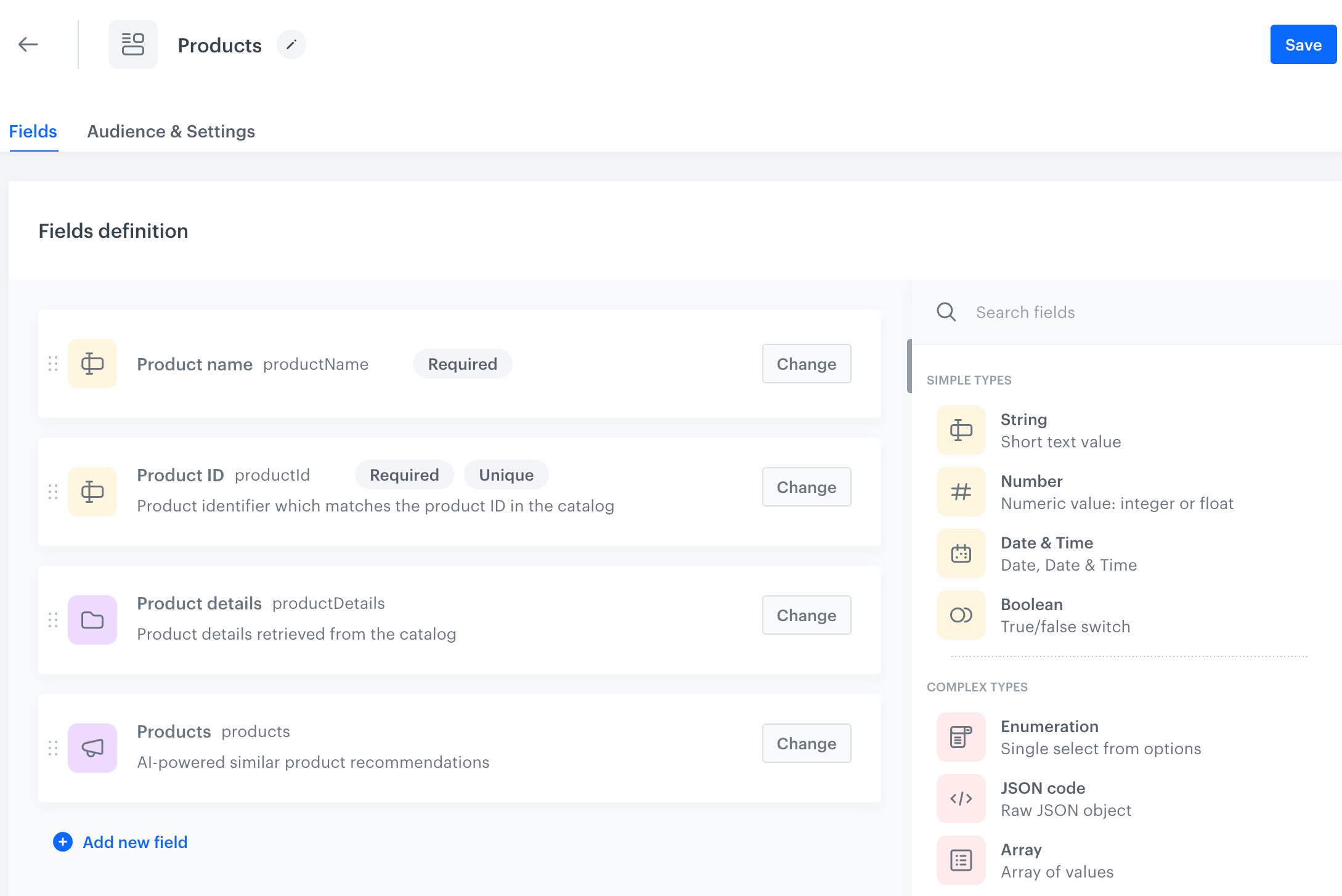
Schema types
- Simple schema - A lightweight type of schema that does not support versioning or publishing workflows. It offers flexibility and can be used with asynchronous APIs, making it suitable for less complex or dynamic use cases.
- Managed schema - A schema type that supports versioning records and publishing workflows, allowing you to manage different versions of a record over time. It is suitable for content requiring controlled updates and formal publishing processes.
- Singleton schema - A schema that doesn't store any records, but content can be generated from default field values and Jinjava.
For details, see the "Schema types" section.
Schema identifiers
When generating an object from a record, you can use one of these schema identifiers:
- API name - A unique identifier of a schema. You must provide it when creating the schema and it can't be changed later. It's shorter and more human-readable than the ID created automatically. In API requests, this identifier is called
appName. - ID (UUID) - Generated automatically when the schema is created. Can't be changed. You can find it in the address bar when you open the schema.
Record
- Record - A single data entry within the schema (filling out schema fields with data).
- Record version - An iteration of a record at a particular point in time, capturing changes made to the record while preserving its historical states.
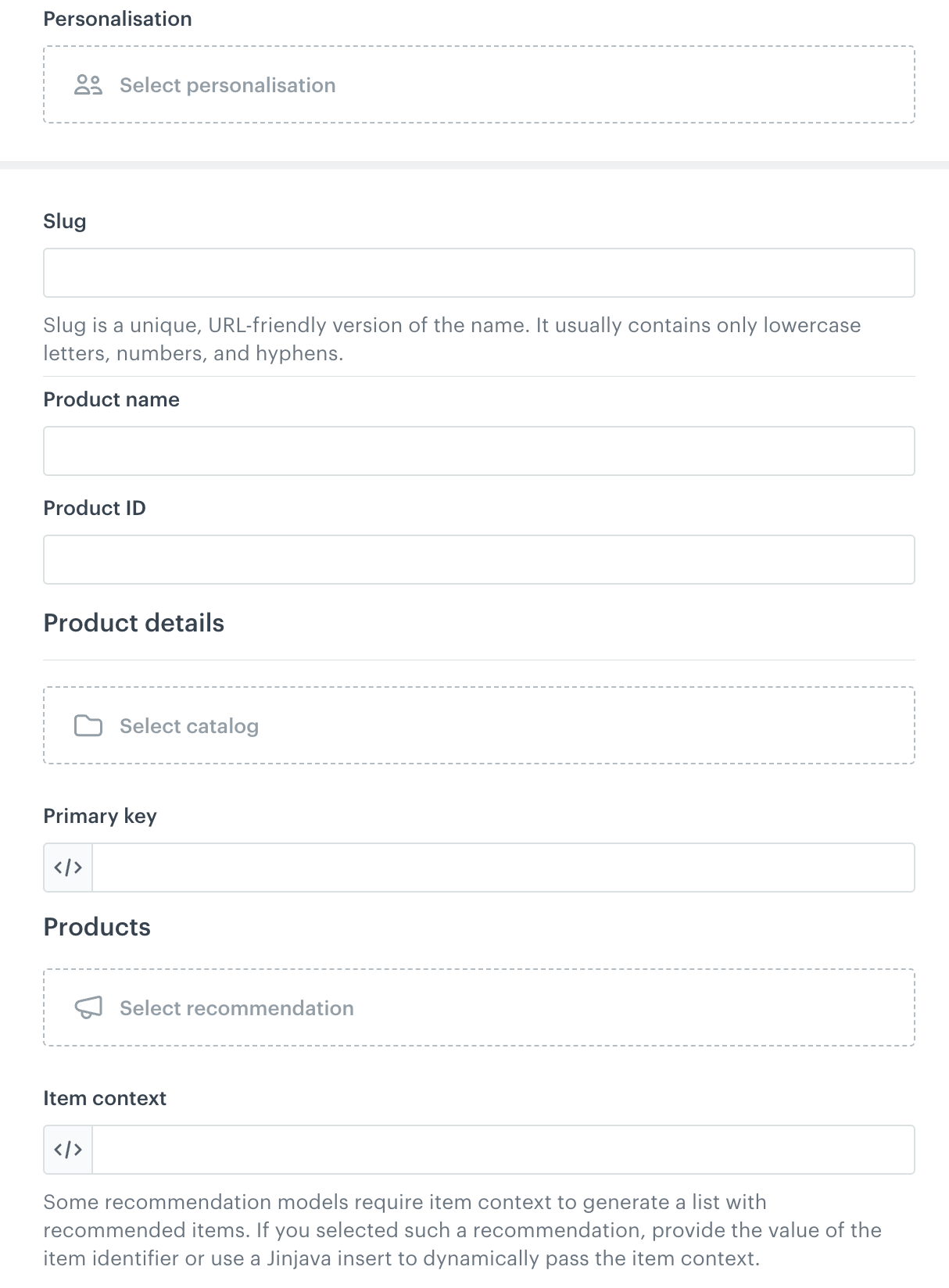
Record identifiers
When generating an object from a record, you can use one of these record identifiers:
- Slug - An optional identifier. Must be unique within a schema. You can change it when updating a record. You can see it in the record editor, as the first field.
- ID (UUID) - Generated automatically when the record is created. Can't be changed. You can find it in the address bar when you open the record.

IDs in the address bar in the record editor
Field
Refers to a single field in a record/schema.
Static and dynamic fields
- Static fields have a static value saved in a record, for example, a string field type with a static string value, or numeric field with an integer value. When the record is retrieved, they are returned exactly as they are saved in the record.
- Dynamic fields are calculated at the time of the generation request—for example, Jinjava templates are processed, personalized recommendations are calculated, or data from external sources is fetched in real-time.
Ensure that you provide values matching the expected field types, for example, enter plain strings for string fields unless dynamic values are explicitly allowed. Fields that accept dynamic values are marked on the list fields under the Dynamic value category.
External data
External data refers to a field type category that lets you pull information from external sources or systems outside of Synerise, such as third-party APIs or enterprise systems, which can be integrated into Brickworks schemas for enriched content and functionality.
On the user interface, you can come across External source which is a single instance of a request to a service such as a CRM, ERP, PIM, or any API to enrich or synchronize values in a record.
Validation
Brickworks ensures all stored data matches your schema requirements through strict validation:
- If a field is missing, has the wrong type, or an unexpected key appears, the system returns a clear validation error
- No unexpected or undeclared fields are ever stored
- Every record for a given object type follows the same structure—no hidden or "rogue" fields
Real-time federated content
Schemas can connect to external APIs and systems for real-time data enrichment:
- External Source fields fetch live data from any external API or system
- Synerise objects integrate with Synerise's behavioral intelligence platform
- Data is fetched and validated in real-time during record generation
Other terms
- Context - Context defines how the record is interpreted and customizes the values displayed within the object. For example, you can specify a profile in the record preview to view the results generated for that profile.
- Data collection - A collection of records created from a particular schema.
- Display name - This field appears when creating a schema in the Synerise portal. It's a human-readable, friendly name assigned to a schema, field, or resource that appears in the user interface. It provides an understandable label for users interacting with the system.
- Field context - Specific metadata or parameters tied to a particular field within a record, defining how that is interpreted.
- Jinjava code - A templating language used within Brickworks and Synerise to customize and dynamically generate content by embedding logic and variables into templates. It refers to a field type which accepts Jinjava.
- Object - To display record results in a distribution channel (for example, in a mobile application), you must call an API method which generates an object with that record. So, the object is a container for the record results.
- Relations - Defined connections or links between fields or records within schemas, specifying how data items relate to each other. Relations enable complex data models such as references between objects.
- One to one - A type of relation where a single record in one schema is linked to exactly one record in another schema, establishing a direct and exclusive association.
- One to many - A type of relation where a single record in one schema can be associated with multiple records in another schema, supporting hierarchical or grouped data structures.