A schema may include a number of different types of data fields:
- Simple types - static, atomic values and expect data entries that strictly conform to their specified types. Can be set as searchable unique.
- Complex types - structured or grouped data, allowing for more complex and flexible data representations beyond simple atomic values.
- Dynamic types - Jinjava inserts and data pulled from external sources.
- Relations - data retrieved from records in other schemas.
- Synerise objects - leverage existing data within Synerise by adding Synerise objects as fields. These objects enable advanced personalization and dynamic content.
To learn more, see Synerise objects. - Assets - files from Data Modeling Hub > Files.
Common field properties
These properties exist in multiple field types:
- Display name (required): A human-readable name for the field, shown in the record editor.
- API name (required): A system name for the field.
- In the
{{ record.APIname }}insert, this name is theAPIname - When retrieving/creating/updating a record with the API, this name is the identifier of the field.
- When generating an object from a record, this is the name of the key that stores the field's value.
- In the
- Description: A human-readable description of the field's purpose, shown in the record editor.
- Block record-level overwriting: Disables changing any values in this field in individual records. You must provide a default value, which will be applied to all records in the schema.
- Return null when object is missing: If the requested object (such as an expression result or external source) doesn't exist, the field returns
nullinstead of causing an error in content generation. - Conditional visibility: Enforces adding a value to a field when another field meets a condition.
See explanation below. - Use as record title: If the record doesn't have a set name, the value of the field is used as the name.
- Required field: A record can only be saved if a value for this field is provided.
- Default value: The provided value will be used for object generation in records where a value is not set.
This is only used when a value isn't defined in a record. It is not a fallback. For example, if an expression referenced in a record returns null or an error, the system doesn't use the default value. Default values are optional. - Unique values only: No other record in the schema may have the same value for this field.
You can use this to store your own unique record identifiers.
The number of fields with this setting is limited. - Enable search & filtering: The value can be used when searching and filtering records.
The number of fields with this setting is limited.
Conditional visibility
You can enforce entering a value into a field when another field meets a condition. If the condition isn't met, the field with this setting isn't visible in the schema editor/viewer.
The field that appears when the condition is met must have a default value (because it's required).
Example:
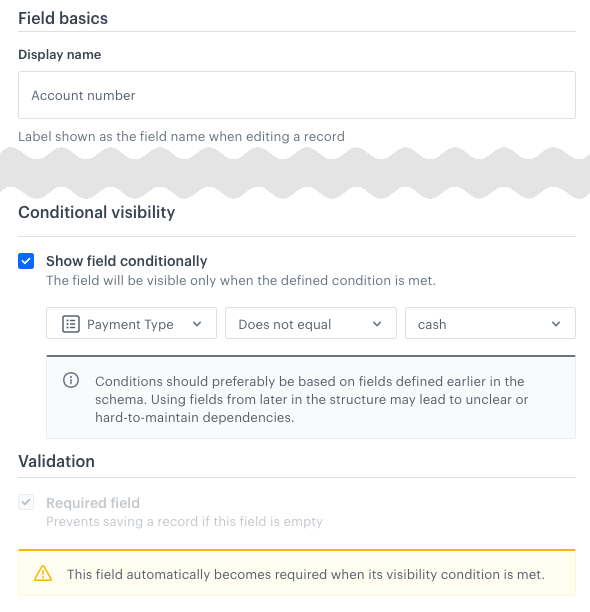
"cash"Operators:
The available operators depend on the type of the field that is checked:
| String | Number | Boolean | Enumeration |
|---|---|---|---|
|
|
|
|
Field type summary
Simple types
| Field name | Stored values | Primitive data type | Can be searchable1 | Can be unique2 | Accepts Jinjava | Nullable |
|---|---|---|---|---|---|---|
| String | Static strings | + | + | + | - | + |
| Number | Integers or floating point numbers | + | + | + | - | + |
| Date & Time | A date or date and time | - | - | - | - | + |
| Boolean | true/false values |
+ | + | + | - | + |
1,2The number of fields with this setting is limited.
Complex types
| Field name | Stored values | Primitive data type | Can be searchable1 | Can be unique2 | Accepts Jinjava | Nullable |
|---|---|---|---|---|---|---|
| Enumeration | A list of allowed values, displayed as a dropdown list | + | - | + | - | + |
| JSON code | Raw JSON content | - | - | - | - | + |
| Array | Lists of values | + | + | + | - | + |
| Key-Value | A key/value (JSON) map | - | - | - | - | - |
1,2The number of fields with this setting is limited.
Dynamic types
| Field name | Stored values | Primitive data type | Can be searchable1 | Can be unique2 | Accepts Jinjava | Nullable |
|---|---|---|---|---|---|---|
| Jinjava code | A string which contains Jinjava inserts. | - | - | - | + | + |
| External Data | Pulls data from an external source when generating an object from a record | - | - | - | + | + |
1,2The number of fields with this setting is limited.
Relations
| Field name | Stored values | Primitive data type | Can be searchable1 | Can be unique2 | Accepts Jinjava | Nullable |
|---|---|---|---|---|---|---|
| One to one | Reference to one record from another schema | - | - | - | - | + |
| One to many | References to multiple records from another schema | - | - | - | - | + |
| One to many filtered | References multiple fields from a schema if they meet a filter | - | - | - | - |
1,2The number of fields with this setting is limited.
NOTE: When you generate an object, the audience is validated only for the top-level schema. The audience of referenced (nested) schemas is not validated. For details, see Limits and constraints
Synerise objects
See Synerise objects to learn to use: profile attributes, expressions, metrics, aggregates, vouchers, AI recommendations, AI Search, AI Search listing, and catalogs.
Assets
| Field name | Stored values | Primitive data type | Can be searchable1 | Can be unique2 | Accepts Jinjava | Nullable |
|---|---|---|---|---|---|---|
| File | Reference to one or more files (other than images) from Data Modeling Hub > Files | - | - | - | - | + |
| Image | Reference to one or more images from Data Modeling Hub > Files | - | - | - | - | + |
1,2The number of fields with this setting is limited.
Array
This field lets you add a list of multiple values within a single field. You can make the array untyped (default behavior) or configure it to accept only strings or only numbers.
Field configuration in a schema
- If you want to select the data type of an array, select it from the Array type dropdown.
This setting can't be changed per record.
Object generation example
Arrays don't require extra parameters in the object generation request.
The generated content is the value of the array:
[
    "string1",
    "string2"
]
Boolean
This field type accepts true or false as the value. In the record editor, it's shown as a checkbox.
Object generation example
Booleans don't require extra parameters in the object generation request.
The generated content is the value of the field:
trueDate & Time
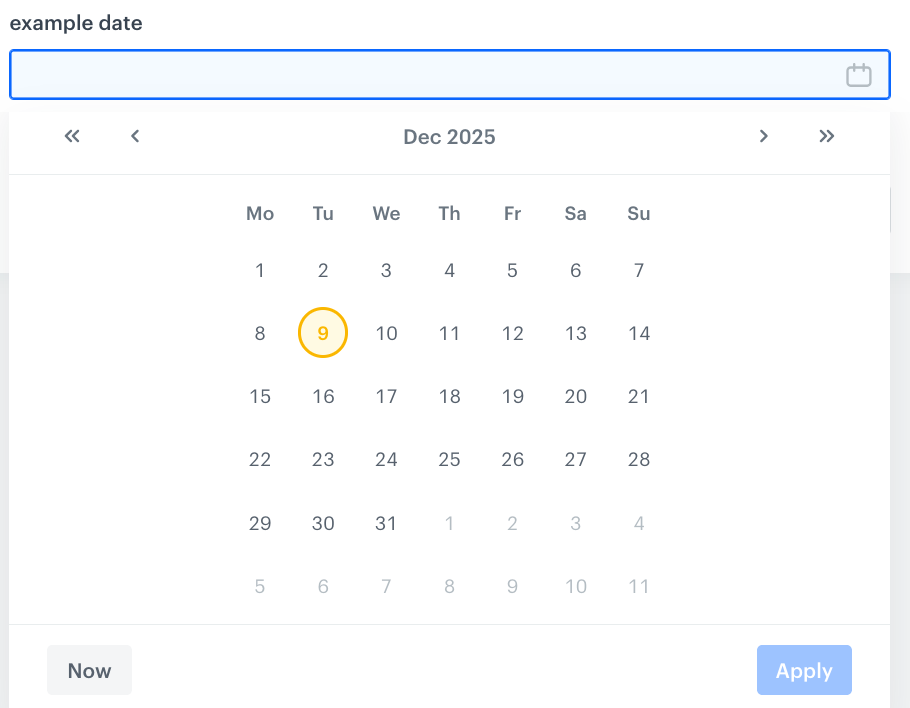
This field accepts a date or date and time, according to ISO 8601.
In the record editor, you can select the value with a date picker:
Object generation example
Dates and times don't require extra parameters in the object generation request.
The generated content is the value of the field.
"exampleDateAndTime": "2025-12-09T17:19:13+01:00",
"exampleDate": "2025-12-09"
Enumeration
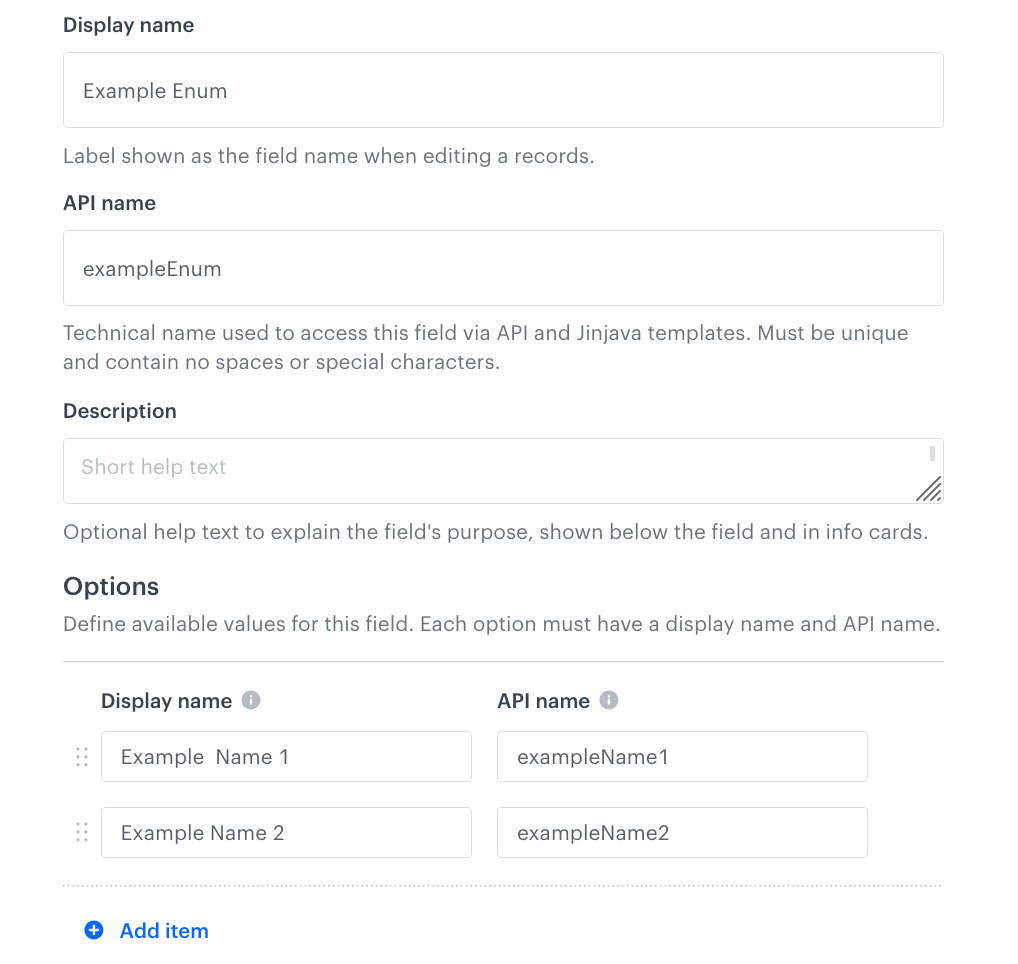
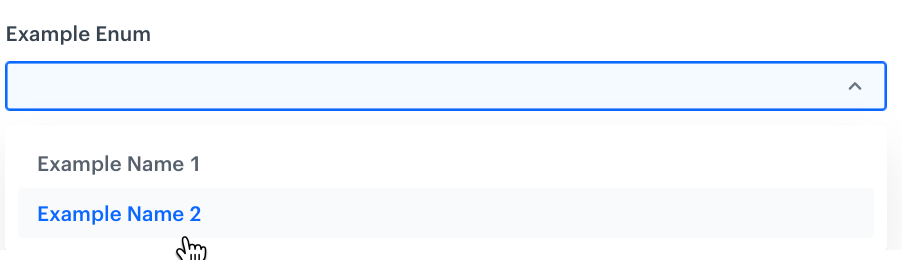
This field type lets you add a fixed set of allowed values. In the record configuration list, it will appear as a dropdown. You can add human-readable labels to show in the dropdown.
When a record is created or updated, the value of this field must match one of the allowed values.
Field configuration in a schema
- In the Options section:
- Click Add item.
- On the left side, enter the human-readable name shown in the record editor.
- On the right side, enter the value that will be returned when an object is generated.
This value is returned when you generate content from a record. This field doesn't support diacritic characters.
Object generation example
Enumerations don't require extra parameters in the object generation request.
The generated content is the value of the field:
"exampleName2"External Data
This field lets you add a dropdown with external sources to a schema. When you generate an object from a record, a request is made to the external source and the data from the response is added to the generated content.
The external source selected in the schema applies to all records and can't be changed per record.
Field configuration in a schema
- From the Select an external source dropdown list, select an external source.
- Choose a setting for the Return error details when the source responds with an error option:
- Disabled (default): when the external resource returns an error during object generation, it causes an HTTP 400 response from the Brickworks API.
- Enabled: when the external source returns an error during object generation, the Brickworks API returns an HTTP 200 response with the error details as the value of the field.
See Object generation example: error handling.
Connection errors, such as timeouts, result in an error response from the Brickworks API regardless of this setting.
When this setting is enabled, it takes precedence over Return null when object is missing.
Object generation example
External sources don't require extra parameters in the object generation request.
The generated content is the response body from the external source.
{
    "key1": "value1",
    "key2": "value2"
}
Object generation example: error handling
If Return error details when the source responds with an error and Return null when object is missing are both disabled, an HTTP 4xx response from an external source causes an HTTP 400 response from the Brickworks API:
{
    "source": {
        "pointer": ".exampleExternalDataField",
        "value": null
    },
    "timestamp": "2026-08-18 12:35:46.452234318Z",
    "help": null,
    "errorCode": "BKW-032",
    "httpStatus": 400,
    "details": {
        "request.method": "GET",
        "response.status": 403,
        "response.body": "{\"status\":403,\"error\":\"Forbidden\",\"message\":\"\",\"timestamp\":\"2026-08-18 12:35:46Z\"}",
        "request.url": "https://api.example.com/object/7958640443",
        "request.body": ""
    },
    "message": "External data source error",
    "traceId": null
}
When Return error details when the source responds with an error is enabled, the Brickworks API returns an HTTP 200 response and the error details become the value of the external data field. The response.body parameter contains the content of the response from the external source and differs depending on the source.
IMPORTANT: The request.body object contains the request body that was sent from Synerise to the external source. If your external source configuration sends sensitive data (such as personal information or authentication parameters) in the request body, that data is added to request.body. You can use Response transformers to remove sensitive data from the response.
{
    "__slug": "123456",
    ... // record metadata
    "exampleExternalDataField": {
        "request.method": "GET",
        "response.status": 403,
        "response.body": {
            "status": 403,
            "error": "Forbidden",
            "message": "",
            "timestamp": "2026-08-18 12:35:46Z"
        },
        "request.url": "https://api.example.com/object/7958640443",
        "request.body": {}
    }
}
File
This field lets you add files available in Data Modeling Hub > Files, except for image files. To add image selection, see Image.
The way you select files in the record editor depends on the Value type of the field:
- Single value: Select a file from the dropdown list.
- Multiple values: Click Add file and select a file. Repeat this for each file you want to add. To change the order of the files, drag them by the handle on the left.
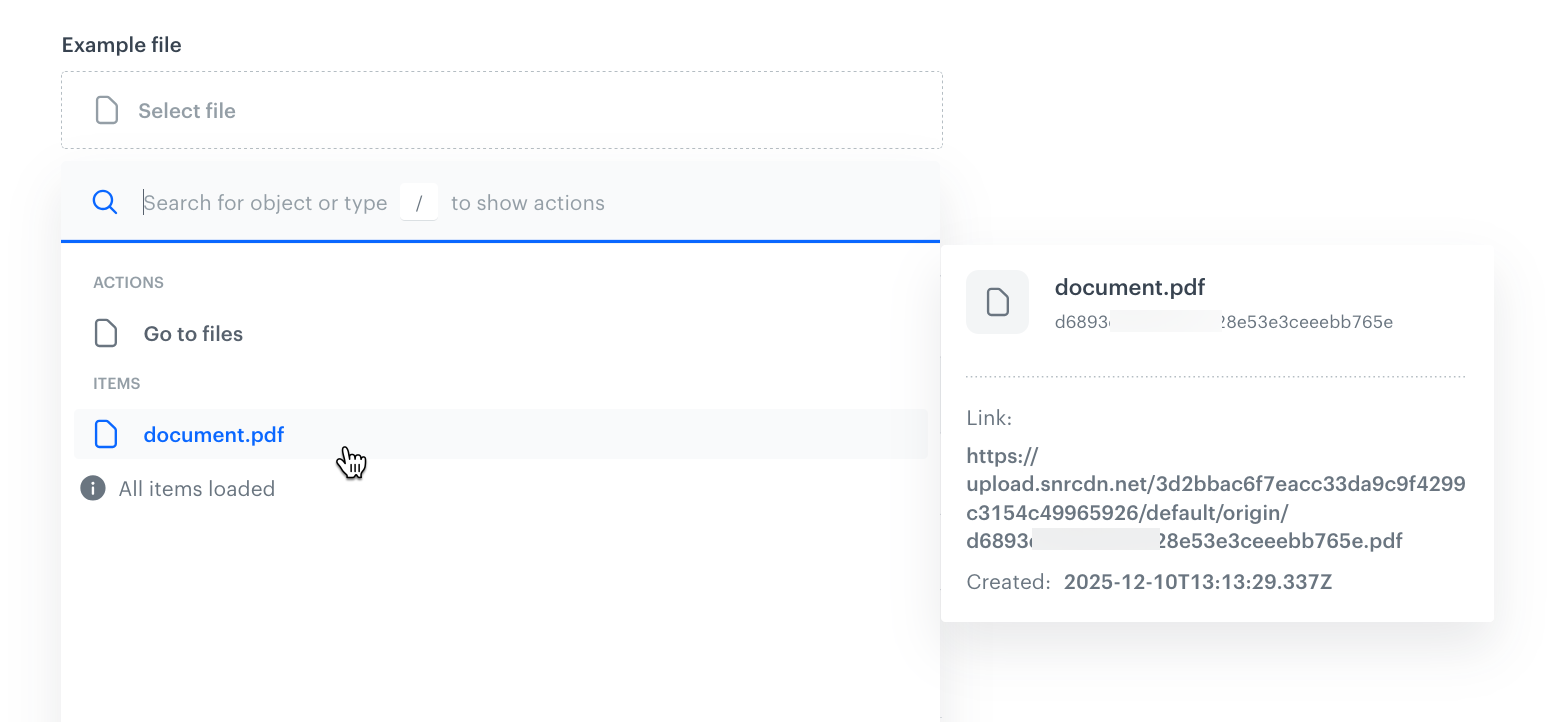
Field configuration in a schema
In Value type, select one of the following options:
- Single value: The field stores one file.
- Multiple values: The field stores a list of files.
You can't change this setting after the field is created.
- Optionally, configure the common properties: Default value, Block record-level overwriting, Conditional visibility, and Required field.
If you selected Multiple values, define how the field handles files that can't be loaded (for example, because they were deleted or the source returns an error):
- Skip objects that cannot be loaded: The record is rendered without the file that can't be loaded, instead of failing.
- Remove missing objects from the list: A missing file is removed from the list and the remaining files move up. If this option is disabled, the missing file is returned as
null, so the positions of the other files don't change.
Object generation example
Files don't require extra parameters in the object generation request.
If the field stores a single value, the generated content is an object with a link to the file.
{
        "origin": "https://upload.snrcdn.net/3d2bbac6f7eacc33da9c9f4299c3154c49965926/default/origin/1a87f667856cfoobarba514d6282be4e.pdf",
        "large": null,
        "thumb": null
    }
If the field stores multiple values, the generated content is a list of such objects.
Image
This field lets you add images available in Data Modeling Hub > Files. The field can store one image or a list of images.
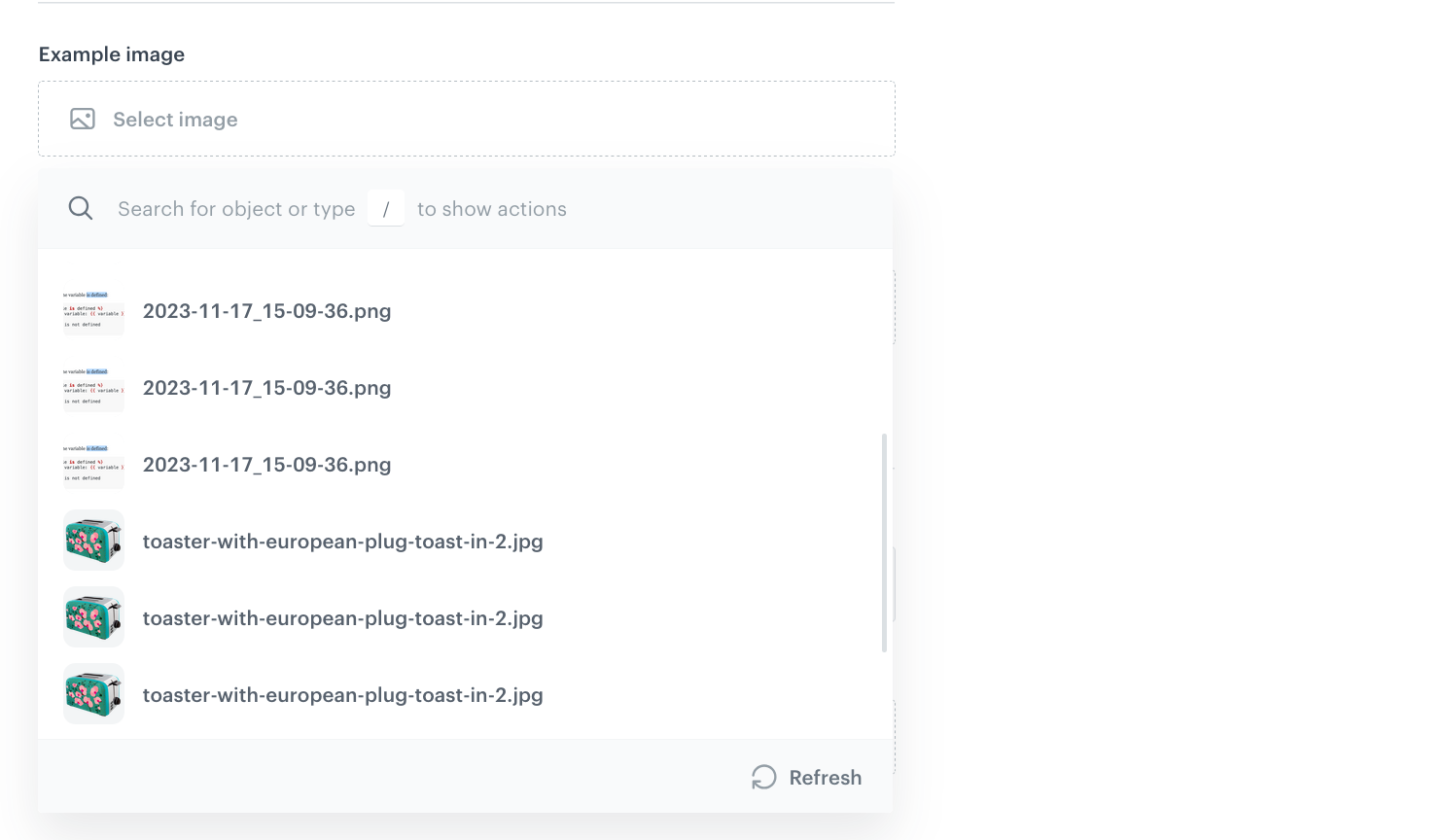
Field configuration in a schema
In Value type, select one of the following options:
- Single value: The field stores one image.
- Multiple values: The field stores a list of images.
You can't change this setting after the field is created.
- Optionally, configure the common properties: Default value, Block record-level overwriting, Conditional visibility, and Required field.
If you selected Multiple values, define how the field handles images that can't be loaded (for example, because they were deleted or the source returns an error):
- Skip objects that cannot be loaded: The record is rendered without the image that can't be loaded, instead of failing.
- Remove missing objects from the list: A missing image is removed from the list and the remaining images move up. If this option is disabled, the missing image is returned as
null, so the positions of the other images don't change.
Object generation example
Images don't require extra parameters in the object generation request.
If the field stores a single value, the generated content is an object with links to the image.
{
        "origin": "https://upload.snrcdn.net/3d2bbac6f7eacc33da9c9f4299c3154c49965926/default/origin/1a87f667856cfoobarba514d6282be4e.png",
        "large": "https://upload.snrcdn.net/3d2bbac6f7eacc33da9c9f4299c3154c49965926/default/medium/1a87f667856cfoobarba514d6282be4e.png",
        "thumb": "https://upload.snrcdn.net/3d2bbac6f7eacc33da9c9f4299c3154c49965926/default/thumb/1a87f667856cfoobarba514d6282be4e.png"
    }
If the field stores multiple values, the generated content is a list of such objects.
Jinjava code
This field allows you to input and store Jinjava template code within the schema. Using this field, you can define reusable templates or dynamic text that will be rendered based on the context data at runtime.
IMPORTANT: When referencing profile attributes with Jinjava, you should check if they exist. See the below image for an example.
For more details, see Insert usage.

Additionally, in this field, you can use inserts for retrieving values from other fields and providing context.
Field configuration in a schema
- In Jinjava code, enter the default code.
- If you want to enforce casting the output of Jinjava code to a specific value type:
- Enable the Cast to option.
- From the Choose type dropdown list, select the data type to which the Jinjava code output will be cast to.
- If you want to return
nullwhen casting fails, enable Strict casting.
If strict casting is disabled, the raw value (string) is returned instead of an error.
Object generation example
In the following example, content is generated from the record shown in the screen above:
- The name of the customer is pulled from the profile for whom the content was generated (see Generating objects).
- The day of week is added in the
contextobject of the generation request.
"context": {
    "dayOfWeek": "Monday"
}
"Hello, Tom!\nIt's Monday.",JSON code
This field allows you to input and store raw JSON data. The field includes validation to ensure the JSON is well-formed, enabling accurate storage and retrieval of structured data exactly as provided.
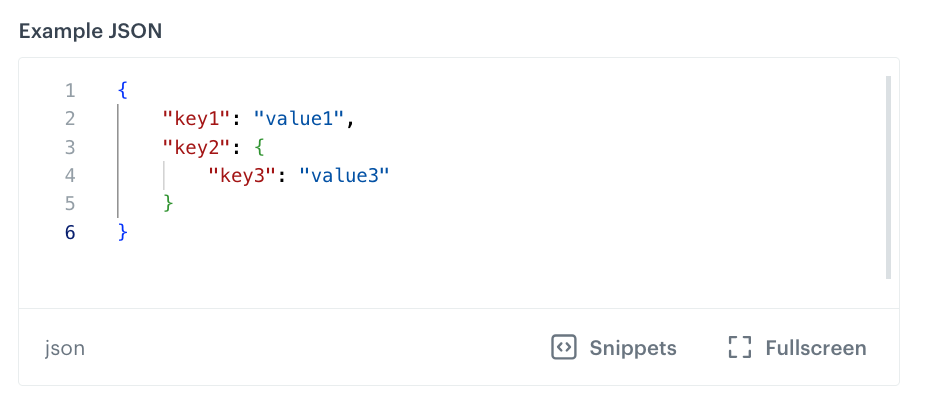
Field configuration in a schema
Only common properties.
Object generation example
JSON fields don't require extra parameters in the object generation request.
The generated content is the value of the field:
{
    "key1": "value1",
    "key2": {
        "key3": "value3"
    }
}
Key-Value
This field lets you create a key/value map. You can set a default list of keys and values, and configure the field to allow adding new keys in each record.
The values do not support Synerise Jinjava inserts.
Field configuration in a schema
All configuration is optional, but if you don't add any default keys and leave the Allow custom keys in records option disabled (default), the field will always be empty in records.
- In Configuration > Define structure, add default keys and their values. For each key, select the data type that will be enforced for the value.
The allowed data types are:- String
- Integer
- Float
- Boolean
- Array (any)
- Array (string)
- Array (number)
- Object (a key/value map)
- If you want to allow adding new keys per record, enable the Allow custom keys in records option.
Keys cannot be added to nested objects (keys with the Object value type).
Object generation example
The following example of generating content from a record contains 3 keys in a Key-Value field:
exampleString(string)exampleObject(object)exampleFloat(a float insideexampleObject)
{
    "exampleString": "foo",
    "exampleObject": {
        "exampleFloat": 3.14
    }
}
Number
This field type lets you store numbers. You can choose to accept only integers or integers and floating-point numbers.
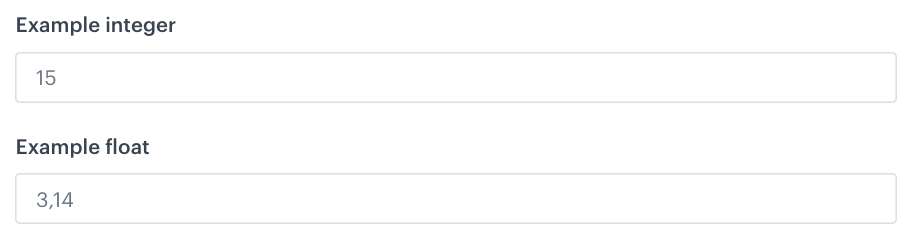
Field configuration in a schema
- Select one of the following options:
- Integer - To allow a whole number that can be positive, negative, or zero, but does not include any fractional or decimal part.
- Float - To let users type real numbers, including decimal values.
- To set limits on values for the field:
- Select the Limit value checkbox.
This limit isn't enforced when previewing a record. It only applies when trying to save or update the record. - Provide the minimum and maximum values the field can accept.
- Select the Limit value checkbox.
Object generation example
Numbers don't require extra parameters in the object generation request.
The generated content is the value of the field:
"exampleInteger": 15,
"exampleFloat": 3.14
One to one
This is a relation field type that provides a dropdown populated with records from a selected schema. It allows a schema record to reference a single record from another schema. When a record is selected from the related schema, values from all fields of that referenced record are accessible.
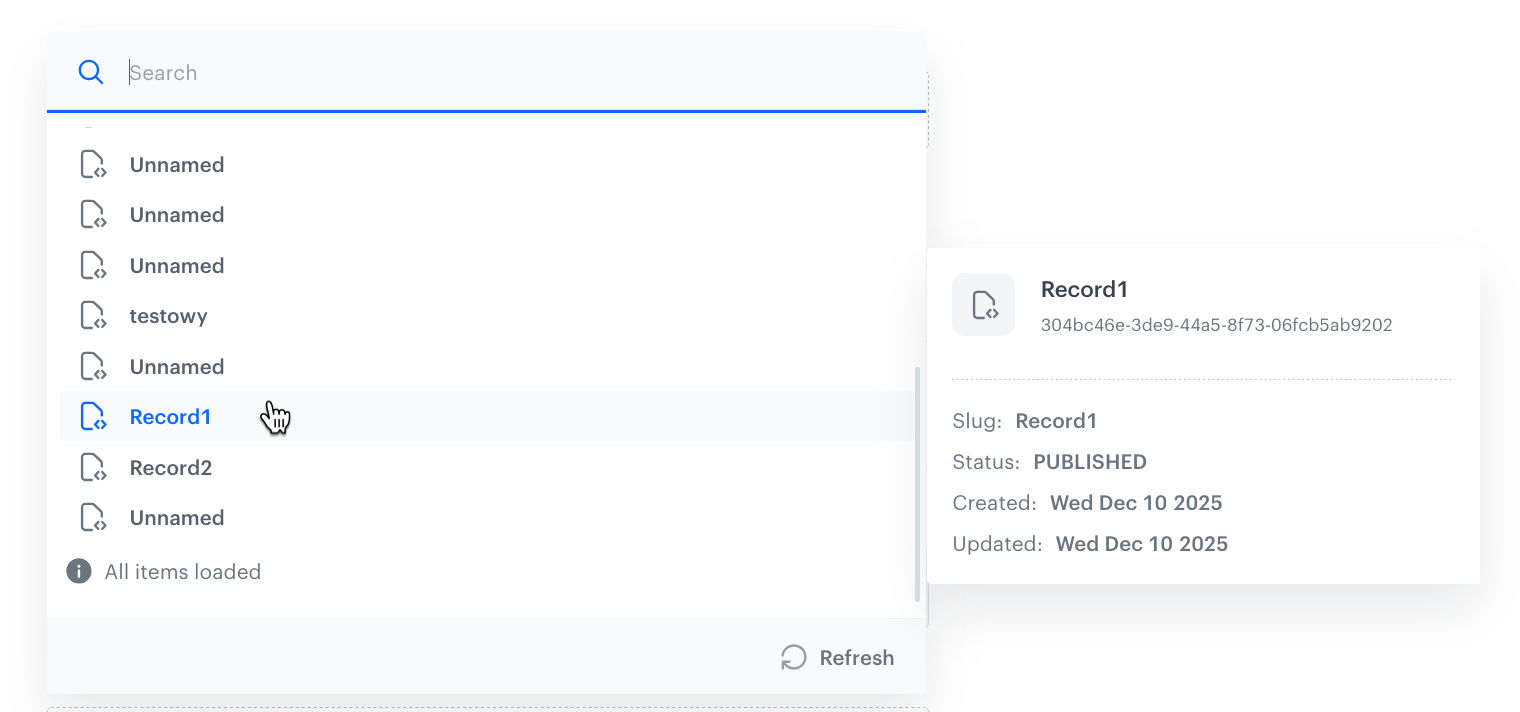
Field configuration in a schema
- From the Select schema dropdown list, select a schema which stores the records that can be referenced.
This can't be changed per record.
Object generation example
If the referenced records contain:
- fields which use the
context.keyNameinserts, you can provide the context as described in the Jinjava code fields. - AI recommendation fields, you can provide the context as described in the AI recommendation field.
The generated content is the processed content of the referenced record. In the following example, the referenced record has two fields: someNumber and someString
{
    "someNumber": 35.7,
    "someString": "defaultvalue"
}
Personalizing this field
See Personalization > Examples > One to one.
One to many
This is a relation field type that provides a dropdown populated with records from a selected schema. It allows a schema record to reference up to 10 records from another schema. When a record is selected from the related schema, values from all fields of that referenced record are accessible.
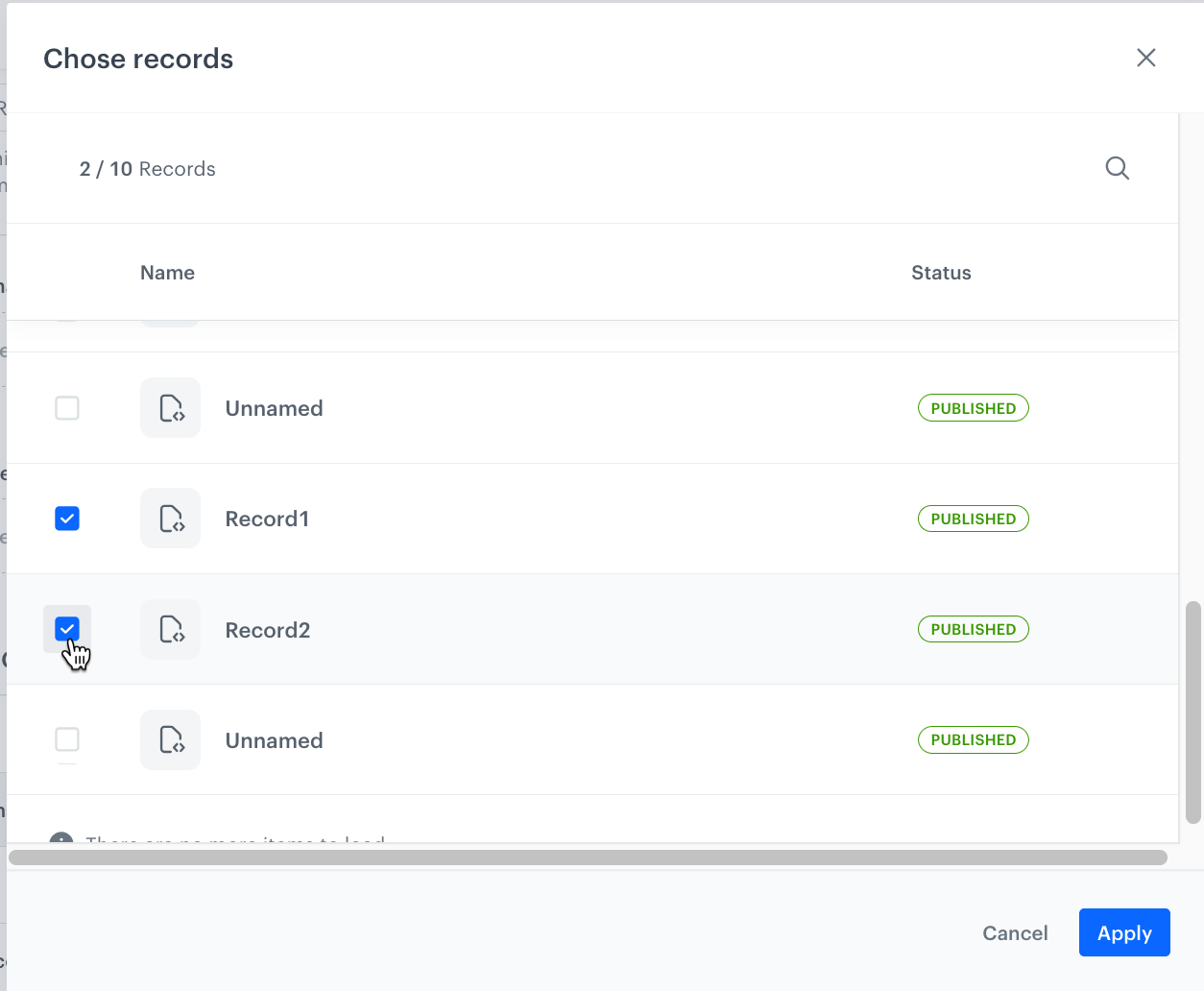
Field configuration in a schema
- From the Select schema dropdown list, select a schema which stores the records that can be referenced.
This can't be changed per record. - In Limit, set the maximum number of records that a record can link.
This can't be changed per record.
Object generation example
If the referenced records contain:
- fields which use the
context.keyNameinserts, you can provide the context as described in the Jinjava code fields. - AI recommendation fields, you can provide the context as described in the AI recommendation field.
The generated content is the processed content of the referenced records. In the following example, two single-field records are fetched.
[
    {
        "someString": "value1"
    },
    {
        "someString": "value2"
    }
]
One to many filtered
This relation field type provides a dropdown populated with schemas. You can select a schema and define filter conditions to return only the records that meet those conditions.
IMPORTANT: Filters can be applied only if the selected schema contains fields marked as Unique values only and/or has the Enable search & filtering option enabled. Otherwise, the filter will be inactive in the interface.
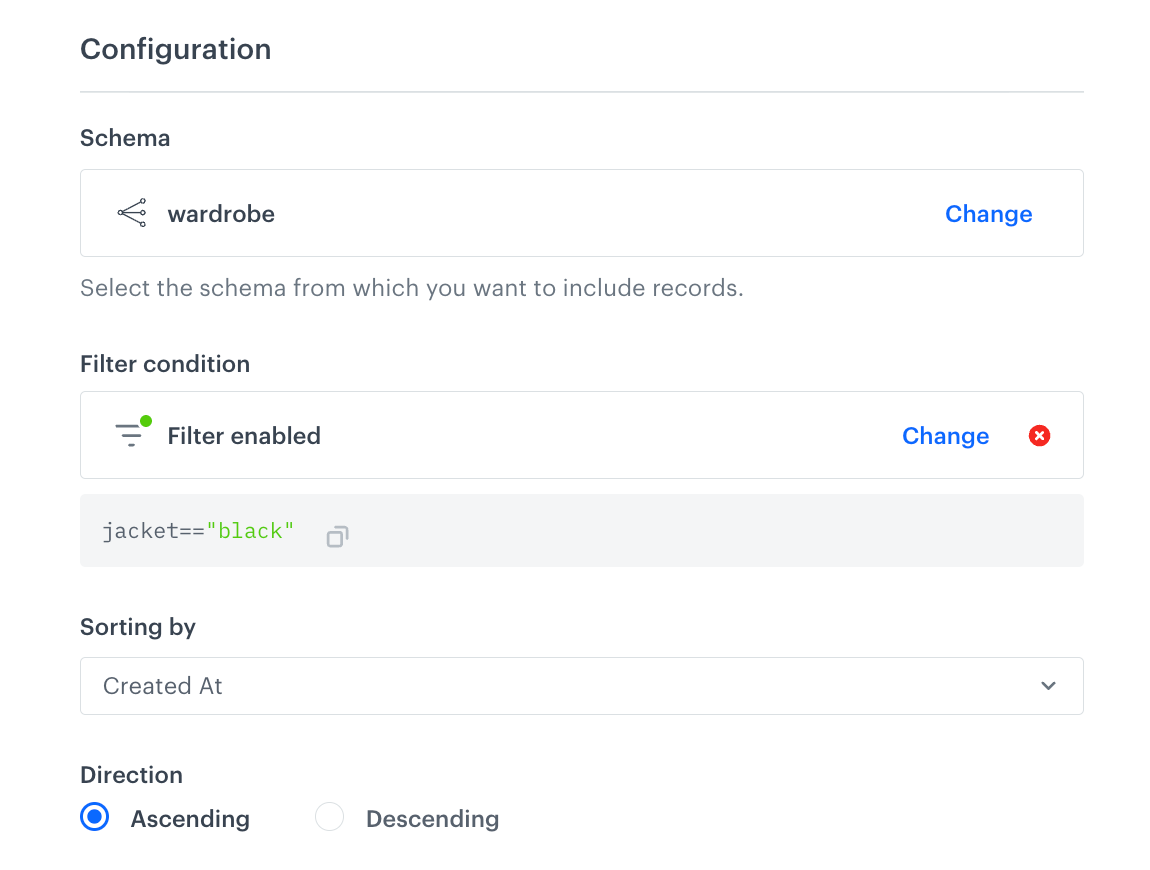
Field configuration in a schema
- From the Select schema dropdown list, select a schema which stores the records that can be referenced.
This can't be changed per record. - To define filters, click Define filter.
- From the Select field dropdown list, select the field from the schema you selected in the step before.
- From the Select operator dropdown list, select the condition type to apply when filtering data.
- Provide a value.
- To add more conditions, click Add condition.
- To change the dependency between the conditions (AND/OR), click Or.
- Confirm by clicking Apply.
- From the Sorting by dropdown list, select the attribute by which the filter results will be ordered.
- In the Direction section, choose whether the results will be sorted in ascending or descending order.
Object generation example
{
  "identifierValue": "6b7fed6d-da01-42f1-b98c-b2b31aed9ac3",
  "context": {},
  "values": {
    "relations": {
      "query": "jacket==\"black\"",
      "sortBy": "createdAt",
      "sortDirection": "asc"
    }
  }
}
{
"__slug": "Schema with one to many filtered",
"__recordVersion": 1,
"__publishedAt": "2026-02-26T15:39:45.572337Z",
"__updatedAt": "2026-02-26T15:39:45.564786Z",
"__createdAt": "2026-02-26T15:39:45.564786Z",
"relations": [
{
"shirt": "blue",
"hoodie": "green",
"jacket": "black",
"trousers": "yellow"
},
{
"shirt": "brown",
"hoodie": "brown",
"jacket": "black",
"trousers": "brown"
}
],
"__schemaId": "a7e1ebc8-0e62-4f7c-b0db-3a1824efb1ac",
"__id": "25104d4d-5d2b-4293-9758-c07d726c32a3",
"__schemaVersion": 1
}String
This field type lets you add a text field.
TIP: To add a string with Jinjava inserts, use the Jinjava code field.
Field configuration in a schema
- To set length limits for the field value, select the Character limits checkbox and specify the minimum and maximum number of characters allowed.
- To enable regex validation for the field value, select Validation pattern and enter the expression.
Object generation example
Strings don't require extra parameters in the object generation request.
The generated content is the value of the field:
"Lorem ipsum"