Transforming data is the process of shaping your data into a usable format. Instead of using different individual tools to modify your data, you can do it in Automation Hub thanks to its capability of data transformation and use its outcome at once.
You build transformations in the Data Transformation Studio, based on sample data which reflects the data you want to transform. You can open the Studio:
- directly in a workflow, from the "Data Transformation Studio" node. In this case, the Studio can use the data from the preceding node as sample data, and you can use the transformation only in this node or save it as a template for reuse.
- from Automation Hub > Transformations, to create a transformation that you can use as a template in any Data Transformation Studio node.
For details, see Creating transformations.
Improve data security
Although the data transferred to and from Synerise is already secured with protocols, you can use the encryption feature. It lets you add an encryption key and use it to encrypt or decrypt data during transformation with Encrypt Data and Decrypt Data transformation steps. You can use it for:
- selected values in an exported/imported file;
- any string data using Jinjava tag for encrypting and decrypting data
Purpose of transforming data
Imports and exports
The main purpose of data transformation is to structure the data to meet the requirements for importing (to Synerise) and exporting files to external tools.
You can use transformations in the Data Transformation Studio node while preparing a workflow that imports data to Synerise (such as transactions, events, profiles) or exports it further.
If your file meets the Synerise import requirements, you can omit the data transformation part.
Accepted file formats
The data sample used for building transformations should meet the following requirements:
- The file can contain up to 500 rows
- Supported file formats:
.CSV,.XML feed,.JSONL,.JSON
How are transformations built?
Transformations are created based on sample data which must reflect the data that will be transformed in workflows. It can be a fragment of the actual file.
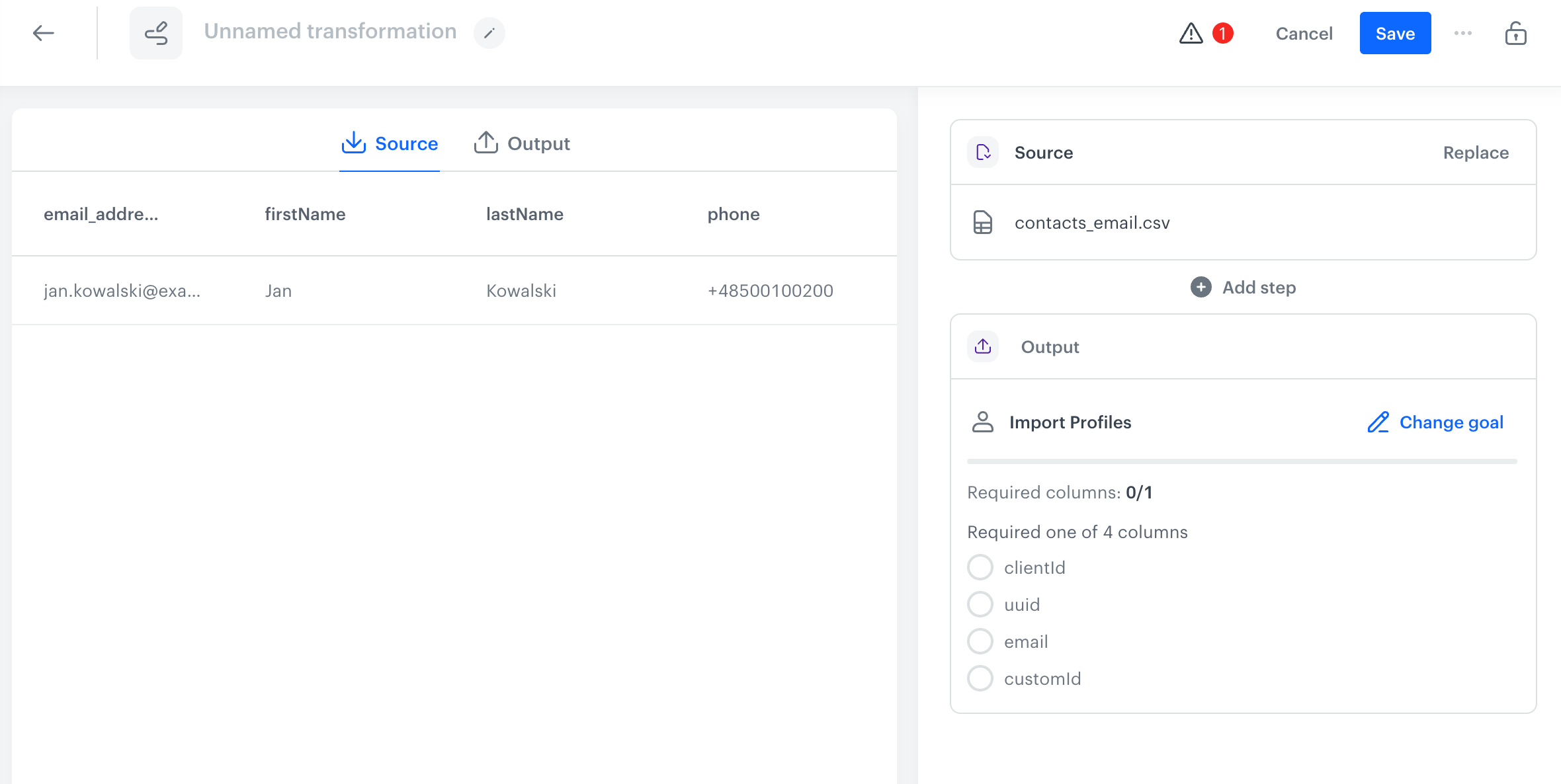
A transformation consists of:
- Source - the sample data, taken from the preceding node in the workflow or uploaded as a file.
- Transformation steps - the operations (for example, adding columns, editing values, and so on) performed on the data from top to bottom.
- Output - the optional transformation goal, which shows the columns that the output data must contain, for example, to import transactions to Synerise.
While you build the transformation, you can see the data before and after the transformation in the Source and Output tabs.
As a result, you end up with a transformation which you can use in the "Data Transformation Studio" node every time you need to modify data with a similar structure in a regular workflow (for example, when importing data to Synerise).
What transformations are available?
You can perform the following operations on the file:
- Add Columns
- Rename Columns
- Merge Columns
- Remove Columns
- Reorder Columns
- Enrich data with information from a catalog
- Filter Rows
- Edit Values in cells
- Encrypt Data
- Decrypt Data
- Use regular expressions to search values in cells and replace them with any value
- Use Jinjava while editing values in columns
- Handle errors in rows which may occur during transformation